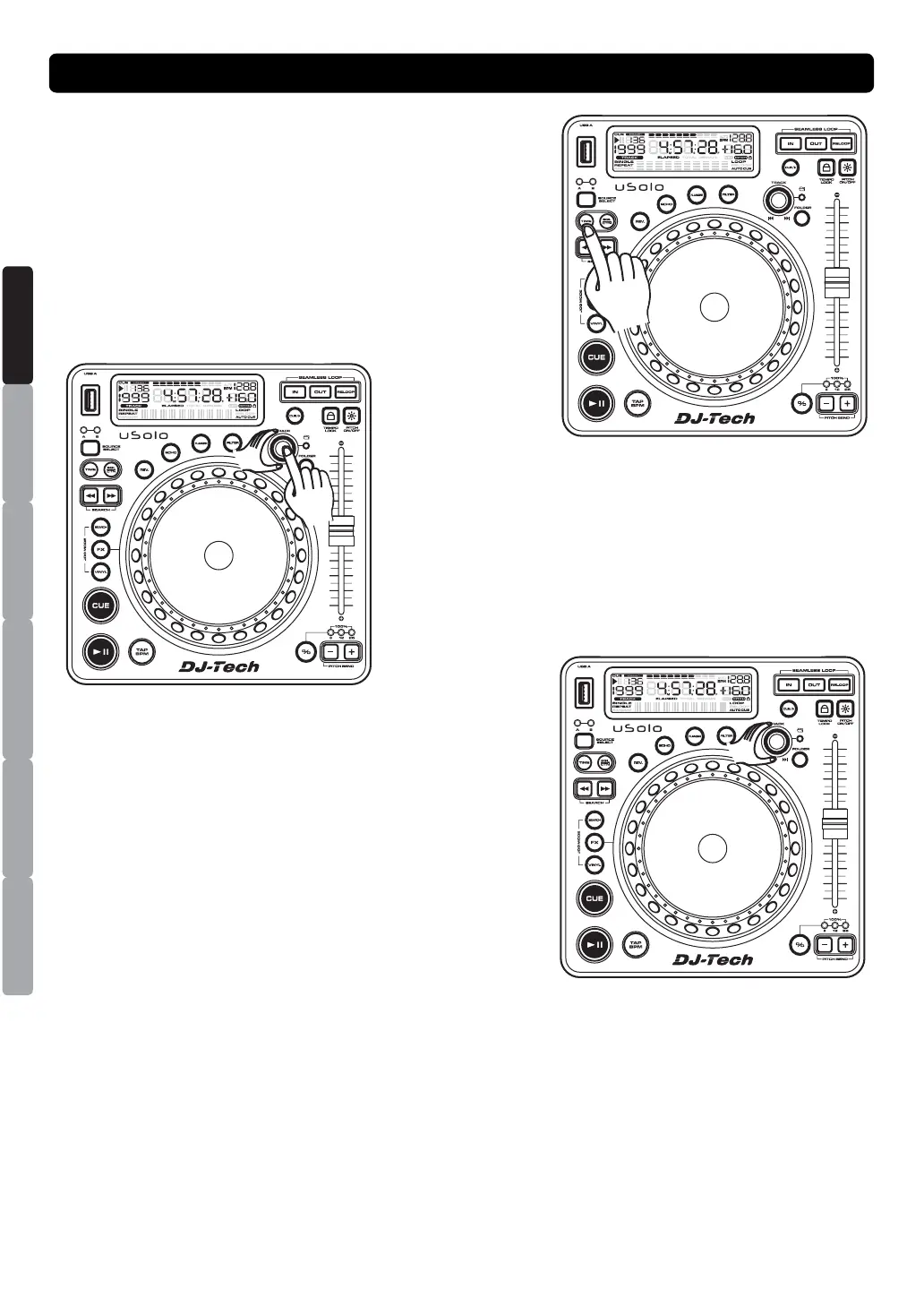
SETUP MODE
Press the TIME button for more than 2 seconds to enter
system setting mode. At this time, LCD display “PRESET”.
Note: System setting will be closed automatically when more
than 10 seconds no function.
Turn the TRACK knob to scroll through the different
submenus, you can adjust the setting by stopping on the
desired submenu and pushing the TRACK knob.
To exit the system settings, you can turn the TRACK knob
counterclockwise to PRESET submenu and then press the
TRACK knob.
SYSTEM SETTING MODE
ESPAÑOL
ITALIANO
NEDERLANDS
ENGLISH
FRANÇAIS
DEUTSCH


 To Next Page