SOURCE SELECT functions
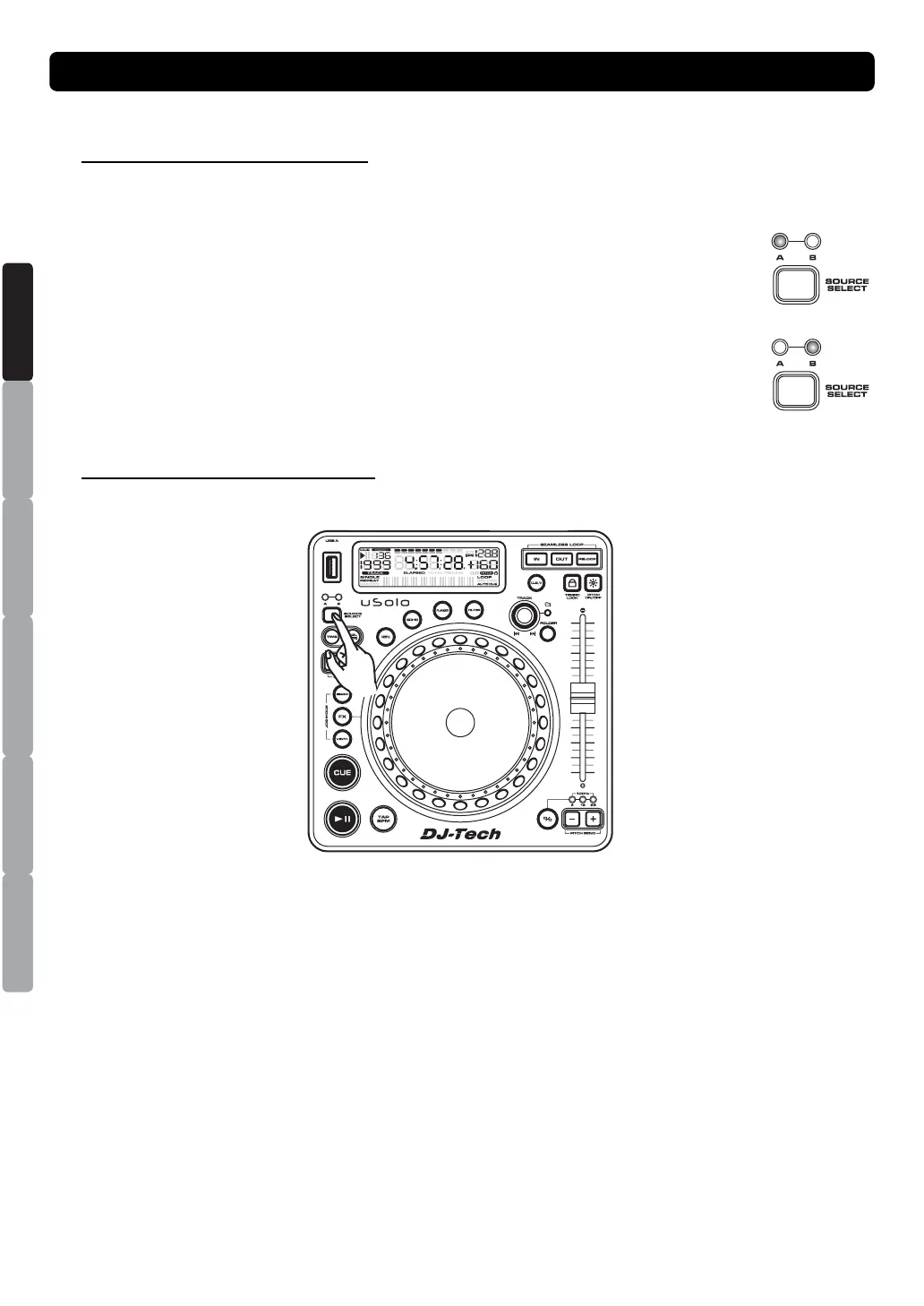
1. MUSIC SOURCE DEVICE SELECT
There is a SOURCE SELECT BUTTON to select the music source playback in PLAYER by your
desires.
You have two different choices as below:
(a) PLAYBACK from USB port A
Genially insert your USB stick, USB card reader, or compatible external hard drive
into USB A port and then press the SOURCE SELECTOR to select USB A for
plying. At this time, the USB A LED will glow red.
(b) PLAYBACK from USB port B
Genially insert your USB stick, USB card reader, or compatible external hard drive
into USB B port and then press the SOURCE SELECTOR to select USB B for
plying. At this time, the USB B LED will glow green.
Note: To disconnect a USB drive, stop playback and "pull out" the USB connection.
2. CHANGE MUSIC SOURCE DEVICE
It must in the pause mode, to press the SOURCE SELECT BUTTON you can select the other USB
port. It will no function when in the play mode.
BASIC OPERATION
ESPAÑOL
ITALIANO
NEDERLANDS
ENGLISH
FRANÇAIS
DEUTSCH


 To Next Page