Computer Display
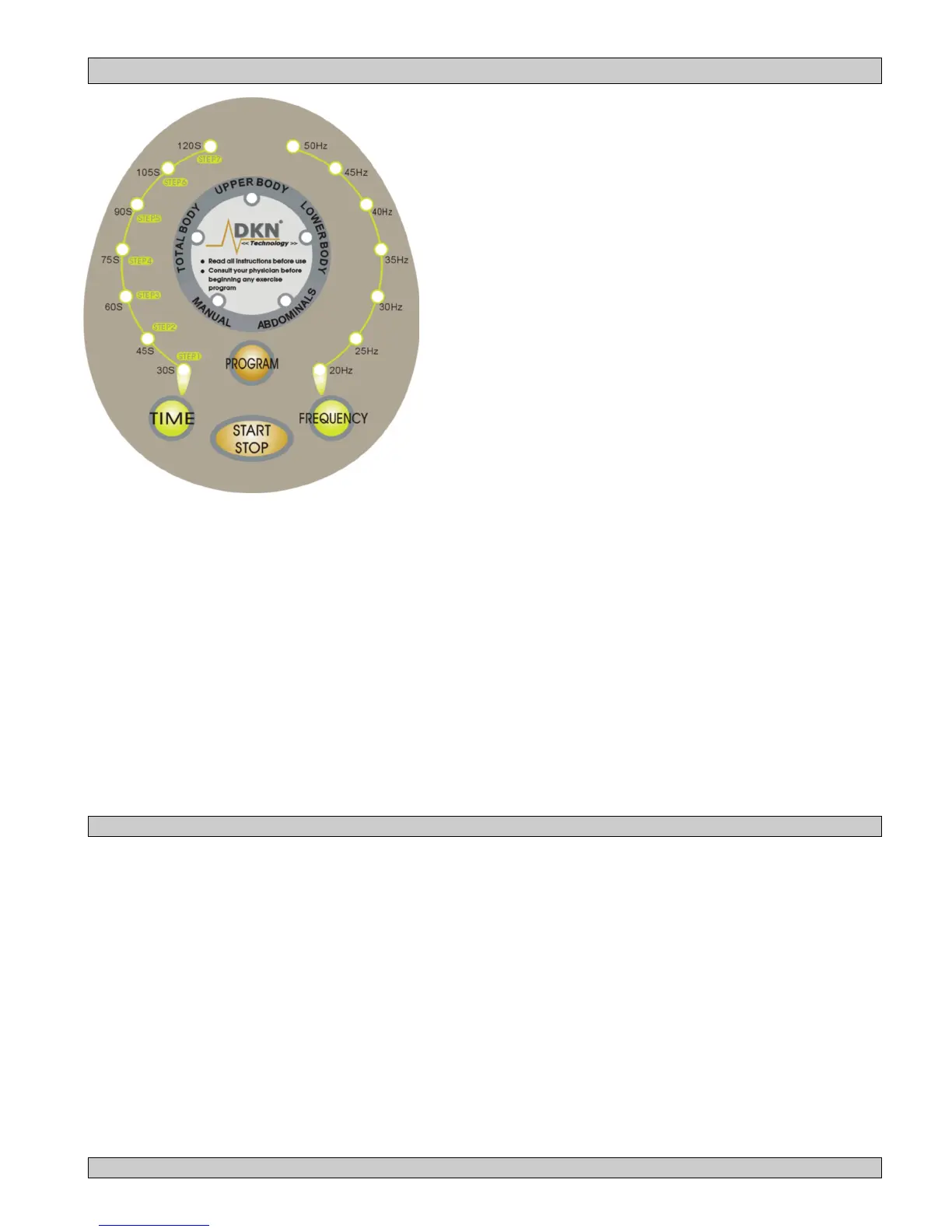
1. LCD’s: Posture, Program mode (centre display ) , Run time (left hand side display), level (frequency Hz) (right
hand side display).
2. Start/ Stop: Start/stop the machine, reset the program.
3. Program mode: Preset modes: Total body, abdominal, Upper body, lower body.
4. Time ▲▼ : manual time setting
• Time range: 30-120S (seconds)
• Preset: 30S (seconds)
• Increment: 15S (seconds)
5. Frequency ▲▼: manual frequency setting
• Frequency range: max 50Hz, min 20Hz
• Preset: 35Hz
• Increment/Decrement: 5Hz
Operating instructions computer
• Press Start
• Select Program mode (Total Body, Upper Body, Lower Body, Abdominals) or Manual program mode
• Exercise as the LCD screen shows
• Press Stop to reset the program mode or use the manual mode
Posture positions and indication of muscles working


 To Next Page