- 10 -
IPHONE/IPOD
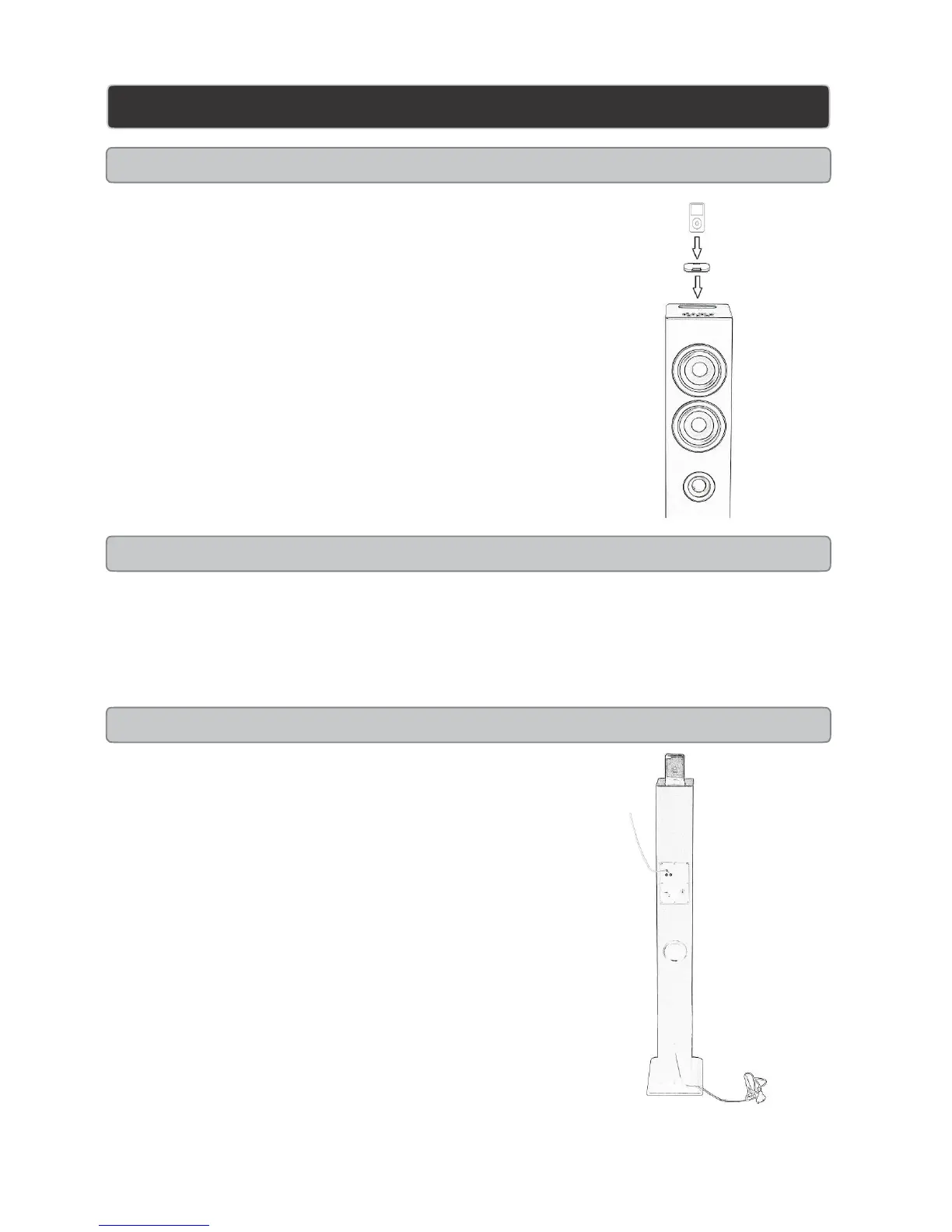
Docking an iPhone/iPod
1. Press the Power to turn the unit on.
2. Press the function to switch to iPone/iPod mode (iPod button on the
remote)
3. Connect the iPhone or iPod to the connector inside the dock for
iPhone/iPod..
When the unit is plugged in, using AC power, the docked iPhone/iPod
will charge.
Playing an iPhone /iPod
1. Follow the instructions for docking an iPhone/iPod
2. Press the PLAY/PAUSE button to begin playing music from the docked iPhone/iPod.
3. Press the PLAY/Pause button to begin playing the docked iPod/iPhone
Video Output from an iPhone /iPod
1. Connect the unit to a television using the Composite
video output
Video
2. On your iPod/iPhone, navigate to VIDEOS > VIDEO
SETTINGS or by pressing MENU on Remote and turn
TV OUT to “ON”.
3. Follow the instructions for Docking an iPhone/iPod on
this page.
4. Dock the iPod/iPhone onto this unit, and begin playing
a video from the docked iPhone/iPod.


 To Next Page