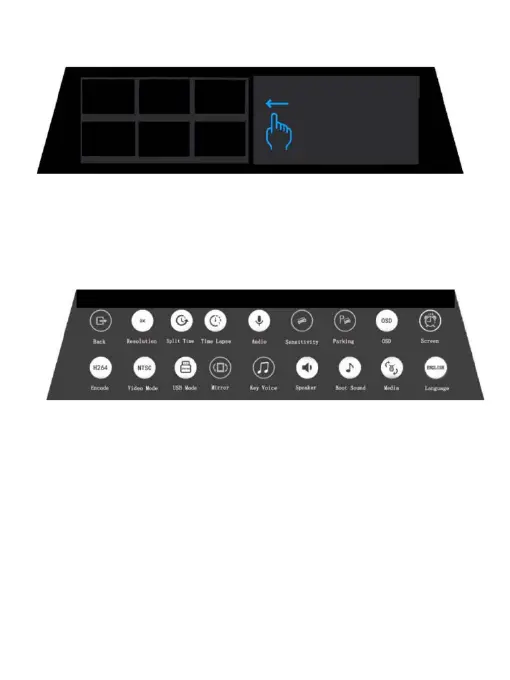
Operation 5 Enter the playback interface
Slides the screen from left to right
Photograph Mode Setting
Tips:How to turn on the setting interface?
In the video or standby state, the 1/3 part of the screen slides down to the setting interface
or clicks the setting button.
•G-Sensor: OFF / LOW / MIDDLE / HIGH
With built-in G-sensor, dash camera can automatically detect a sudden shake/collision
and lock the footage to prevent the video from being overwritten even in loop recording.
Accident scene can be truly restored.
•Parking Monitor: OFF / LOW / MIDDLE / HIGH
Adjust the trigger sensitivity of parking monitoring. If the car has a slight vibration in the
off status, the recorder will automatically start recording for 20 seconds and then shut
down when the parking monitoring function is turned on.
•Screen Dormant: OFF / 1 MIN / 3 MIN
Adjust the time of screen dormant
•USB Mode
Connects the USB cable, selects USB in the settings, pop-up window: USB storage, USB
camera, 3 USB Video Modes
•Key Voice: OFF / ON
-12-
Potograph Mode Setting Interface



 To Next Page