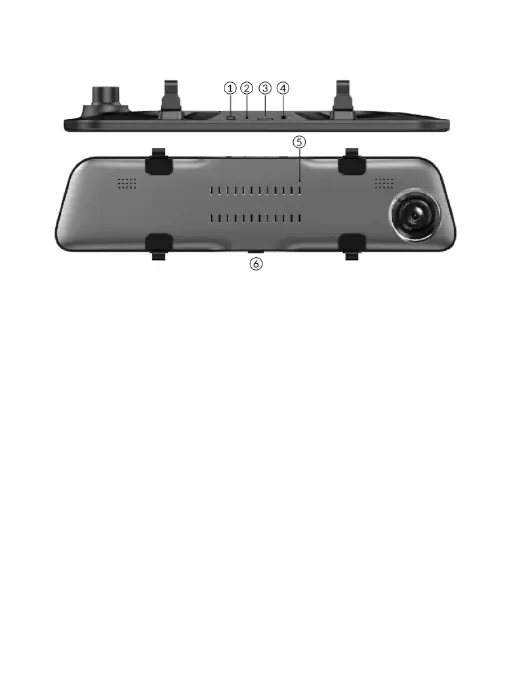
※ Name of Body Parts - Body
○
1 USB Interface
○
2 Rear Camera Interface
○
3 TF Card Slot
○
4 GPS Interface
○
5 Reset Button
○
6 Power Button
Power button
1) Function 1- As a power switch
Start up:press and hold the Power Button for 2 seconds to turn on the power, and the
machine will start working automatically.
Shut down:Press and hold the Power Buttonfor 2 second to automatically save the
video file and user settings, the machine will shut down.
2) Function 2-Turn off/on the display
Press Power Button in the power on state to turn off the display, and tap again to turn
on the display.
-3-



 To Next Page