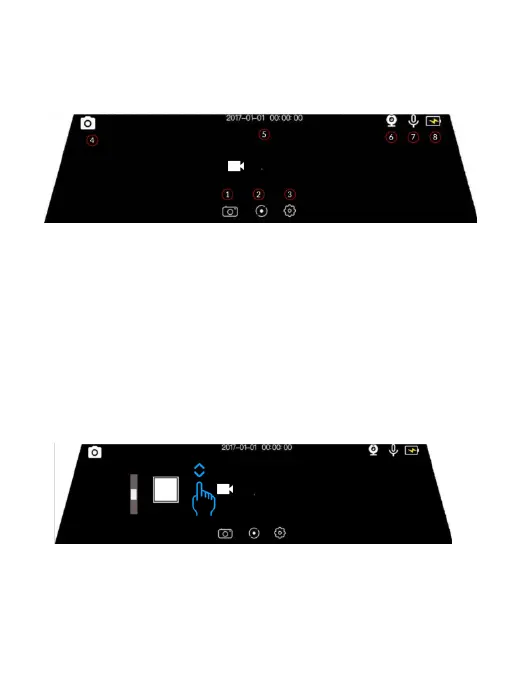
※ Setting the Photograph Mode
The Photograph Interface
○
1 Mode Switch
○
2 Photograph Switch
○
3 Setting
○
4 Mode Status
○
5 Time Status
○
6 Rear Status
○
7 Voice Status
○
8 Power Status
Mode Switch:Switch to Video Recording Mode
Photograph Switch:Touch for shooting pictures
Setting:Open the setting interface of photograph mode
Mode Status:Current mode is photograph mode
Rear Cam Status: The rear cam current is connected ( Icon will disappear if the rear
cam is off work)
Voice Status: The voice recording On/Off status
Operation 1 Adjust the scope of the camera window
Slides up and down 1/3 part of thescreen left side
-10-
Photograph Mode Touch Operations



 To Next Page