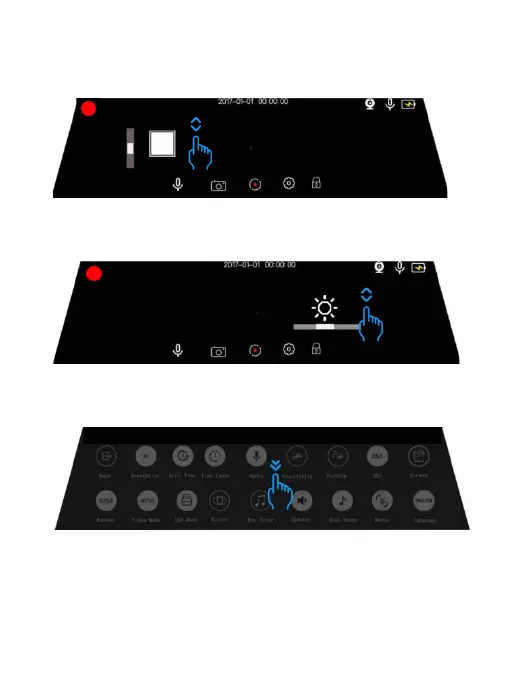
Operation 1 Adjust the scope of the camera window
Slides up and down1/3 part of the left side of the screen
Operation 2 Adjust the screen brightness
Slides up and down1/3 part of the screen right side
Operation 3 Turn on the video mode setting menu interface
Slide the screen from up to down
-6-



 To Next Page