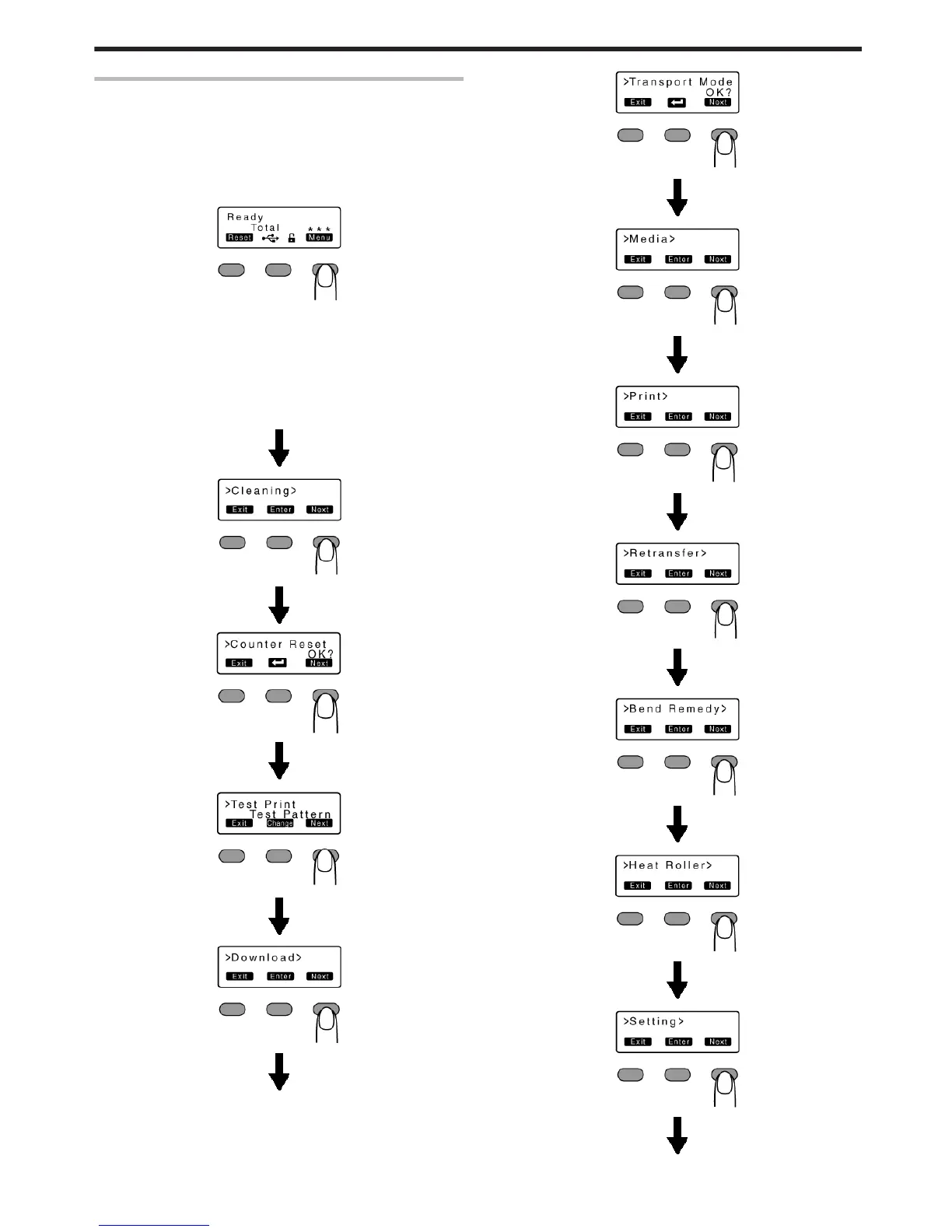
Sequence of Setting Modes
v
Settings can be viewed on the printer’s operation panel.
v
Settings can be changed on the status monitor of the computer.
"Setting mode" (A page 15)
1
Press I
v
Enters the setting mode.
.
2
Press J
v
Pressing it each time displays the next setting item.
v
Pressing G displays the setting item on the next lower level.
v
Pressing F enters the settings change mode.
v
Pressing B confirms or executes the setting.
v
Pressing H displays the setting item on the next higher level.
.
.
.
.
.
.
.
.
.
.
.
.
.
.
.
.
.
.
.
.
.
.
.
Operating the Printer
17



 To Next Page