v
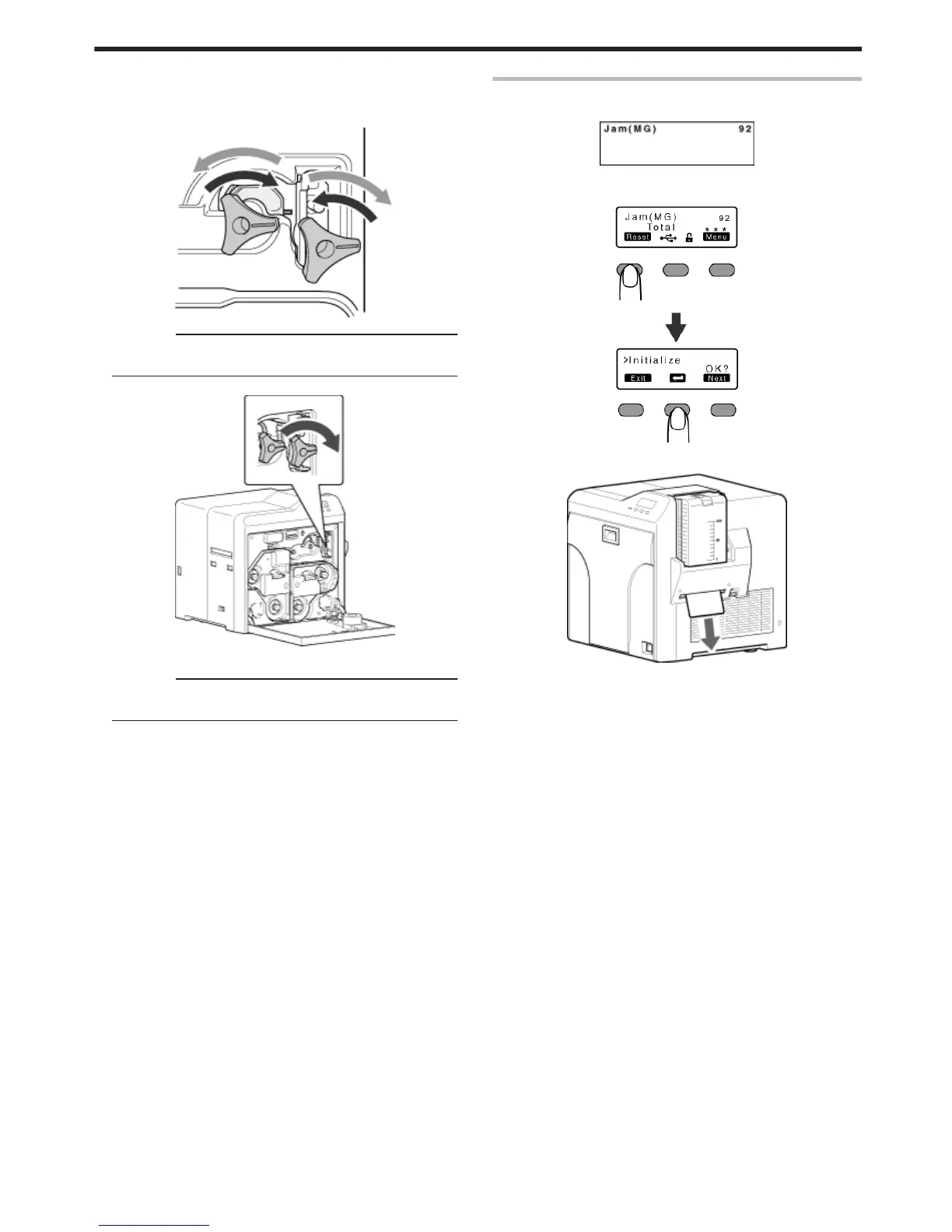
Turning the card turn over unit moves the card inside the unit
outward. Turn the card turn over unit while turning the cleaning
roller shaft so that the card is retained inside the card turn over
unit, and set to “Home Pos.”.
.
Cautions:
v
Do not turn the card turn over unit forcibly with the jog dial.
Doing so may break the card turn over unit.
D Turn the cleaning roller shaft in the clockwise direction
.
E Remove the card after it is discharged from the card load slot
Cautions:
v
If the card cannot be removed, do not try to do so forcibly.
Consult our authorized dealers or the servicing personnel.
"Go to step 8" (A page 48)
Error Code Jam(MG) 92
v
Card jam in the magnetic encoder unit.
.
1
Press KNB to reset the printer
.
v
The card is discharged from the NG card outlet.
.
Troubleshooting
49



 To Next Page