Before using, please read “For Safe Operation”
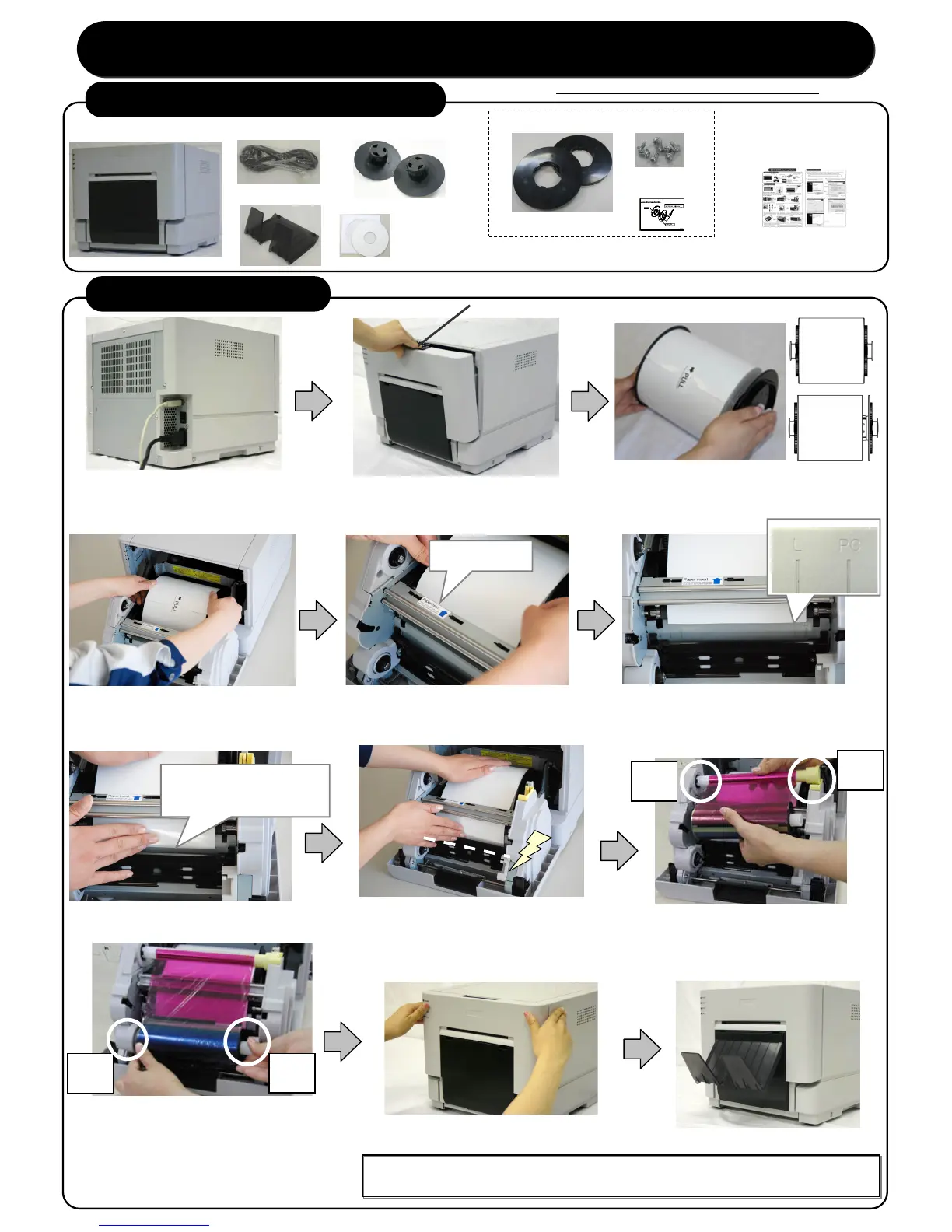
9. Set the supply side of the ribbon to the printer
carefully to take out any slack. Insert the
protrusion of the core left side in the hole on the
printer, then set the right side to the holder of the
same color (white).
Take up the ribbon slack by
rotating the ribbon on the supply side.
4. Set the paper into the printer.
10.Close the front cover.
7. Insert the paper under the black paper guide until the buzzer beeps
(approx. to the dotted line). Make sure to insert the paper straight.
5. Remove a paper fixed tape,
3.Set a new roll of paper on the paper holders.
Please do not set gaps between the roll paper
and the paper holder.
8. Set the take-up side core of the ribbon to the
printer. Insert the protrusion of the core left side in
the hole on the printer, then set the right side to the
holder of the same color (yellow).
[Note] When the front cover is closed, the printer will run initialization(5 blank sheets will be fed out).
However, if you turn on the printer after set the paper, the printer does not run initialization.
1.Connect the power code and the USB cable.
Turn on the power.
※When you install the printer driver, do not
6.Fit the paper to the proper position for each size.
L size and 2L size correspond to the line of L,
and PC size and A5 size correspond to the line
of PC.
2.Release the open lever, and open
Insert position 2
(Under the black paper guide)
11.Set the paper tray to the printer.
*Items with the * mark may not be attached according to destination.
♦For Safe Operation
♦Start-up Guide
1. Check the package contents



 To Next Page