WCM2 User Guide Menu Options and Settings
DNP Imagingcomm America Corporation 14
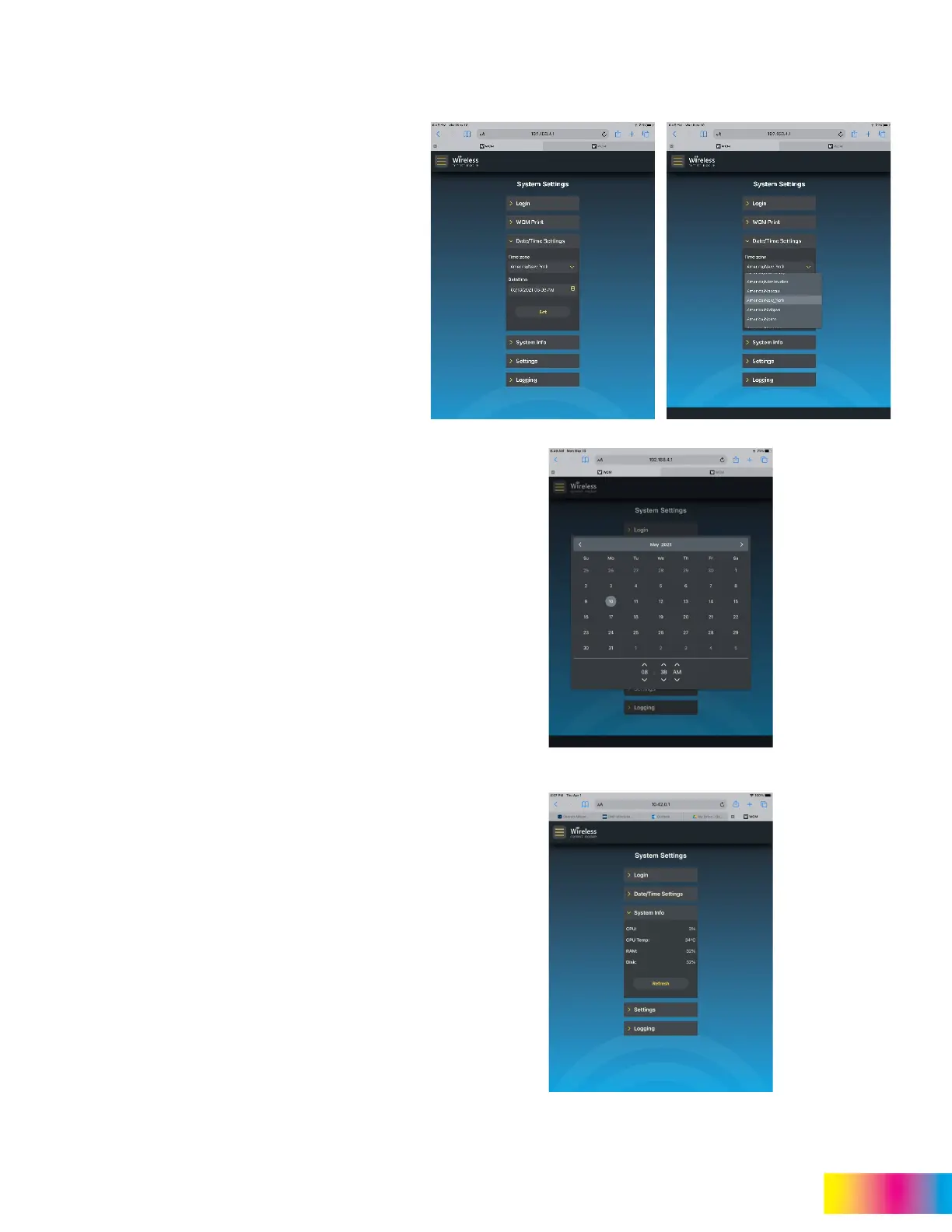
Date/Time Settings
Date and Time will default to your device settings,
however there may be times where the time zone or
date/time settings need to be changed.
Time Zone
The time zone settings can be changed to indicate
region and city that correlates with the desired time
zone.
Date/Time
Date/Time settings can be changed to the correct or
desired date and time.
System Info
System Info provides analytical information about
the performance of the WCM2.
This information includes:
CPU: Indicates what percentage of the CPU
is being used.
CPU Temp: Is the temperature the CPU is
operating at.
RAM: Indicates what percentage of memory
is being used.
Disk: Indicates what percentage of disk
space is being used.
The refresh rate for system info is every 20 seconds.
To force a refresh of the system info tap Refresh.



 To Next Page