EasyManua.ls Logo

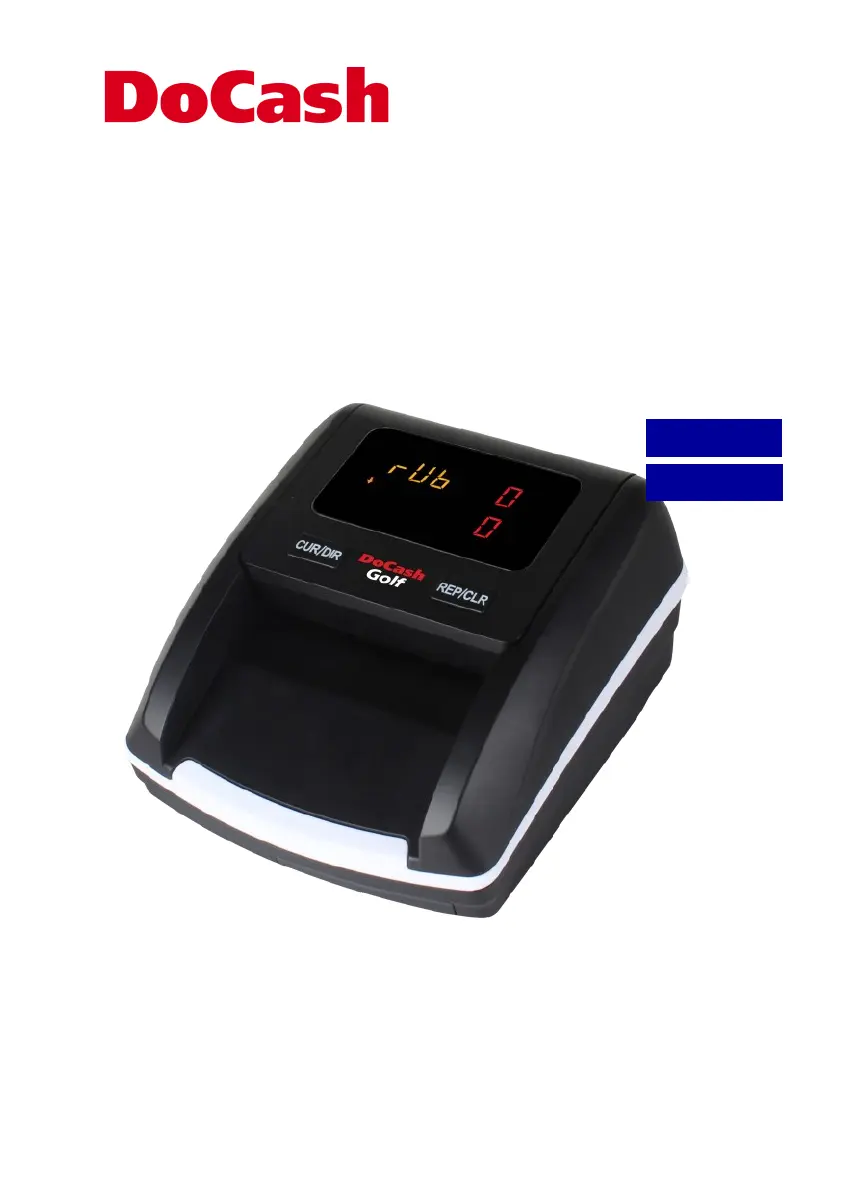
DoCash Golf - User Manual

DoCash Golf
44 pages
Print Icon
To Next Page IconTo Next Page
Loading...
Banknote detector
Детектор банкнот
DoCash Golf
User manual
Руководство по эксплуатации
РУССКИЙ
ENGLISH

Table of Contents

Questions and Answers

  • C
    Carolyn GrahamAug 7, 2025
    What to do if DoCash Security Sensors keep alarming or working abnormally?
    • R
      Ruth SmithAug 7, 2025
      If your DoCash Security Sensors are alarming or working abnormally, check these points: ensure the main power supply is within the specified range (AC 100V-240V/50-60Hz), verify the DC output is within the specified range (DC 12V±5%), confirm the power plug is securely connected, and check if the built-in battery has sufficient charge. Also, clear any dust from the sensors. If a banknote is stuck, open the top cover to remove it before trying again. Make sure banknotes are smooth and inserted straightly.
  • A
    Amanda GriffinAug 14, 2025
    How to fix Self Test Error Code Display on DoCash Golf Security Sensors?
    • A
      Allison ClarkAug 14, 2025
      If your DoCash Security Sensors display a Self Test Error Code, it's likely the sensor is blocked by banknotes or dust. Use a brush or soft cloth to gently clean the dust from the sensor or remove any obstructing banknotes. Then, restart the machine.
  • P
    patricia00Aug 20, 2025
    What to do if my DoCash Bank Note Validator shows a sensor error?
    • A
      Anthony ArcherAug 21, 2025
      If your DoCash Bank Note Validator displays a sensor error, it could mean a note is jammed. Turn off the power and carefully remove the banknote. If there's no note, try cleaning the sensors or replacing any damaged ones.
  • K
    Kimberly DavisAug 28, 2025
    Why does my DoCash Bank Note Validator show a UV Error?
    • M
      Michael MccormickAug 28, 2025
      If your DoCash Bank Note Validator shows a UV Error, this indicates a potential counterfeit note. Recheck the note carefully.

Summary

Disclaimer

Detector Purpose

Declaration of Conformity

Device Specifications

Machine Overview

Operation and Functions

Power Supply Options

Details powering the device via AC adapter or optional battery.

Turning the Detector On and Off

Explains the procedure for turning the banknote detector on and off.

Banknote Exit Direction

Instructions on how to set the direction where banknotes are dispensed.

Banknote Feeding Guidelines

Guidelines for correctly inserting banknotes into the detector for accurate counting.

Banknote Detection Process

Describes how the detector identifies genuine and suspicious banknotes.

Detection Reports

How to access and clear detection reports and count summaries.

Operational Modes

Information on switching between different operational modes of the detector.

Sleep Mode Functionality

Details the automatic power-saving sleep mode and how to wake the device.

Maintenance and Troubleshooting

Maintenance Procedures

Provides essential guidelines for maintaining the banknote detector's performance.

Software Update Process

Step-by-step guide for updating the detector's software using a USB drive.

Troubleshooting Common Issues

Self-Test Error Codes

Lists error codes shown during self-test and their potential causes.

Calibration Error Codes

Explains error codes that may appear after the calibration process.

Detection Error Codes

Details error codes encountered during the banknote detection process.

Important Operational Notices

Key operational notices and checks for resolving abnormal behavior.

Product Warranty Information

Transportation and Storage Guidelines

Standard Complete Set

DoCash Golf Specifications

General IconGeneral
BrandDoCash
ModelGolf
CategorySecurity Sensors
LanguageEnglish

Related product manuals