6.6 Report
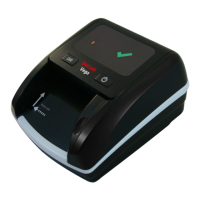
After finishing detection, press “REP/CLR” button to enter report Mode.
You can view the total number and value of each individual note counted.
To exit the report function without deleting the stored data, insert a note.
If you want to clear the memory, hold the “REP/CLR” button for 2 sec-
onds or turn off the unit.
6.7 Operating Modes
The unit allows to switch the operating modes between the amount adding
mode and denomination value checking mode, holding the “CUR/DIR”
and “REP/CLR” buttons simultaneously within 1 second. The unit saves
the last selected configuration.
6.8 Sleep (Power Saving) Mode
The detector will enter sleep mode after 3 minutes: the display will turn
off and only the yellow indicator is on. The machine can be waken up and
return to working mode by touching any key or feeding a banknote.
12


 To Next Page