22
DOD Video Player
To Play a Video
Add your file to the list of videos. To do this, there are two options:
Click “File”, click “Open”, and navigate to the location of your files.
Press the “ADD” button located below the list of videos.
Drag and drop the desired file into the DOD Player window, the video file will automatically start.
Double click on the video you wish to play. The video will then load into the Player.
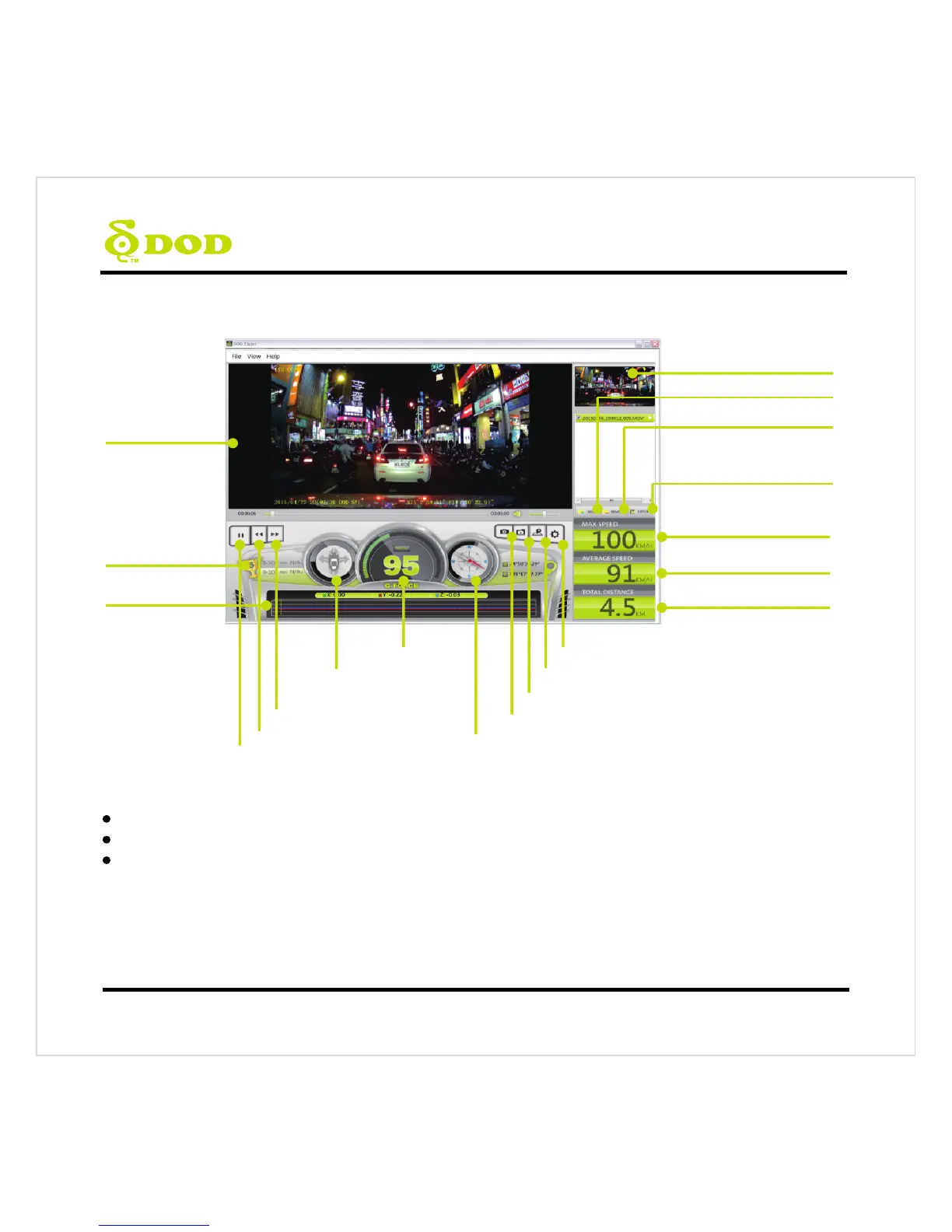
Video Display
Speed
Max Speed
G-Force Indicator
Direction of Travel
Average Speed
Total D istance
Preview
Play/Pause
G-Force
Strength
Acceleration Times
Fast Forward
Fast Backward
Settings
Open/Close Location Map
Open Video Folder
Take a Screenshot
Export Multi-Clips
into One Video
Remove Video from Playlist
Add Video to Playlist



 To Next Page