9
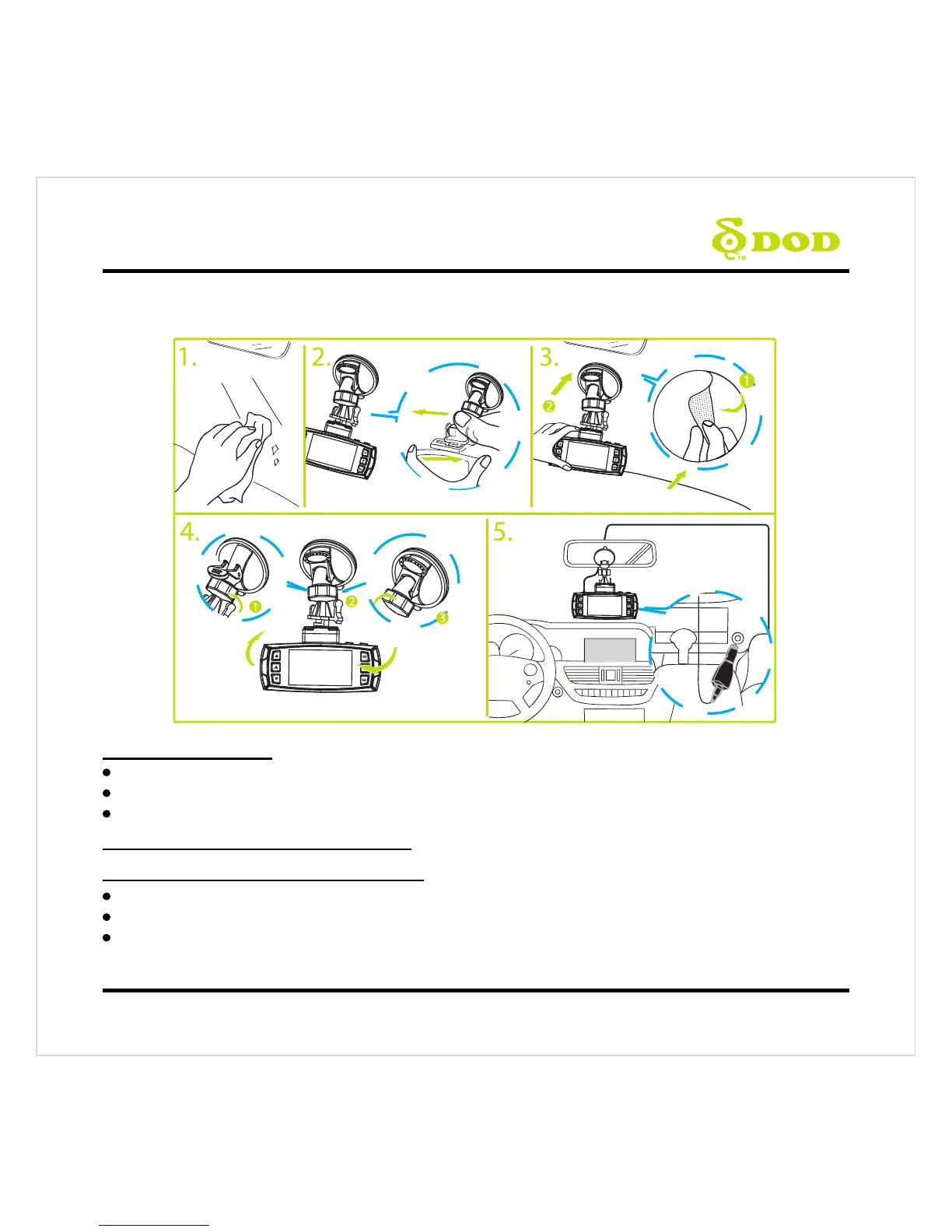
Installing Your Camera
1. Clean Windshield
Wipe down both the interior and exterior glass for the best image quality.
Keep the mount secured to the windshield.
Please insert Micro SD card to the unit.
2. Attach the Mount to Your Camera
3. Prepare the Camera for Installation
Peel off the protective mount cover.
Find a location which does not obstruct your view when driving.
DOD Tech recommends placing the camera behind the rear view mirror without obstructing either
lenses or camera functions.



 To Next Page