EasyManua.ls Logo

DOD LS475W - Camera Modes; Video Recording Mode

DOD LS475W
33 pages
Print Icon
To Next Page IconTo Next Page
To Previous Page IconTo Previous Page
Loading...
20
Camera Modes
When the camera is not recording video, you can switch between modes by pressing the
button:
1. Video Recording Mode
2. Playback Mode
1. Video Recording Mode
The camera defaults to video recording when the camera first turned on.
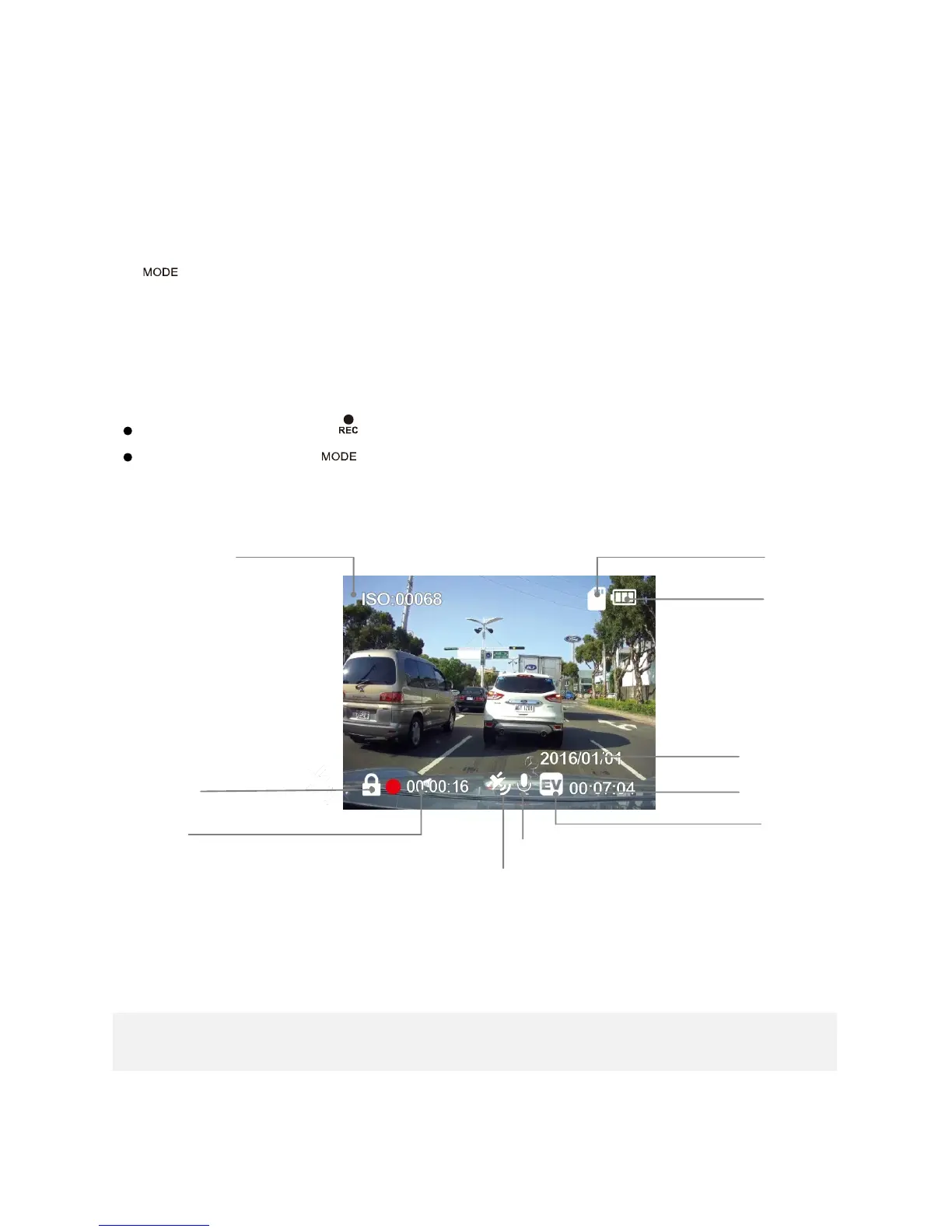
Recording Mode: Press to start/stop recording.
Standby Mode: Press to switch in between Video Recording and Playback Mode.
Note: GPS Icon keeps flashing when it searches for GPS signal. HUD and Speed Warning only work when the
GPS signals is stable.
Time
Record Audio (On)
Recording Time
Exposure Value
Memory Card Inserted
ISO Sensitivity
File-Lock Indicator
Date
Power Status
GPS Status

Related product manuals