MULTIMEDIA 31
TIMERS
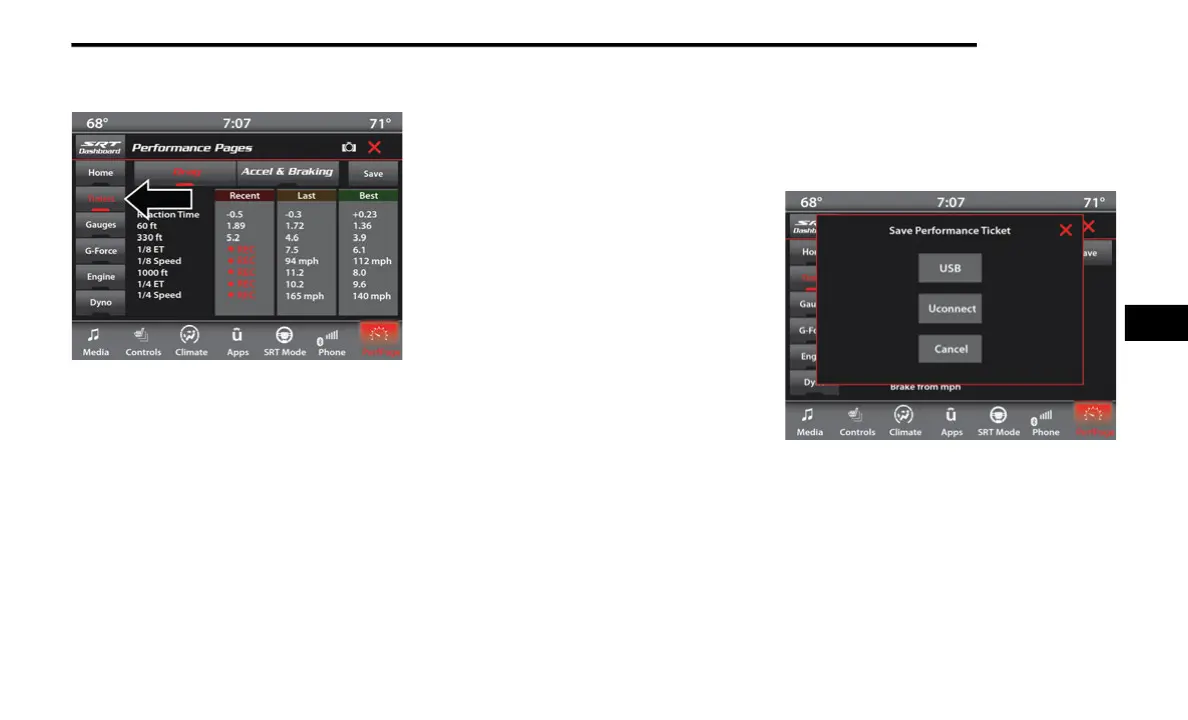
Performance Pages — Timers
When the Timers Page is selected, you will be
able to select the Drag or Accel & Braking tabs.
The following will be displayed:
Recent
The most recent successful run of perfor-
mance timers. If a run does not complete
within the timers limit, or is aborted, the
values shown will revert to the most recent
valid run.
Last
The last recorded successful run of perfor-
mance timers.
Best
The best recorded run of performance
timers, except for braking data.
Save
Pressing the Save button will let you save the
visible page, Recent/Last/Best. Any saved
run over 10 will overwrite the last saved run
for Uconnect System storage. The operation
of the Save feature is listed below:
NOTE:
Pressing the Camera icon in the upper right
corner of the screen at any time will save a
screenshot of the screen currently being viewed
to the connected USB device.
Performance Pages — Save
With a USB jump drive installed, press the
USB button to save to the jump drive.
Press the Uconnect button to save the
current timer data to the Owner’s web page.
5
21_LALD_SU_EN_USC_t.book Page 31














 To Next Page