46 MULTIMEDIA
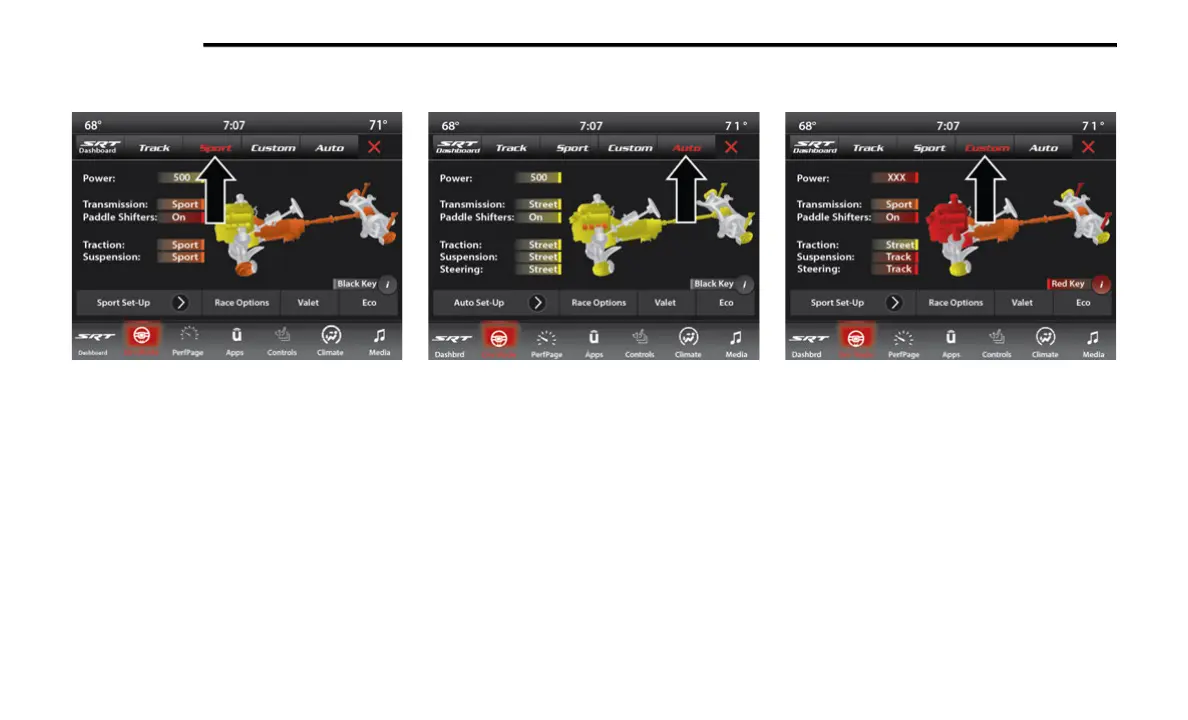
SPORT MODE
Drive Modes (Sport)
Pressing the Sport button on the touchscreen
will activate the configuration for typical
enthusiast driving. The Traction, Transmission,
Steering, and Suspension systems are all set to
their “Sport” settings highlighted in orange. The
paddle shifters are enabled.
AUTO MODE
Auto Mode
This mode is for typical driving conditions where
the Traction and Transmission will be operating
in their Street settings, which cannot be
changed while in this mode. The Steering and
Suspension can be configured in “Street,”
“Sport,” or “Track” mode and the paddle
shifters may be enabled or disabled while in this
mode.
NOTE:
If Valet Mode is active, the vehicle will start in
Valet Mode, not Auto Mode.
CUSTOM MODE
Custom Mode
The Custom Mode may be selected quickly by
pushing the SRT or Drive Mode button on the
instrument panel switch bank two times, or
pressing the Custom button on the
touchscreen. Custom Mode allows you to create
a custom configuration that is saved for quick
selection of your favorite settings. While in
Custom Mode, the Power, Traction,
Transmission, Steering, Suspension, and
21_LALD_SU_EN_USC_t.book Page 46














 To Next Page