VEHICLE USER GUIDE (U.S. MARKET ONLY) — IF EQUIPPED
Access your Owner’ s Information – right through your Uconnect 8.4 or 8.4 NA V touch-
screen radio — If Equipped (See page 99 for Identifying your radio).
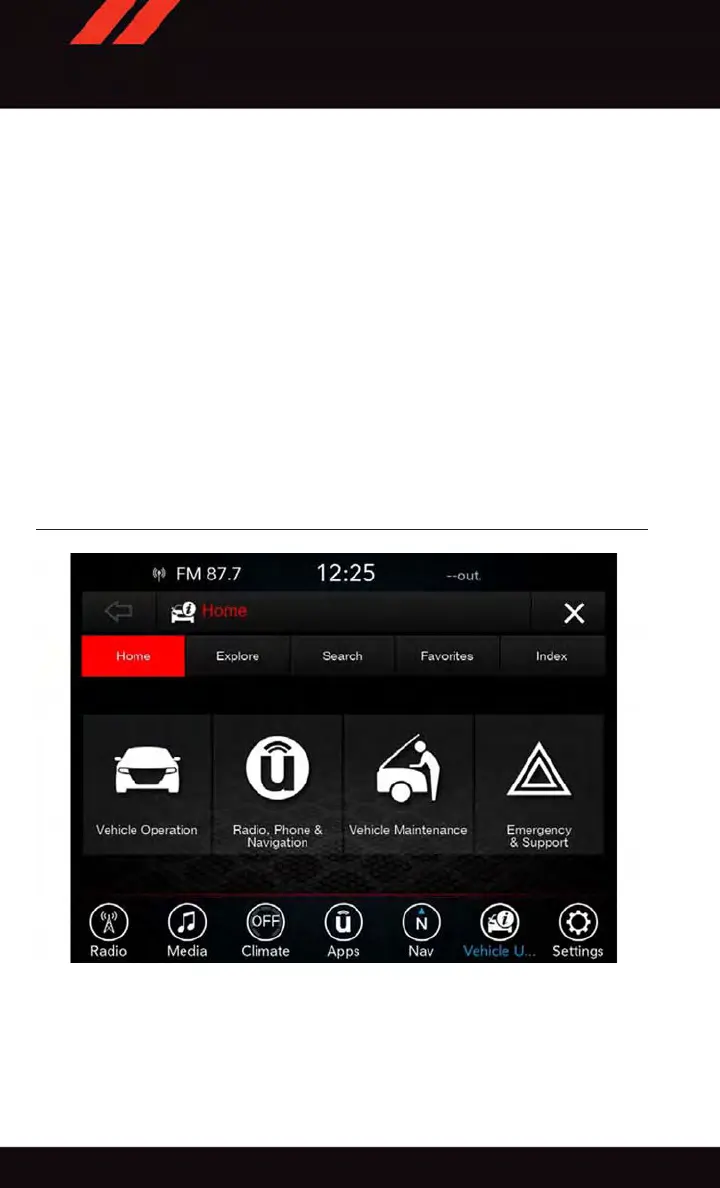
To access the Vehicle User Guide on your Uconnect Touchscreen: Press the Uconnect
Apps button, then press the Vehicle User Guide icon on your touchscreen. No Uconnect
registration is required.
NOTE:
V ehicle User Guide features are not available while the vehicle is moving. If you try to
access while the vehicle is in motion, the system will display: Feature not available while
the vehicle is in motion.
Pre-Installed Features
•
Your User Guide — Updated in real-time
•
Available when and where you need it
•
Touchscreen convenience
•
Customizable interface
•
Maintenance schedules and information
•
Multilingual
•
Comprehensive icon & symbol glossary
Vehicle User Guide Home Screen
GETTING STARTED
10















 To Next Page