WARNING! Assembled platform will have exposed motors moving parts. Never operate it with small
children around. Protection cover sold separately. During initial assembly don’t tighten the bolts
completely, do it after everything is assembled. First you need to assemble the full frame and tighten
the screws and bolts after.
Please check all the motor power and sensor plugs. Reconnect them if they happen to have
been disconnected during shipping. This is very important: Never change the wiring. Mixing the colors
to the connectors can damage the motors and platform controllers.
Our platform is very lightweight and simple due to its perfect weight balance. This allows us to
use affordable motors and gearboxes. If you plan to put something besides standard wheel, pedals,
yoke, gear shifter, throttle and HOTAS you need to plan and install it properly. Each additional element
(even if it is light weight) connected to the moving platform should be well positioned and
counterbalanced. Even a light-weight screen/monitor placed on our simulator can cause problems. It is
always better to consult us first, before installing any extra equipment on the platform.
Don’t put ANY controllers on the platform before it is completely tested and proven to be
working as desired. After assembly attach the seat only; nothing extra. After you ensure that the
simulator is moving appropriately, you can start adding controllers one by one, doing movement tests
with the a person seated in the chair. This will replicate the weight distribution.
Each platform control box is shipped preset to the voltage of the destination country. If you
are not sure about the proper voltage settings, turn it upside-down and check ALL 2 or 3 red switches
inside the box and consult us.
If you not sure what bolts to use print the following 1:1 template on corresponding paper size without
extra borders or spacing:
For US Letter Paper : https://dofreality.com/hardware_template_Letter.pdf
For A4 Paper : https://dofreality.com/hardware_templateA4.pdf
Never ever leave platform powered unattended and powered on when not used. Motors
are constantly doing micro adjustments. When overheated over 70C they can loose the
power.

 Need help?
 General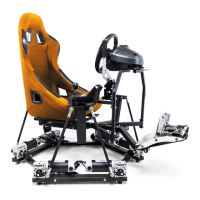

 To Next Page
