11
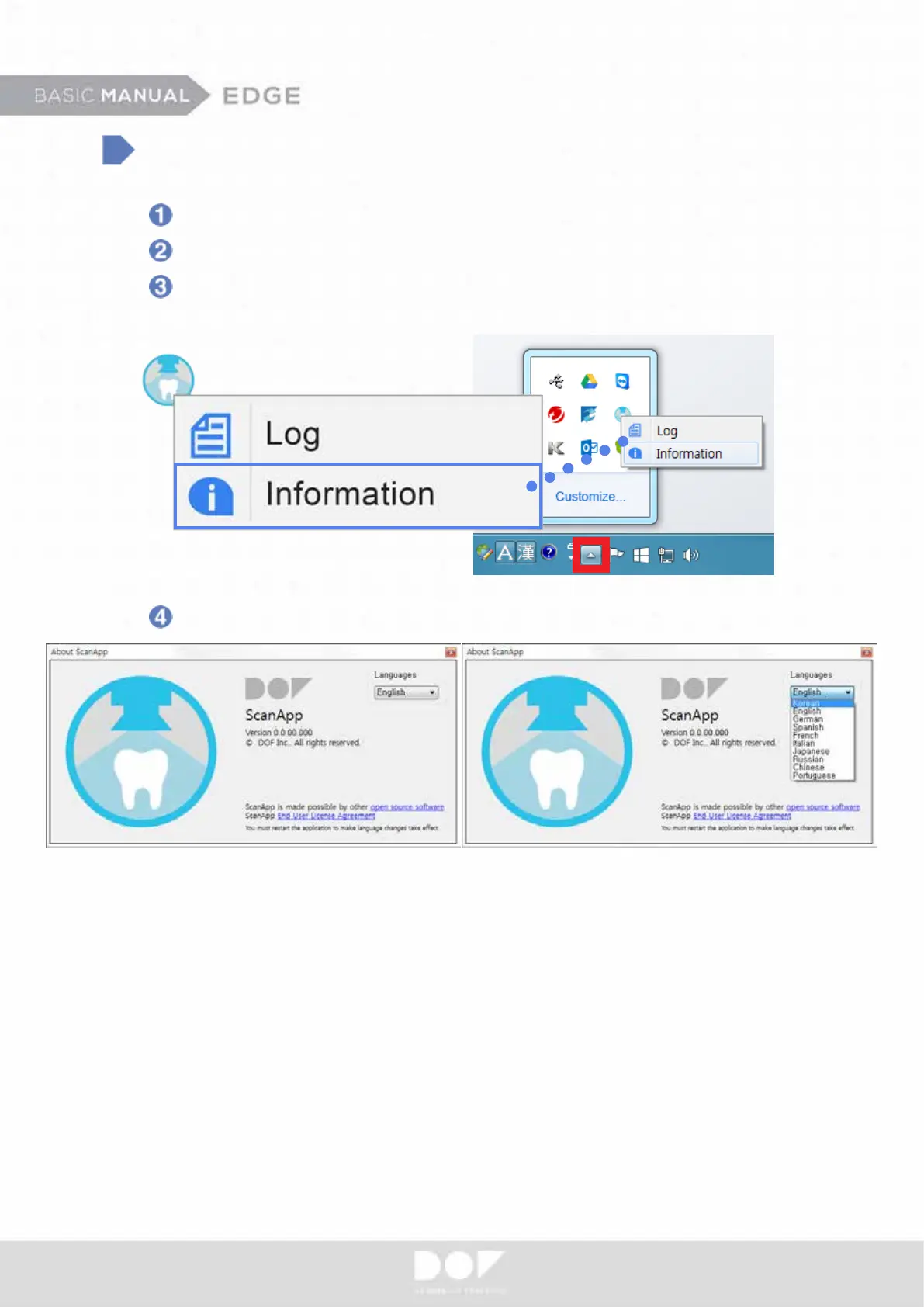
Select Language
Run the ScanApp.
ScanApp icon will be appeared at the hidden icon taskbar.
Right click the ScanApp icon and click “Information” option to change
the language of the program.
Select your language.
Available languages: Korean, English, German, Spanish, French, Italian,
Japanese, Russian, Chinese, Portuguese


 To Next Page