9
After Installation
Check if both of the software is installed properly.
Run the ScanApp for the rst time.
Press exocad icon.
Once you have both applications installed on your PC, you need to make
a connection (integration) between ScanApp and exocad.
ScanApp and exocad are two separate applications. ScanApp is responsible
to control and perform scan operations while exocad is responsible to design
the digital restorations.
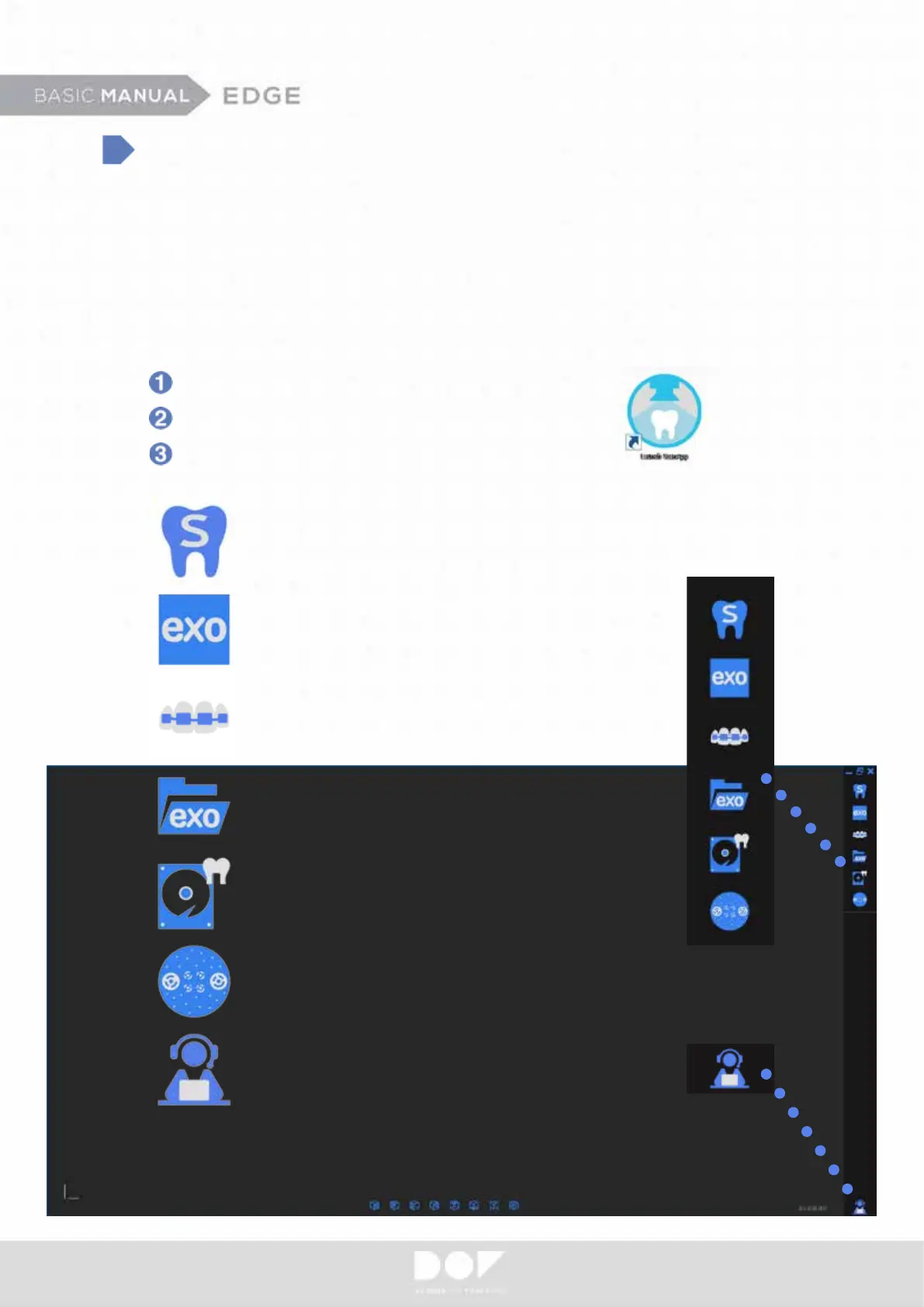
Opens DOF Start.
Directs straight to Orthodontic Scan.
Prompts dental DB selection.
Helps to choose desired dental CAD platform.
Project Backup File Manager - helps to retrieve
scanned data.
Calibrates.
Teamviewer shortcut.


 To Next Page