7
Connect the Scanner
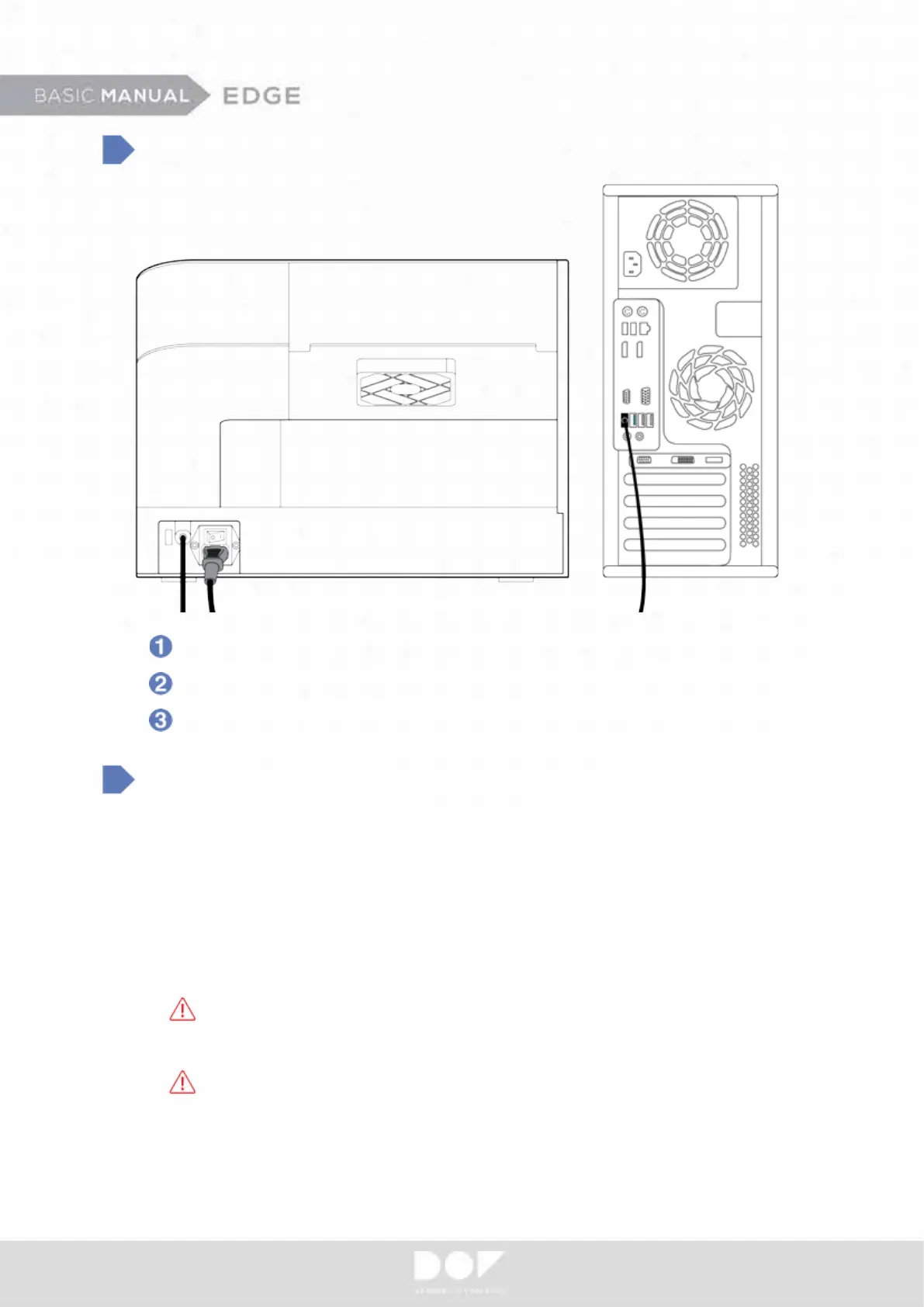
Make sure your scanner power is off. Connect your power cable.
Connect the USB cable to one of your USB 3.0 ports.
Do not use USB WiFi adapters.
System Requirement
• Operating System - Windows 7, 8.1, 10 (64-Bit)
• RAM
- 16GB
• Graphic Card
- Recommend higher than 2GB (NVIDIA GeForce GT750Ti)
• HDD / SSD
– 500GB or Higher / 128GB or Higher
• CPU - Intel 4th generation CPU i5 / i7-4790, Intel 6th generation CPU i5/ i7-6700
Do not use AMD CPU. (Ne pas utiliser AMD CPU.)
• Chipset – Z97, H97, X99, Q170, Z(H)170, H110
Do not use ASRock mainboard. (Ne pas utiliser la carte mère de ASRock.)
• USB Ports - USB 3.0
* Assembled PC and DOF scanner might not be compatible and note that DOF Inc. have no responsibility for any
problem caused by unknown pc. You are highly recommended using HP800G2 desk top PC provided by DOF.
(En cas de PC monté, il peut se produire un problème au niveau de la compatibilité et DOF ne prend pas tel
problème en charge. On recommande d’utiliser HP 800 G2 Desktop PC offert par le siège social de DOF.)


 To Next Page