21
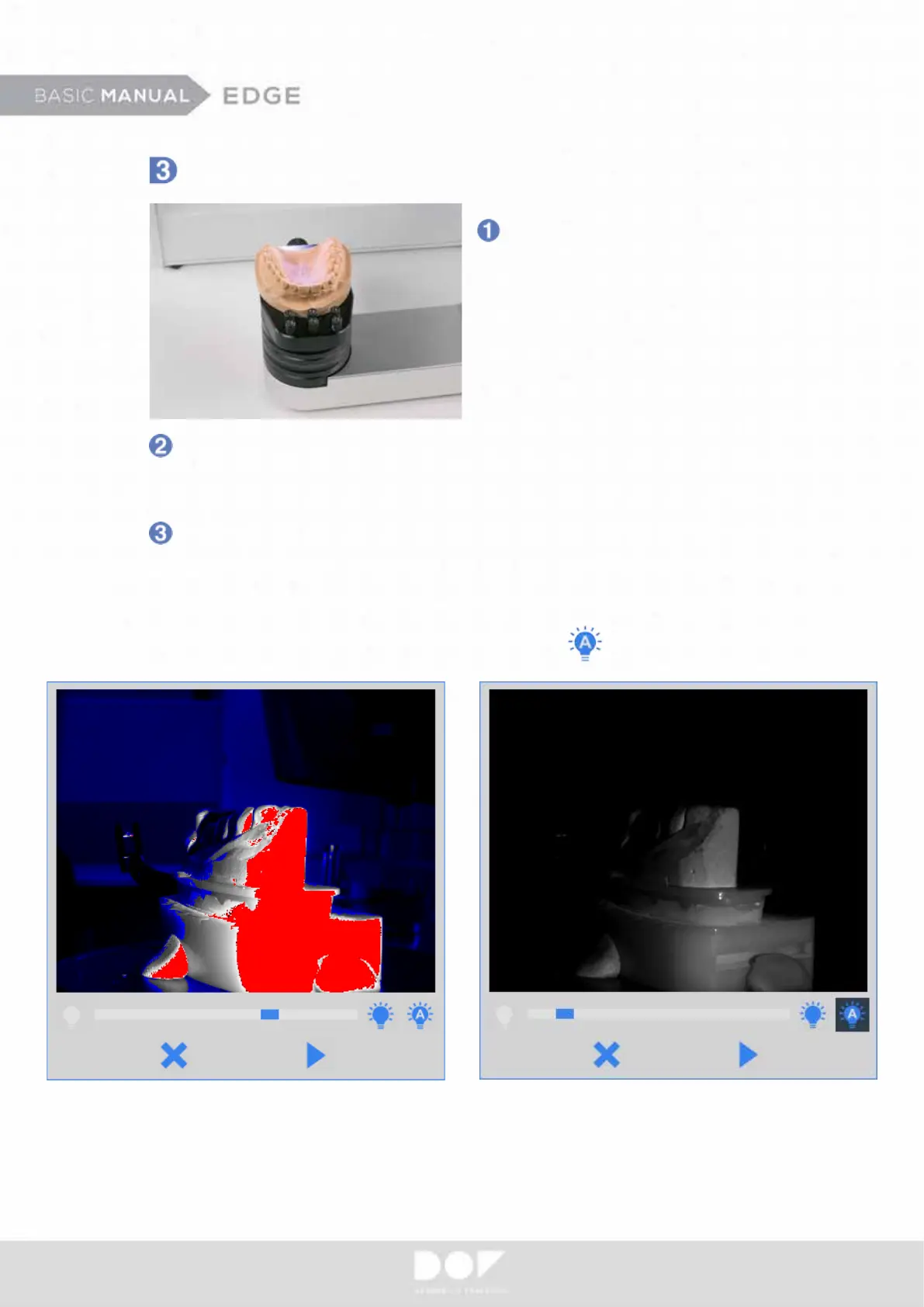
Place a model on the scan platform.
The model should be placed
as the incisor is faced towards
the inside of the scanner.
From the “Camera View” windows, check if the model is in the camera view.
You can adjust the height of the model by removing or adding “Scan Plates”
from the scan platform.
Adjust the “Brightness Level” from the “Camera View”. The red color indication
means that the scanner camera exposure is too high. In this case, reduce the
“Brightness Level” so that the red indication be disappeared. This procedure
should be done whenever scan object of interest changes. If you want to use
manual exposure, turn on the “Auto exposure” check box.


 To Next Page