15
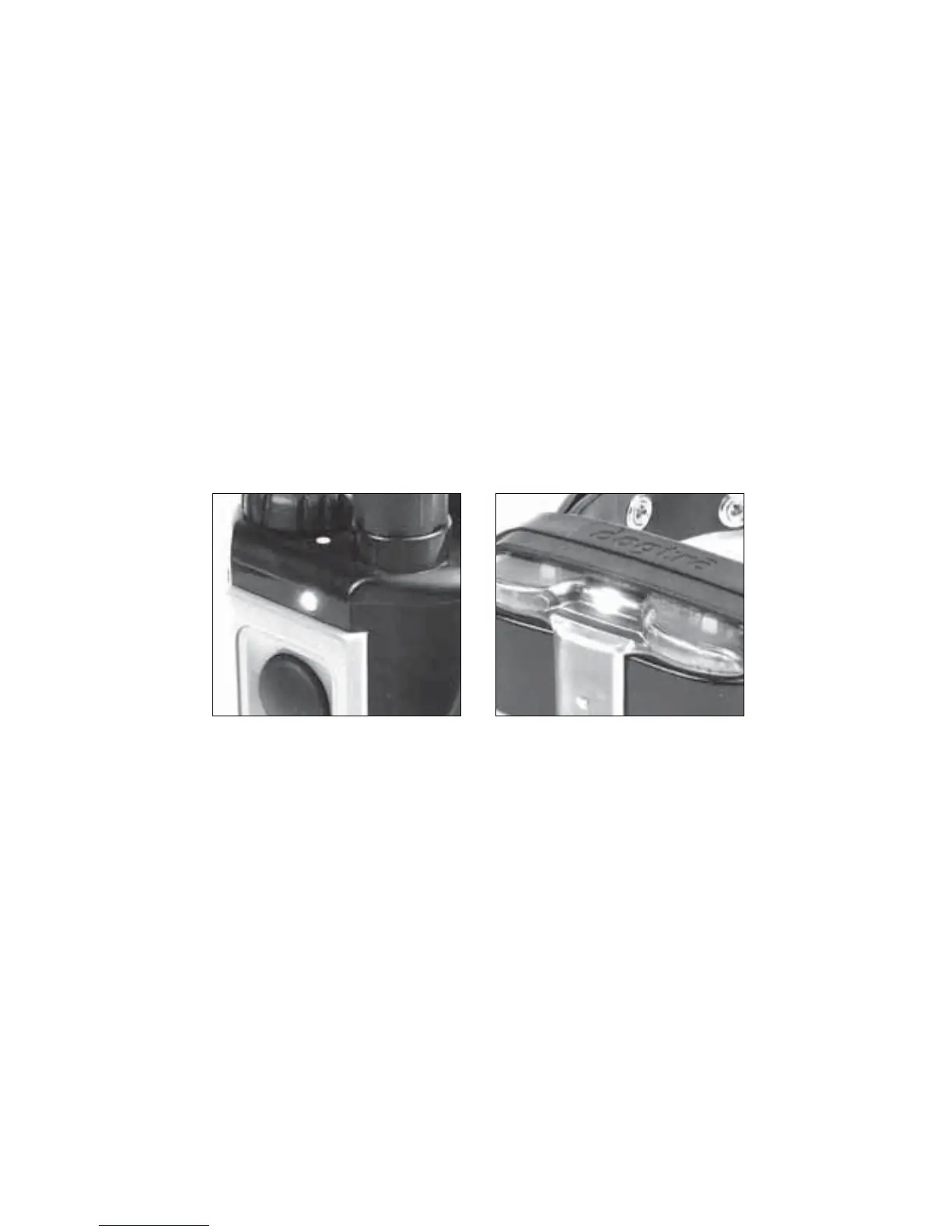
6. The LED indicator
7KH/('LQGLFDWRUÀDVKHVHYHU\VHFRQGVZKHQWKHUHFHLYHU
LVRQDQGUHDG\IRUXVH7KH/('LQGLFDWRUZLOOEOLQNRQERWK
the transmitter and the receiver when the transmitter buttons are
pressed.
The LED indicator color indicates the battery life level.
Green = Fully charged, Amber = Medium, Red = Needs charging
If the unit is used while the LED indicator is red, it will shut down
automatically.
7. Charging the battery
1. Lift the rubber-charging cap and plug in the charger.
2. Plug the adapter’s power plug in to a standard AC wall outlet.
The LED indicator on the transmitter and receiver/collar will
turn red.
:KHQWKHXQLWLVIXOO\FKDUJHGWKH/('LQGLFDWRUZLOOWXUQJUHHQ
on both the transmitter and receiver/collar. Unplug the adapter’s
power plug from the AC wall outlet and disconnect the charger
from the unit.
3ODFHWKHUXEEHUFKDUJLQJFDSEDFNRYHUWKHFKDUJLQJSRUW


 To Next Page