18
To change the program setting, follow the steps below.
4. The display on the LCD screen will now show the icon for the
rheostat/volume or the selector/step. Repeat the steps from the
EHJLQQLQJWRVZLWFKEDFNDQGIRUWKIURPWKHUKHRVWDWYROXPH
and the selector/step style of intensity control.
Icon for the rheostat/volume Icon for the selector/step
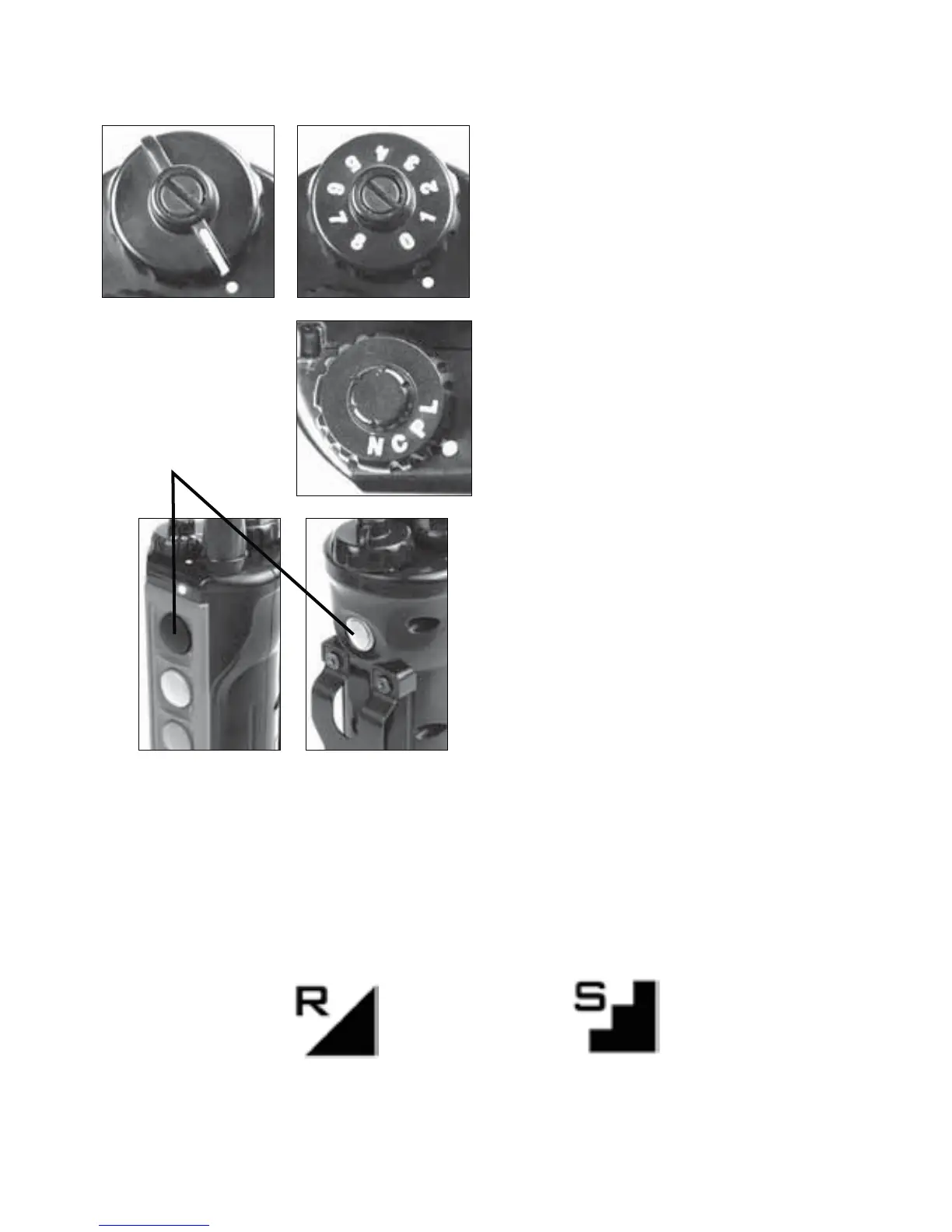
6HWWKHWUDQVPLWWHU¶VLQWHQVLW\
dial to 0.
6HWWKHPRGHGLDOWR³3´
6LPXOWDQHRXVO\KROGGRZQ
WKHEODFNEXWWRQRQWKHIURQW
of the transmitter, along with
the on/off blue button on the
EDFNRIWKHWUDQVPLWWHU
Push
simultaneously



 To Next Page