20
11. Code Setting
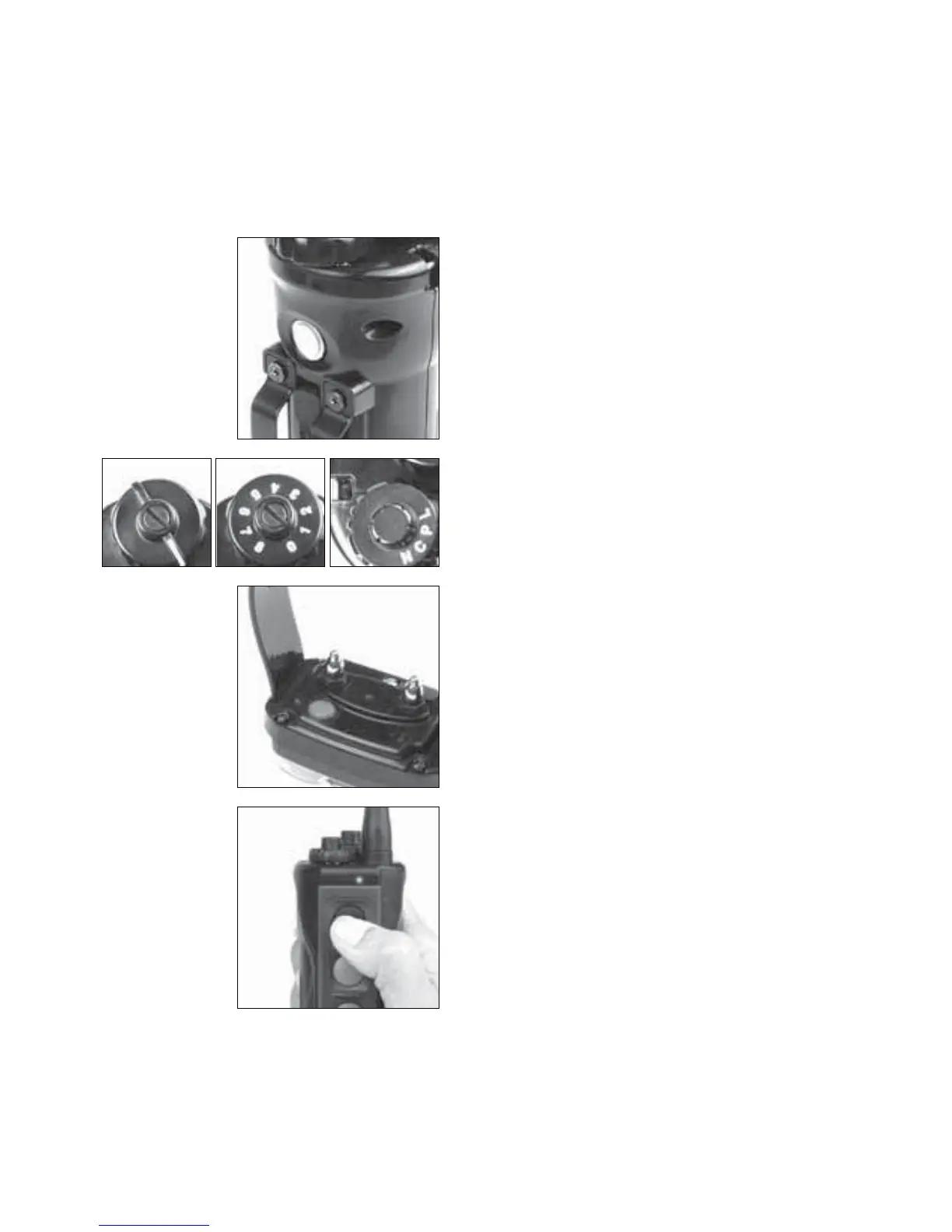
To set the coding for the Dogtra EDGE transmitter to an existing
receiver/collar, or an Additional receiver/collar, follow the steps
below.
*Attention:7XUQWKHPRGHVHOHFWLRQGLDOWR3RU/WRFKHFN
that unit has been coded properly.
6WDUWE\WXUQLQJRQWKH
transmitter by holding down the
RQRIIEXWWRQRQWKHEDFNRIWKH
transmitter.
6HWWKHWUDQVPLWWHU¶VLQWHQVLW\
GLDOWR³´DQGWKHPRGH
VHOHFWLRQGLDOWR³&´
3. In the off position hold down
the receiver/collar on/off button
until the green LED indicator
OLJKWEHJLQVWREOLQNUDSLGO\
4. Immediately press the button on
the transmitter of the color you
ZRXOGOLNHWKHUHFHLYHUFROODUWR
be coded to.


 To Next Page