1716
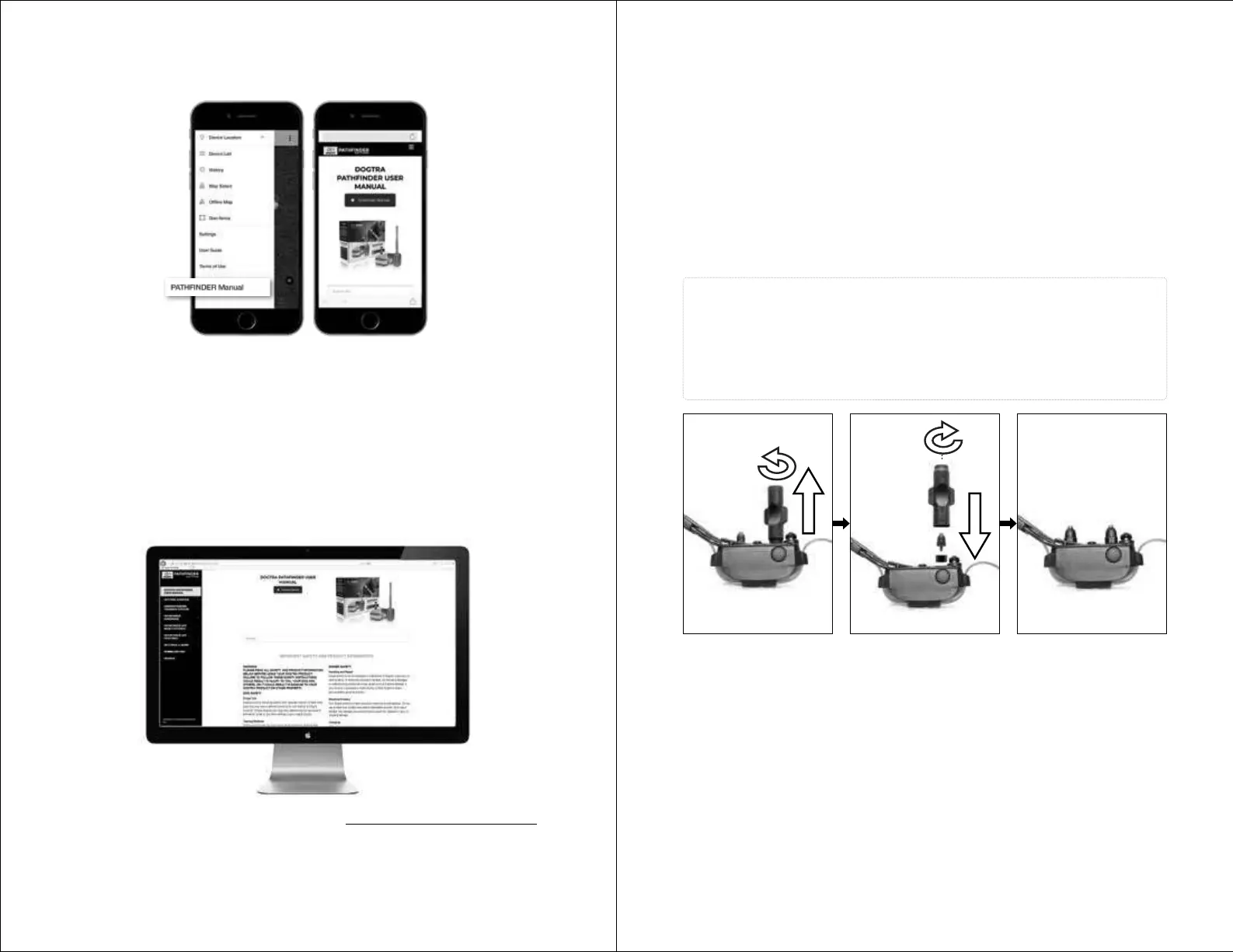
8. ONLINE WEB MANUAL FOR ALL APP FEATURES & Q&A
at
www.DogtraPATHFINDER.com
In the app, check the PATHFINDER MINI Web Manual at the bottom of the Menu
to see all the app features, such as:
• Map Features
• Marker
• History Record, File, Detail
• Device List Options
• Device Sharing & Receiving
• Map Management: Offline & Custom Map
• Geo-fence
• App Setting
From your computer, check out the manual at www.DogtraPATHFINDER.com
for a full version of the PATHFINDER MINI manual, Q&A, and more.
The Dogtra PATHFINDER MINI comes equipped with standard 5/8” contact
points that can be extended to 3/4” contact points, for use on dogs with longer
coats.
To increase the contact point length from 5/8” to 3/4”, follow the steps below.
1) Using the included adjustment tool with the side marked 5/8”, unscrew the
contact points counter-clockwise.
2) Place the contact point extension over the exposed threads, flat side down.
3) Place the contact points over the extensions and tighten the contact
points and extensions clockwise using the adjustment tool with the
side marked 3/4”.
Caution!
Tighten until firmly in place. Be careful not to over tighten.
To shorten the contact points back to the standard 5/8”, start with the
adjustment tool with the side marked 3/4”, remove the contact point
extensions, and tighten the contact points with the adjustment tool with the
side marked 5/8”.
CHANGING THE CONTACT POINT LENGTH


 To Next Page