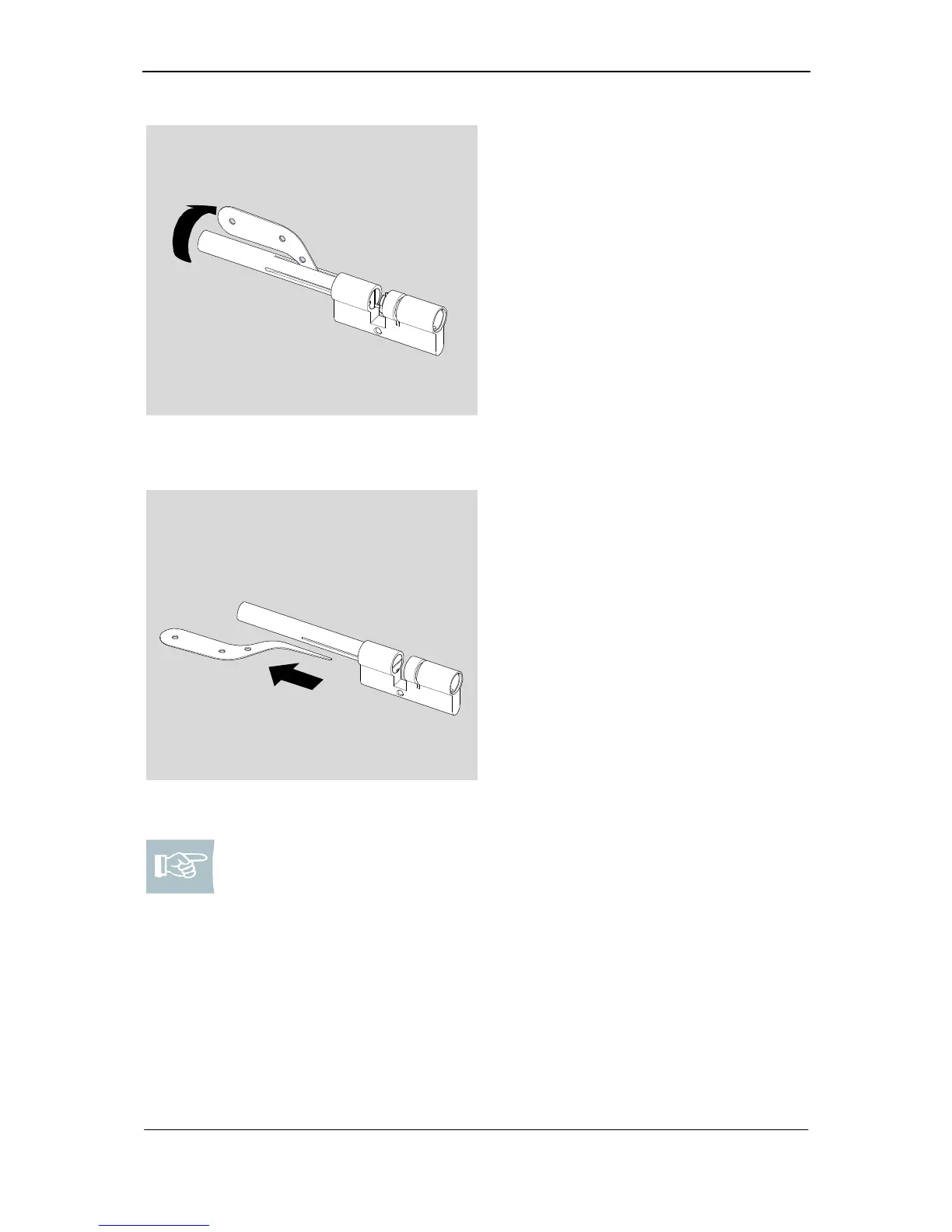
Fig. 9: Fixing of springs and pins in the
cylinder body
11. Please press the pins carefully
against the spring force into the
cylinder body until the follower may
be turned.
12. Please turn follower to such an
extent until the big groove is posi-
tioned over the borings in the cyl-
inder body.
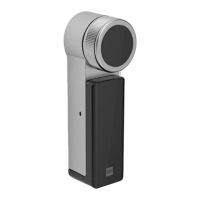
Fig. 10: Pull out loading knife
13. Please remove loading knife.
Note! If you install type KL (initially the longer side without assembly
bracket) or type 555 (without assembly bracket), you must leave the as-
sembly bar in the cylinder body and go to page 21 and first fill the cylin-
der core.
If you assemble type 382 make sure you insert assembly clam from be-
hind.



 To Next Page