When your unit was installed the appropriate dip switches on the electronic control
board were turned on to match your system conguration. Any time these settings
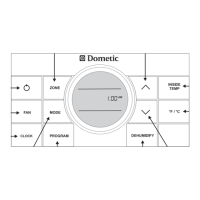
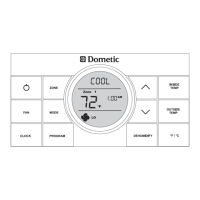
are changed, a system reset will need to be done before the CCC 2 thermostat will
recognize the updated selection. To do a system reset:
• Make sure the CCC 2 thermostat is in the OFF mode.
• Simultaneously press the MODE and ZONE buttons. The LCD will display
“IniT” and all available zones.
• Release the MODE and ZONE buttons.
• Press the ON/OFF button to exit system set up.
System Reset Procedure


 To Next Page
 Loading...