EasyManua.ls Logo

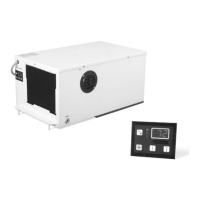
Dometic AH-Passport I/O Compact - User Manual

Dometic AH-Passport I/O Compact
32 pages
Print Icon
To Next Page IconTo Next Page
Loading...
MARINE
CONTROL UNITS
L-5508 | Form No. 341205 20210420 | ©2021 Dometic Corporation
WARNING
Cancer and Reproductive Harm
www.P65Warnings.ca.gov
Passport I/O Legacy, Passport I/O Compact,
AH-Passport I/O Legacy, AH-Passport I/O Compact
EN
Passport I/O Digital Controls
Installation and Operation Manual ........2

Other manuals for Dometic AH-Passport I/O Compact

Questions and Answers

  • S
    Sherry ChaneySep 12, 2025
    Why is the digital display panel not lit on my Dometic Control Unit?
    • W
      walkerrobertSep 12, 2025
      If the digital display panel of your Dometic Control Unit is not lit, with the power off at the circuit breaker, remove the connector and inspect the 8-pin display-cable plugs. Look for unplugged, dirty, bent, or broken pins. If damaged, replace the connector or the entire display cable.
  • J
    Julie BrownAug 23, 2025
    What to do if Dometic Marine Equipment unit does not cool?
    • M
      martinstephenAug 23, 2025
      If your Dometic Marine Equipment unit is not cooling, consider these potential causes: * The display might be set to heat-only. Change the parameters on the display or press the Mode button to set COOL or AUTOMATIC mode. * The seawater temperature could be too high. Remember, this air conditioning unit can effectively cool your boat in water temperatures up to 90 °F (32 °C). * There might be a loss of refrigerant gas. Check the air conditioning unit for a refrigerant oil leak and call for service. * (For CW systems only) The chilled-water loop might be inadequately cooled, or the chiller system is not in the proper mode of operation. Be sure the chiller is in COOL mode.
  • W
    William TorresAug 27, 2025
    Why is there a lack of airflow in Dometic Marine Equipment?
    • S
      stephanie78Aug 28, 2025
      If you're experiencing a lack of airflow in your Dometic Marine Equipment, consider the following: * The airflow might be blocked or restricted. Remove any obstructions in the return-air stream. Clean the return-air filter and grille. Check for crushed or restricted ducting. * The fan speed might be set to manual low. If the fan speed is set to manual low, raise the speed to a higher setting or set to AUTOMATIC mode. Or, increase the minimum low speed in the program parameters. * The fan coil may be iced. See “The fan coil is iced” in this table.
  • J
    james63Aug 29, 2025
    What to do if Dometic Marine Equipment pump does not shut off?
    • D
      dgutierrezAug 29, 2025
      If the pump in your Dometic Marine Equipment system does not shut off, here are a couple of potential causes: * The circuit board might be shorted. Call service to verify if a relay on the circuit board is shorted or if the pump relay board is defective, if applicable. * The pump parameter on the display could be set for the pump to run continuously. Change the parameter on the display so the pump cycles with the compressor.
  • E
    erica44Aug 30, 2025
    Why Dometic Marine Equipment condenser coil is iced in heat mode?
    • R
      Rebecca JonesAug 30, 2025
      If the condenser coil in your Dometic Marine Equipment is iced while in heat mode, it could be because the seawater temperature is below 40 °F (4 °C). If this is the case, shut down the system to prevent damage to the condenser and allow the coil to defrost.
  • E
    ewilliamsNov 25, 2025
    What to do if Dometic Marine Equipment unit does not heat?
    • M
      michael53Nov 25, 2025
      If your Dometic Marine Equipment unit is not heating, here are some possible reasons: * The unit might not have a heating cycle. Most units have a reverse cycle to create heat, but some units may not have this function. * The display could be set to cool-only or electric heat. Change the parameters on the display or press the Mode button to set HEAT or AUTOMATIC. * The reversing valve might be stuck. Lightly tap on the valve with a rubber mallet while the unit is in HEAT mode. Call a service technician if that does not correct the problem. * The seawater temperature might be too low. For the unit to heat (if the reverse-cycle option is available), water temperatures must be 40 °F (4 °C) or higher. * There could be a loss of refrigerant gas. Check the air conditioning unit for a ...
  • M
    Mark WrightSep 23, 2025
    What should I do if the fan on my Dometic Control Unit isn't running when cooling or heating is needed?
    • S
      Sabrina BauerSep 23, 2025
      If the fan in your Dometic Control Unit is not running, but there is a cooling or heating demand, it might be due to a failed triac on the circuit board. Send the unit for repair or call a local service technician.
  • W
    Walter NewmanNov 24, 2025
    What to do if Dometic Marine Equipment system runs continuously?
    • D
      Dean SchwartzNov 24, 2025
      If your Dometic Marine Equipment system is running continuously, consider the following possible causes: * The unit may not be able to reach the set point. Close all port holes and hatches. Adjust the set point so it is not too low for cooling or too high for heating. * The seawater temperature might be too high for cooling or too low for heating. This air conditioning unit can effectively cool your boat in water temperatures up to 90 °F (32 °C) and heat in water as low as 40 °F (4 °C). * The alternate air temperature sensor may not be located properly. Verify the display location with the criteria found in the installation section of this manual. Install an alternate air temperature sensor if necessary. If an alternate air temperature sensor is already installed in the air stream, ...
  • K
    Kevin ChapmanSep 9, 2025
    Why does my Dometic Control Unit system run continuously?
    • A
      Abigail MullenSep 10, 2025
      If your Dometic Control Unit system runs continuously, consider these possible solutions: * Adjust the set point temperature if it's too low for cooling or too high for heating. * Close all portholes and hatches. * Check your specific control troubleshooting section for guidance on improper air sensor location. Alternatively: * Verify the display head location using the criteria in the control manual. * Install an alternate air sensor if necessary. * Ensure the control display is out of direct sunlight and away from open doors or hatches. If using an alternate air sensor, make sure it's in the system's return-air path for an accurate reading.
  • R
    Richard MartinezSep 6, 2025
    How to troubleshoot a Dometic Control Unit that will not start?
    • M
      Mary ByrdSep 7, 2025
      If your Dometic Control Unit system won't start, try the following: * Ensure the circuit breaker is turned on at the ship's panel. * Press the Power button. * Check the wiring diagram and correct it if necessary. * Verify that the input-line voltage is sufficient by checking the power source for proper voltage and inspecting wiring and terminals. Use a voltmeter to confirm the power at the unit matches the power source. * Inspect push-on connectors and butt splices for disconnections, correcting as needed after disconnecting the power supply and opening the electric box.

Summary

Safety and Intended Use

Safety Information and Signal Words

Explains safety alerts, signal words, and directives for safe operation.

Intended Use of Passport Controls

Defines the purpose and application scope of the Passport I/O controls.

General Information and Display Features

Tools and Materials for Installation

Lists recommended tools and materials for installing the Passport controls.

Display Features Overview

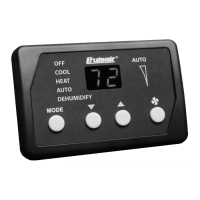
Details the buttons and indicators on the Legacy Passport control display.

Product Specifications

Product Dimensions

Lists display panel and cut-out dimensions for Legacy and Compact models.

Cable Lengths

Details standard and maximum cable lengths for display and sensor cables.

System Specifications

Available System Inputs

Outlines available inputs for DX and CW systems, including optional sensors.

Operational Specifications

Lists operating ranges, accuracy, voltage limits, and power consumption.

Wiring Diagrams

DX Wiring Diagram

Illustrates the wiring connections for DX Passport control systems.

Installation and CW Wiring

CW Wiring Diagram

Illustrates the wiring connections for CW Passport control systems.

Installation Overview

Covers warnings and initial steps for installing the Passport controls.

Display Panel Location and Preparation

Guides on choosing a location and preparing the wall for the display.

Installation Details

Installing Optional Sensors

Steps for mounting and connecting optional sensors to the control board.

Mounting the Display Panel

Process for preparing the surface and attaching the display panel.

Operation Overview

Heating and Cooling Cycles

Explains how heating and cooling cycles operate based on system type.

Operation Details

Air and Water Temperature Differential

Discusses temperature differentials for CW systems and heating/cooling overlap.

Reversing-Valve and De-icing Cycles

Explains reversing valve operation and the de-icing cycle for DX systems.

Service Utility and Control Operation

Service Utility Commands (DX Systems)

Covers self-test, hour meter, and service history log for DX systems.

Turning On and Choosing Operation Modes

Guides on powering on and selecting system operating modes.

Operation Modes Explained

System Operating Modes

Details Cool, Heat, Dehumidification, Automatic, and Off modes.

Fan Speed Control

Explains manual and automatic fan speed settings and operation.

Display Panel Functions

Using the Passport Control Display Panel

Details button combinations for various functions like viewing set points and activating modes.

Advanced Display Panel Functions

Display Panel Function Combinations

Explains combinations for Dehumidification, sensor temp, self-test, and hour meter.

Programming the Passport Control

Entering Programming Mode

Step-by-step guide to access the programming menu on the Passport control.

Setting and Saving New Parameter Values

Instructions on how to adjust and save parameter settings as new defaults.

Parameter Management

Restoring Default and Exiting Programming

How to revert settings, exit programming mode, and understand parameter selection.

Parameter Selection and Details

Lists parameters, their ranges, and explains their functions.

Fault Codes and Calibration

Identifying Programming Fault Codes

Explains fault codes and how they trigger lockouts, referencing fail-safe levels.

Voltage Calibration

Guides on adjusting voltage reading for accurate low voltage calculations.

Navigation Tree

Navigation Tree Overview

Visual overview of the Passport control's menu flow and parameter structure.

Maintenance Tasks

Testing Passport Control Functionality

Procedure to test Passport control functionality after installation or service.

Return-Air Filter Check

Guide for inspecting, cleaning, and reinstalling the return-air filter.

Reversing Valve and Seawater Strainer Checks

Instructions for energizing valves and checking seawater strainers.

System Maintenance Procedures

Cleaning the Condenser Coil

Steps to clean the condenser coil to prevent marine growth fouling.

Winterizing the System

Method for winterizing the system to prevent freezing damage.

Troubleshooting Guide

Troubleshooting Common Issues

Table of common problems, causes, and recommended solutions for the system.

Disposal and Warranty

Product Disposal Guidance

Guidance on disposing of packaging materials and the product responsibly.

Warranty Information

Provides contact details and website for limited warranty information.

Dometic AH-Passport I/O Compact Specifications

General IconGeneral
Operating Voltage12/24 V DC
Operating Temperature-20 °C to +60 °C
Digital Inputs4
Analog Inputs2
Protection ClassIP65
Input Voltage12/24 V DC
Output Voltage12/24 V DC
Communication InterfaceCAN

Related product manuals