EasyManua.ls Logo

Dometic Passport I/O Compact - User Manual

Dometic Passport I/O Compact
24 pages
Print Icon
To Next Page IconTo Next Page
Loading...
COPYRIGHT © 2007-2017 Dometic Corporation. All Rights Reserved.
No part of this publication may be reproduced, translated, stored in a retrieval system, or transmitted in any form or by any means
electronic, mechanical, photocopying, recording or otherwise without prior written consent by Dometic Corporation. Every precaution
has been taken in the preparation of this manual to ensure its accuracy. However, Dometic Corporation assumes no responsibility for
errors and omission. Neither is any liability assumed for damages resulting from the use of this product and information contained
herein.
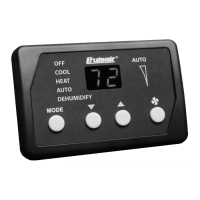
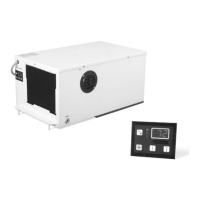
Passport I/O Digital Control
(for Direct Expansion Systems)
OPERATIONS MANUAL
Passport I/O Compact
Passport I/O (legacy model)
Dometic Corporation
Rev. 20170816
L-2231 English
Part Number: 297200023


Questions and Answers

Dometic Passport I/O Compact Specifications

General IconGeneral
BrandDometic
ModelPassport I/O Compact
CategoryControl Unit
LanguageEnglish

Summary

Introduction and System Overview

Features

Details standard and optional features of the Passport I/O control unit.

Description of Control

Explains the basic functions like Power, Set Point, Fan, and Memory.

Installation and Mounting

Installing the Display Panel

Guides on choosing a location and mounting the control panel.

Mounting Optional Sensors

Instructions for installing optional remote air, outside air, and service sensors.

Operation and Controls

Operator Controls and Display

Details the display indicators, button functions, and special button functions.

Modes of Operation

Describes various operating modes like Off, On, Automatic, Cool, Heat, Moisture, and Fan.

Programming and Parameters

Programming Procedure

Step-by-step guide on how to enter and use Program Mode.

Programmable Parameters

Details all programmable parameters (P-1 to P-23) and their settings.

Failsafe and Troubleshooting

Failsafe and Fault-Handling Codes

Explains different failsafe levels and fault codes for system protection.

General Troubleshooting

Provides solutions for common problems like system not starting or fan not running.

System Components and Maintenance

System Components Maintenance

Details maintenance for key components like the reversing valve and condenser coil.

Automated Factory Self-Test Program

Guides on activating and running the built-in self-test program for the system.

Service Utilities and Specifications

Service Utilities

Explains how to access and use the Hour Meter and Service History Log.

Specifications

Lists operational, dimensional, cable length, and system input specifications.

Related product manuals