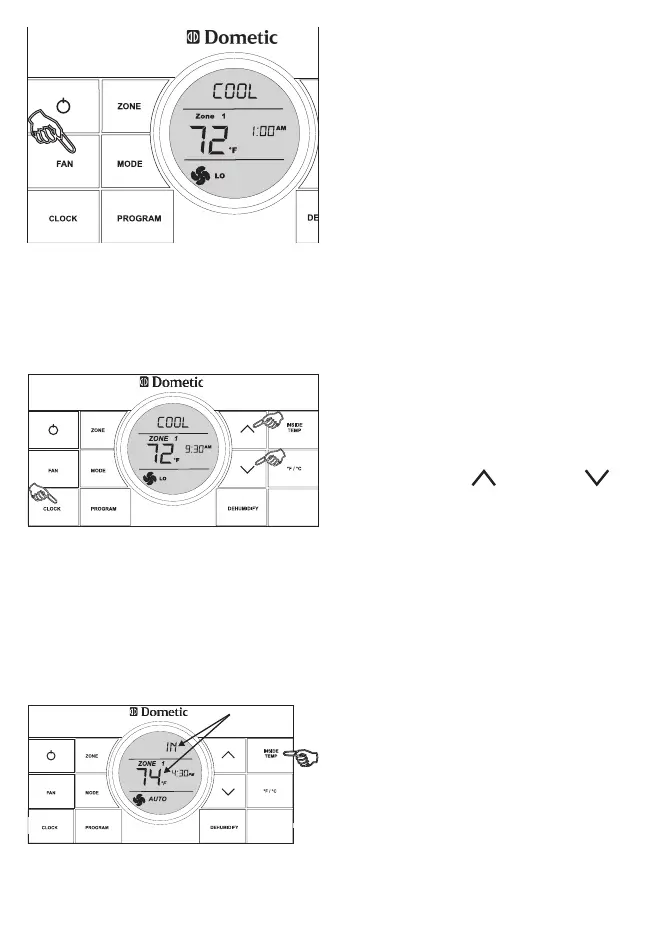
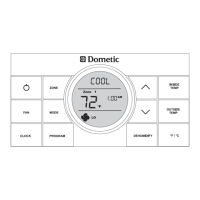
5. Press the FAN button to select the
fan speed. The options are AUTO, HI,
MED, or LO.
7. Press and hold the INSIDE TEMP
button and the LCD will display the
current inside temperature recorded
at the CCC 2 Thermostat (or at the
optional remote indoor temperature
sensor) instead of the temperature
set-point. The LCD will also display
“IN” to indicate that the inside tem-
perature is being displayed. When the
INSIDE TEMP button is released, the
LCD will return to the programmed
temperature set-point.
6. Press the CLOCK button to initiate
the clock setting sub-menu on the
CCC 2 thermostat. When entering
this menu, the “hour” digits will ash
rst. Press the CLOCK button again
and the “minutes” digits will ash.
Press it a third time and the “AM” or
“PM” icon will ash.
Press the UP and DOWN but-
tons to set the “hour”, “minute”, and
“AM/PM” setting.
Press the CLOCK button one more
time to store the new time in memory
and exit the clock setting sub-menu.



 To Next Page