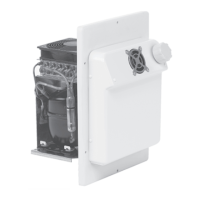
CS-NC15, CS-NCVM Installing the cooling unit
15
7.4 Connecting the cooling unit
Connecting to a battery
The cooling unit can be operated from a DC voltage supply.
A
➤ Determine the required cross section of the cable in relation to the cable length
according to fig. 6, page 7.
Key for fig. 6, page 7:
A
➤ Before you start up the unit for the first time, check that the operating voltage
matches the battery voltage (see type plate).
➤ Connect your cooling unit
– as directly as possible to the pole of the battery or
– to a plug socket which is fuse protected with at least 15 A (at 12 V) or 7.5 A (at
24 V).
A
For safety reasons the cooling unit is equipped with an electronic system to prevent
polarity reversal. This protects the cooling unit when it is connected to a battery.
NOTICE!
To avoid voltage loss and therefore a drop in performance, the cable
should be kept as short as possible and should not be interrupted.
For this reason avoid additional switches, plugs or power strips.
Co-ordinate axis Meaning Unit
l Cable length m
∅ Cable cross section mm²
NOTICE!
Make sure that the polarity is correct.
NOTICE!
Disconnect the cooling device and other power consuming devices
from the battery before you connect the battery to a quick charging
device. Overvoltage can damage the electronics of the device.
CS-NC15_CS-NCVM--IO--16s.book Seite 15 Dienstag, 9. Oktober 2018 5:24 17


 To Next Page
 Loading...