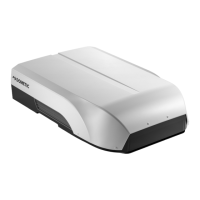
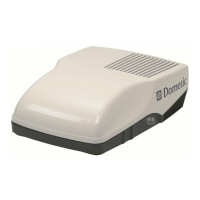
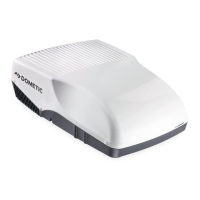
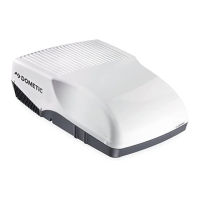
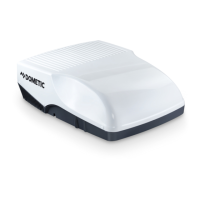
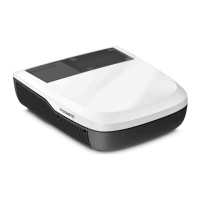
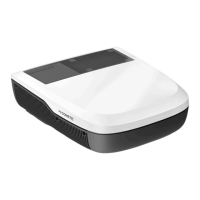
The Dometic FreshJet 3 and 4 Series Rooftop Air Conditioner, including its Air Distribution Box (ADB) and Electronic Controls, is designed for installation on the roof of Recreational Vehicles (RVs) to provide climate control. This product functions as a two-component system: a rooftop unit and an internal air distribution box. It is intended for use during or after the RV's manufacturing process, ensuring proper climate management within the vehicle.
Function Description
The FreshJet Rooftop Air Conditioner's primary function is to regulate the internal temperature of an RV through various operating modes. It offers cooling, heating (if equipped with a heat pump), and ventilation capabilities. The system is controlled via an electronic control panel located on the air outlet of the ADB cover, allowing users to select desired modes and temperature settings.
The core operational modes include:
- On/Standby: Powers the AC on or off. When in standby, the AC is idle, and the LED display is off, though interior and exterior lights may remain illuminated at 50% brightness.
- Auto Mode: Automatically cycles between heating and cooling to maintain a desired setpoint temperature. For this mode to function effectively, the rooftop component must be a heat pump or have a furnace wired to the electronic control box. The system monitors room temperature and adjusts fan speed and operation (cooling or heating) accordingly. If the room temperature rises above the setpoint by 2°F (1°C), cooling is initiated. If it drops below the setpoint by 2°F (1°C), heating is activated. In Auto Fan Cycling, the fan operates at Turbo, High, or Low speed based on the temperature differential from the setpoint.
- Cool Mode: Provides cooling-only to maintain a desired setpoint temperature. The system cycles cooling on and off based on the measured room temperature and the setpoint. Fan speed can be manually selected (Low, High, Turbo, Auto) or automatically adjusted. Freeze control is active in this mode, preventing the evaporator coil from freezing by cycling the compressor off when the coil temperature drops too low.
- Auxiliary Heat Mode (if equipped): Utilizes heating to maintain the desired setpoint temperature. This mode is available if the rooftop component is equipped with a heat pump or a furnace is wired to the electronic control box. The system cycles the compressor on and off based on room temperature relative to the setpoint. During heat pump operation, a defrost cycle may occur if the outdoor ambient temperature is between 30°F (-1°C) and 42°F (6°C), indicated by the LED display alternating between HP and DF. A low ambient heat pump lockout will switch the system to the furnace if the outdoor temperature falls below 30°F (-1°C).
- Ventilation Mode: Uses only the fan to maintain air circulation or a desired temperature within the vehicle. Fan speed can be manually selected (Low, High, Turbo) or set to Auto, where it adjusts based on temperature differential.
- Turbo Mode: Provides maximum cooling for rapid pull-down and/or spot cooling when room temperatures significantly exceed the setpoint. In this mode, the temperature setpoint defaults to the lowest possible setting (55°F/13°C), and the compressor operates continuously.
- Special Modes (Sleep, Eco, Dry): Accessed via the Mode icon.
- Sleep Mode: Creates a comfortable sleeping environment by minimizing compressor cycling and reducing LED brightness. The control system gradually adjusts fan speed and setpoint to enhance comfort.
- Dry (Dehumidification) Mode: Provides mild dehumidification for room temperatures above the setpoint when additional cooling is not required. The compressor cycles on and off to extract moisture without significantly lowering room temperature.
- Eco Mode: Conserves energy by minimizing power consumption, ideal for extending AC run time with a portable generator. The temperature is maintained within a narrow range of the setpoint, and the fan is automatically controlled.
Usage Features
The control panel features intuitive icons for easy operation. Users can adjust the temperature setpoint using the (+/-) icons, with the LED display showing the current setting. The brightness of icons indicates their status: 100% for selected/active, 50% for unselected/available.
- Temperature Adjustment: Pressing (+/-) allows users to increase or decrease the desired temperature.
- Fan Speed Selection: In modes like Cool or Ventilation, users can cycle through available fan speeds (Low, High, Turbo, Auto) by pressing the Fan Speed icon.
- Lighting Control: The ADB includes interior lighting, and some FreshJetX4 series models have an exterior LED light on the shroud. The Interior Light icon controls the ADB's internal light, which can be dimmed to one of five levels by pressing and holding the icon. The Exterior Light icon controls the external light, though this light cannot be used while the RV is in motion due to legal restrictions.
- Temperature Unit Change: The default temperature unit is Celsius. Users can switch to Fahrenheit by pressing and holding both sides of the (+/-) icon for three seconds while the LED display shows only the temperature.
- Troubleshooting: The manual provides a troubleshooting guide for common issues, such as the unit not operating, frost forming on the evaporator coil, or failure to maintain desired temperature, offering suggested remedies like checking circuit breakers, cleaning filters, or adjusting settings.
Maintenance Features
Regular maintenance is crucial for optimal performance and longevity of the FreshJet system.
- Air Filter Cleaning: The return air filter, located behind the return air vent grille, should be removed and washed with soap and warm water periodically, or at least every two weeks of operation. It is essential to let the filter dry completely before reinstallation. The unit should never be run without the filter in place to prevent dirt accumulation and performance degradation.
- ADB Cleaning: The exterior shell of the Air Distribution Box should be cleaned with a soft cloth dampened with a mild detergent. Abrasive cleaners like furniture polish or scouring powders should be avoided.
- Blower Servicing: The blower motor within the rooftop component is factory-lubricated and does not require additional service from the user.
The manual emphasizes the importance of proper installation and adherence to safety warnings to prevent injury, product damage, or property damage. It also highlights that modifications to the product are extremely hazardous and that service should only be performed by a qualified person using Dometic-approved replacement parts.


 To Next Page
 General