EasyManua.ls Logo

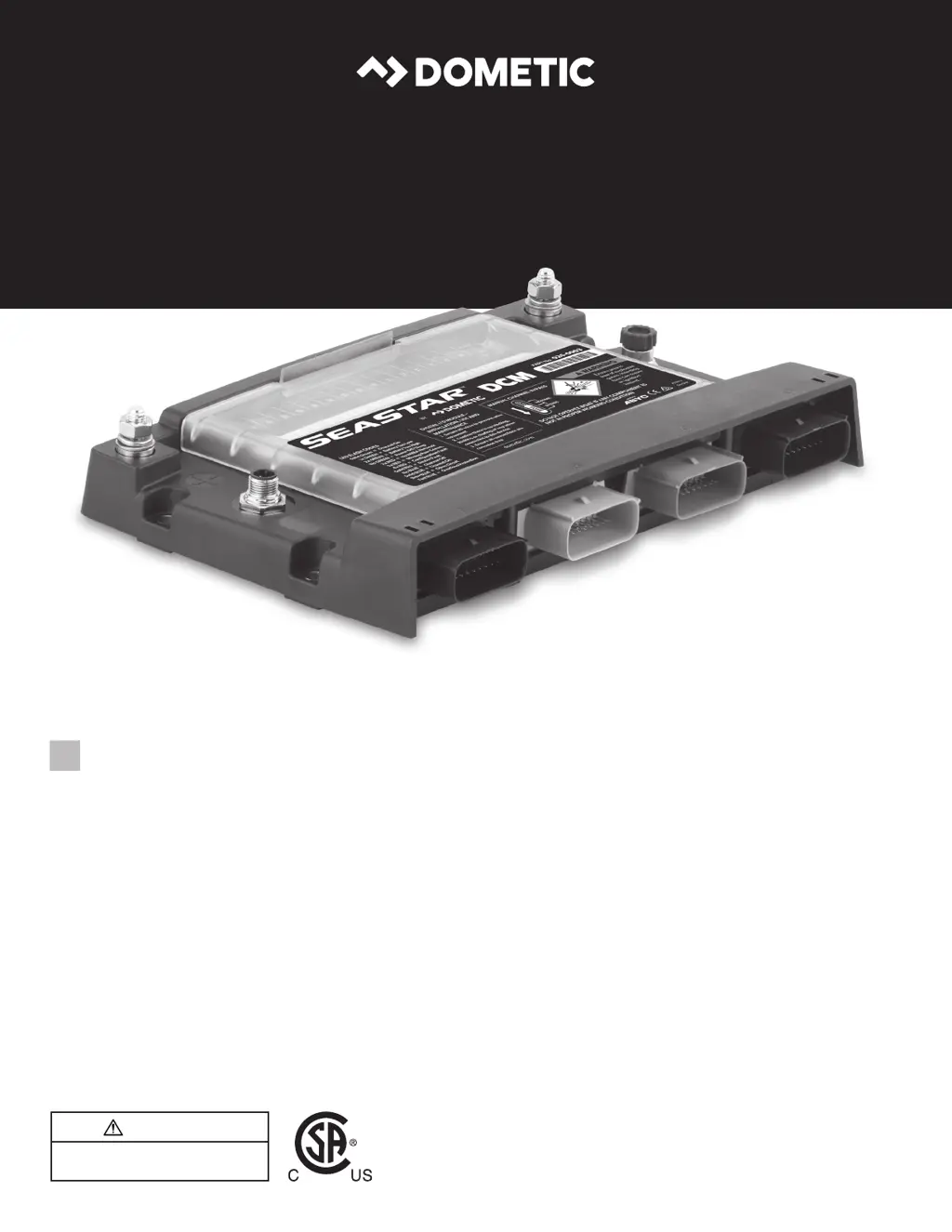
Dometic Seastar DCM - User Manual

Dometic Seastar DCM
20 pages
Print Icon
To Next Page IconTo Next Page
Loading...
CONTROL
SEASTAR DCM
SeaStar
USER MANUAL AND TROUBLESHOOT GUIDE
MAXIMUS DCM DIGITAL SWITCHING
[REVISION A] Form No. 0000000.000 mm/19 | ©2019 Dometic Corporation
WARNING
Cancer and Reproductive Harm
www.P65Warnings.ca.gov
DCM Digital Switching 026-0003
EN
Product Description
User Manual and Troubleshooting Guide

Questions and Answers

  • G
    gutierrezjoshuaSep 6, 2025
    What to do if the system shuts down when trying to load a new configuration on Dometic Switch?
    • W
      williamswilliamSep 6, 2025
      If the system shuts down when trying to load a new configuration using a Garmin card reader with an SD card, it could be because the Garmin MFD is powered from the Dometic Switch and is powering off when receiving the prompt to load a new configuration. To prevent this: 1. Place the Dometic Switch output fuse for the MFD into "Bypass Mode" to give continuous power to the MFD during the update. 2. It is recommended that a correction to the DCM configuration is made using the SeaStar DCM configuration tool so the particular output does not power off during future configuration uploads.
  • L
    Lindsay RodriguezAug 22, 2025
    What to do if the load breaker tripped or fuse blown on my Dometic Switch?
    • A
      annettewilsonAug 22, 2025
      If the load breaker tripped or the fuse blew, it could be due to several reasons: * Improper voltage causing load current to rise. * A short circuit in the harness or the load/device itself. * A weak or faulty breaker (if it trips repeatedly). To address this: 1. Measure system voltage and charge the battery if needed. 2. Disconnect the load and turn on the breaker or replace the fuse to check for a short circuit in the wiring harness. 3. Disconnect the load from the Dometic Switch, the breaker, or the fuse and measure resistance on the load to check for a short circuit. Test or replace with a working load device. 4. Check the breaker's load value with a DC current meter. If the load is pulling less current than the breaker's rating, replace the breaker.
  • J
    jeremy56Sep 4, 2025
    What to do if a switch connected to Dometic Seastar DCM that previously worked does not operate?
    • S
      stephenspaulaSep 4, 2025
      If a switch connected to the Dometic Switch that previously worked no longer operates, it could be due to: * The switch being faulty. * The switch wiring being faulty. To troubleshoot: 1. Meter/test switch continuity. Replace the switch with a known working switch. 2. Verify secure and proper connections to the DCM. Meter/test switch continuity.
  • M
    Mary VangSep 2, 2025
    Why is the signal input erratic for meter or switch input on my Dometic Seastar DCM?
    • R
      Richard MorrisSep 2, 2025
      If the signal input is erratic for a meter or switch input on your Dometic Switch, it could be due to: * A missing ground signal. * Incorrect/multiple ground signals. To resolve this: 1. Verify the DCM has a ground signal at the main ground lug. 2. Verify the DCM shares the same source ground as the signal being measured.
  • W
    William GloverSep 1, 2025
    Why is a device load turning outputs ON without being commanded on my Dometic Seastar DCM Switch?
    • L
      lisa41Sep 1, 2025
      If a device load is turning outputs ON without being commanded, it could be because the load fuse is at the bypass position. To fix this: 1. Remove the cover on the Dometic Switch module. 2. Use the output channel label to locate the fuse for the load. 3. Move the fuse back to the normal position.
  • C
    Cody MaxwellAug 30, 2025
    What does it mean if the power LED is off on my Dometic Seastar DCM?
    • S
      Steven CraigAug 30, 2025
      If the power LED is off on your Dometic Switch, it could be due to: * The house battery switch being off. * The module being off. * Module failure. To troubleshoot: 1. Check the house battery switch to ensure it is in the ON position. Measure the voltage across the module power + and - to ensure it is above 9 VDC. Ensure all battery positive and negative wires are secured. 2. Reset the house battery switch to off and on to wake up the unit. 3. Call OEM or SeaStar service for assistance.
  • T
    Theresa MitchellAug 29, 2025
    What does it mean if the status LED red flash 3x pulses (missing MFD) on Dometic Seastar DCM?
    • D
      Darren AllenAug 29, 2025
      If the status LED flashes red 3x pulses, it indicates a missing MFD (Multi-Function Display). This could be due to: * A missing compatible MFD. * Improper DCM setup. To resolve this: 1. Check the home page of the MFD to ensure the Switching Icon exists. 2. Update the MFD software to the latest version from the MFD manufacturer. 3. Check Home/Setting/Communication/Device List for SeaStar DCM.
  • S
    sullivanjenniferAug 27, 2025
    What to do if my Dometic Switch wireless key fob doesn't work?
    • M
      Michelle WardAug 27, 2025
      If the wireless key fob for your Dometic Switch isn't working, it could be due to: * The battery inside the key fob needing replacement. * The key fob needing to be paired with the DCM. * A faulty key fob or receiver. To troubleshoot: 1. Replace the battery. 2. See section 2.7 "Key Fob Pairing Procedure." 3. Test/replace with a working receiver.
  • A
    amylevineAug 27, 2025
    Why does my Garmin screen show 'Unavailable' message instead of switches on 'switching' page with Dometic Switch?
    • Q
      qhansonAug 27, 2025
      If the Garmin screen shows an "Unavailable" message instead of switches on the "switching" page, this could be due to: * The Garmin MFD not being connected to the NMEA 2000 network. * The SeaStar Instance not being set on the MFD. * The switching page needing to be reset. To resolve this: 1. From the Garmin screen homepage press: Settings/ Communication/ NMEA 2000 set-up/ Device List... Check if the device list shows other devices on the NMEA network. If not, replace the Garmin unit's NMEA drop cable. 2. From the Garmin screen homepage press: Settings > My Vessel > Switching > SeaStar > SeaStar Instance to be '0'. 3. From the switching page press: Menu > Edit Switches > Restore Default View.
  • J
    Jacob BassAug 25, 2025
    Why is fuel/water/waste tank data not present on the MFD with my Dometic Seastar DCM Switch?
    • P
      Pamela FarleyAug 26, 2025
      If fuel, water, or waste tank data is not present on the MFD: 1. Follow the tank sender wiring to verify a secure connection to the designated Dometic Switch module position. Measure voltage at the sender connection. 2. From the Garmin Gauges page press: Menu > Edit Gauges Page > Replace Data.

Summary

Explanation of Symbols and Safety Instructions

Recognize Safety Information

Identifies the safety alert symbol used for potential physical injury hazards.

Understand Signal Words

Defines signal words for safety messages, indicating hazard severity and damage potential.

Safety Information

Provides critical safety information for use before, during, and after installation, emphasizing reading all points.

General Information

How The System Works

DCM Features

Lists the key features of the DCM digital switching controller, including inputs, outputs, and connectivity.

Wireless Key Fob for DCM Features

Details the functionality and specifications of the wireless key fob for controlling DCM features.

Layout

Key Fob Mounting Kit

Describes the mounting kit for the wireless key fob, allowing for dash installation.

Key Fob Pairing Procedure

Provides step-by-step instructions for pairing a key fob to the DCM via the MFD.

Key Fob Battery Replacement

Switching Pages On MFD

Explains how to navigate to and use the Switching page on the MFD to control DCM devices.

Top;Bottom Ribbon Setup

Side Bar Setup

Change Switching Page Name

Replace Switches

Guides users on how to replace existing switches on the MFD switching pages.

Edit Switch Name

Warning Manager

Update DCM Configuration File

Troubleshooting Guide

DCM Troubleshooting

Provides troubleshooting steps for DCM symptoms, including LED codes, potential causes, and checking solutions.

NMEA 2000 Network Troubleshooting

Dometic Seastar DCM Specifications

General IconGeneral
BrandDometic
ModelSeastar DCM
CategorySwitch
LanguageEnglish