8-b. Main Options Operation of EQ
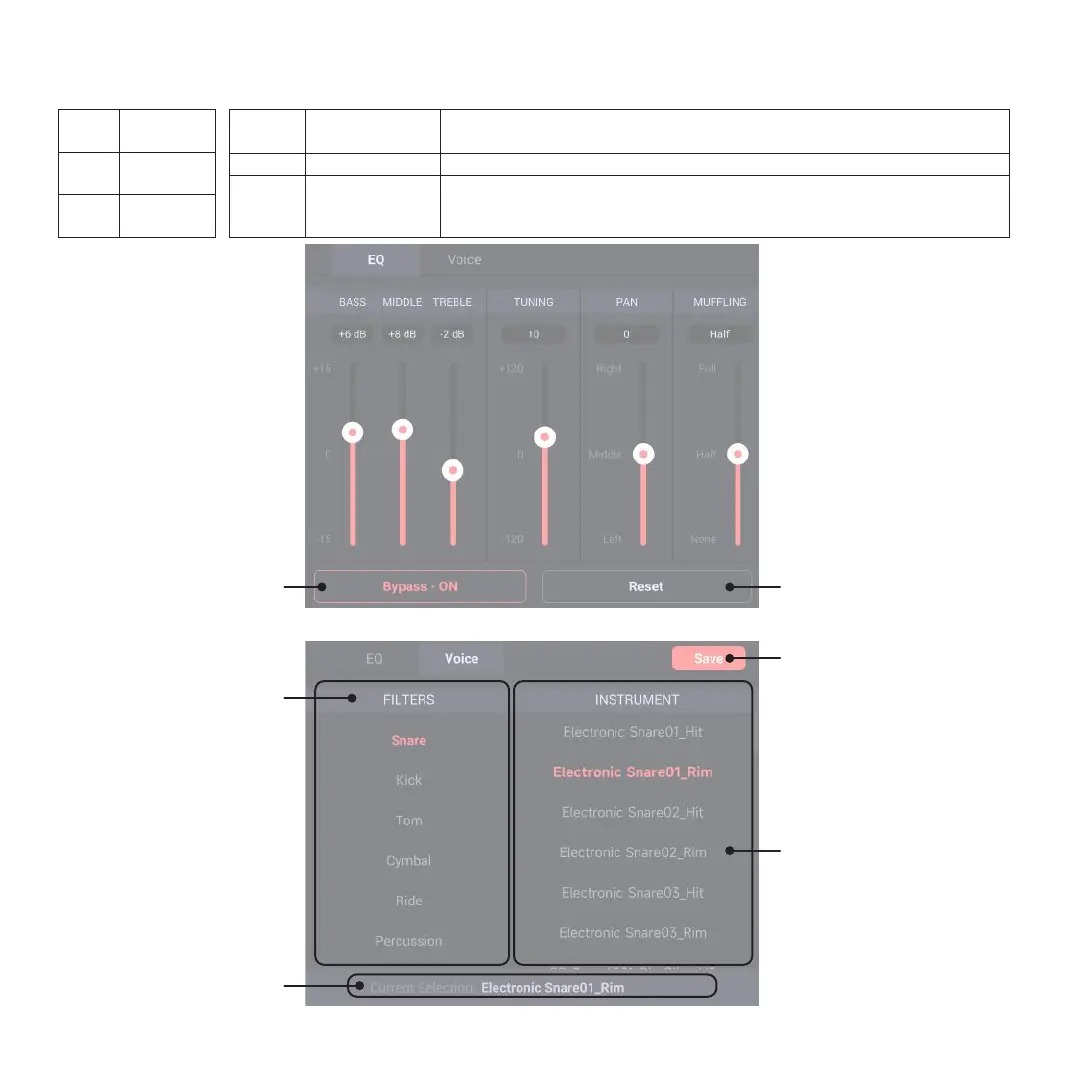
To adjust the parameters for the drum selected, you may click and drag or highlight it to use the encoder for parameter adjustment.
BASS
MIDDLE
TREBLE
-15dB ~ +15dB
-15dB ~ +15dB
-15dB ~ +15dB
08
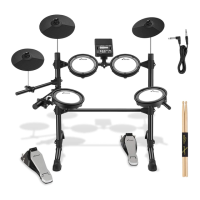
8-c. Main Options Operation of VOICE
SAVE
For currently edited DEFAULT drum
kit, it can be saved as a new user
drum kit by clicking “SAVE”. If the
user drum kit is edited currently, it
can be stored to current drum kit
presetting by clicking “SAVE”.
FILTERS
Select the tone kit to be changed,
click and select the kit .
Current Selection
The tone used by current drum.
Bypass
Bypass-ON: The sounds are not
processed by EQ
Bypass-OFF: The sounds are
processed by EQ
Exit from EQ page and restore to
OFF status
Reset
The EQ parameters of current
drum are reset.
INSTRUMENT
Select a single tone for
replacement, click and select the
tone to be replaced.
TUNING
PAN
-120 ~ 120
Left ~ Middle ~ Right
MUFFLING
None ~ Half~ Full
The pitch of current drum is adjusted; for value changes, every 10 grids are regarded as one
semitone change; the change range is reducing 12 semitones ~ rising 12 semitones.
The sound image of current drum is adjusted; the default values are Middle, Left, and Right.
The muffling effect of current drum is adjusted; None means no effect; Half means some
overtones are reduced and the sustain becomes shorter; Full means that more overtones are
reduced and the sustain becomes the shortest.



 To Next Page