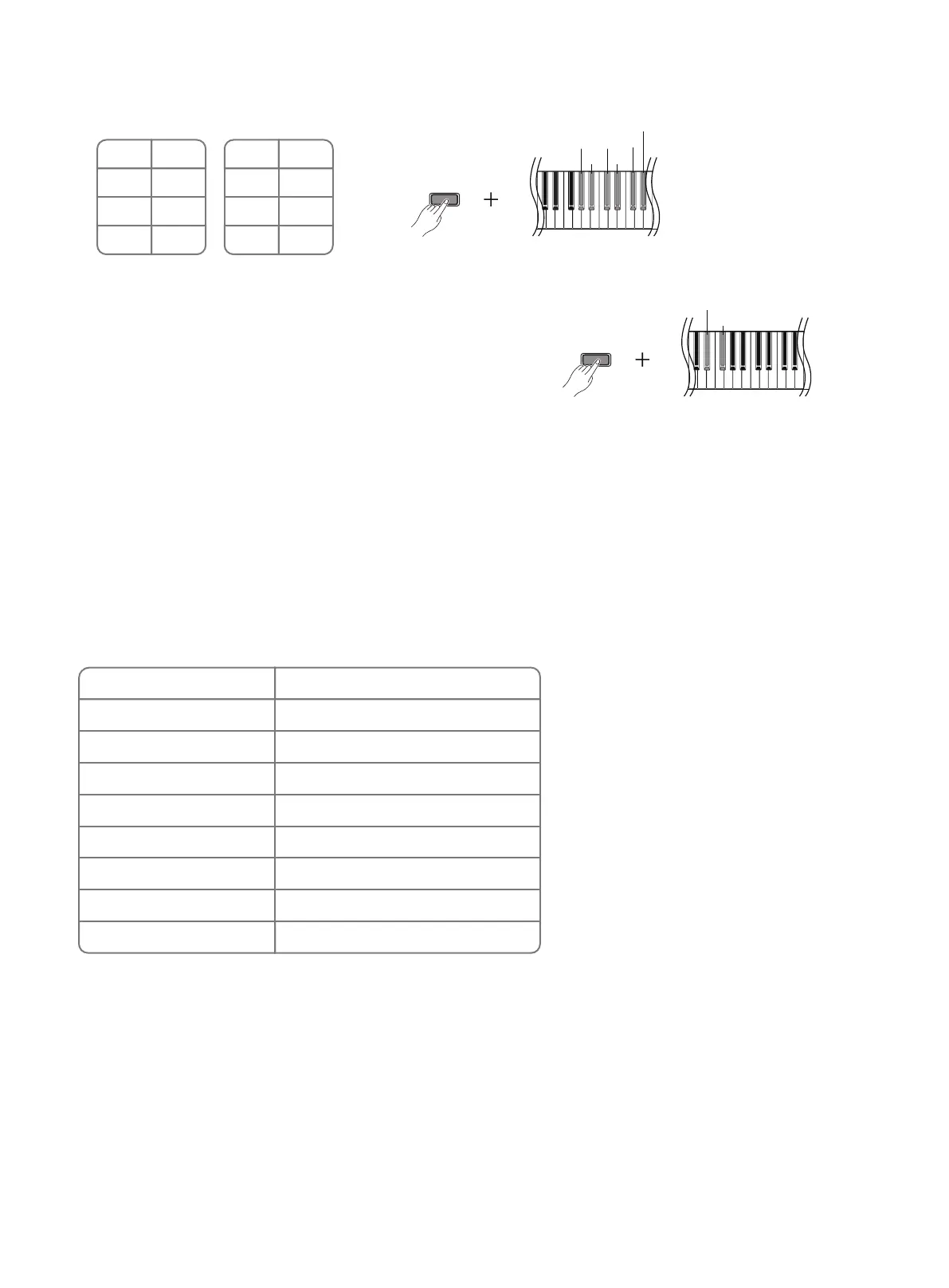
Product List
Bluetooth
● The default state of Bluetooth MIDI function is on.
● You can select the Bluetooth name of this piano in the MIDI setting interface of the external device or software
compatible with this piano to complete the connection.
● The Bluetooth name of this piano: DONNER DDP-200
● Instructions for use of Bluetooth MIDI: Any app that can connect to Bluetooth MIDI and use the MIDI standard
protocol for playback.
● It is both compatible with IOS and Android devices.
Metronome Speed
● Adjust the beat speed according to needs.
● Adjustment range: 30~240, the default value: 120.
● Press [ FUNCTION ] and [ #d ], the metronome speed -1.
● Press [ FUNCTION ] and [ #f ], the metronome speed +1.
FUNCTION
#d
#f
Metronome Type
● Press [ FUNCTION ] and [ #g ] / [ #a ] / [ #c1 ] / [ #d1 ] / [ #f1 ] / [ #g1 ]
● Adjustment range:1-4
FUNCTION
#g
#a
#c
1
#d
1
#f
1
#g
1
Key
#d1
#f1
#g1
Type
4/4
3/8
6/8
Key
#g
#a
#c1
Type
1/4
2/4
3/4
Name
Power Adapter
Piano Body
Pedal Box
Left Stand Board
Right Stand Board
Screw M6x30
Corner Bracket
Manual
Quantity
1PC
1PC
1PC
1PC
1PC
14PCS+2PCS For Replacement
2PCS
1PC
08



 To Next Page