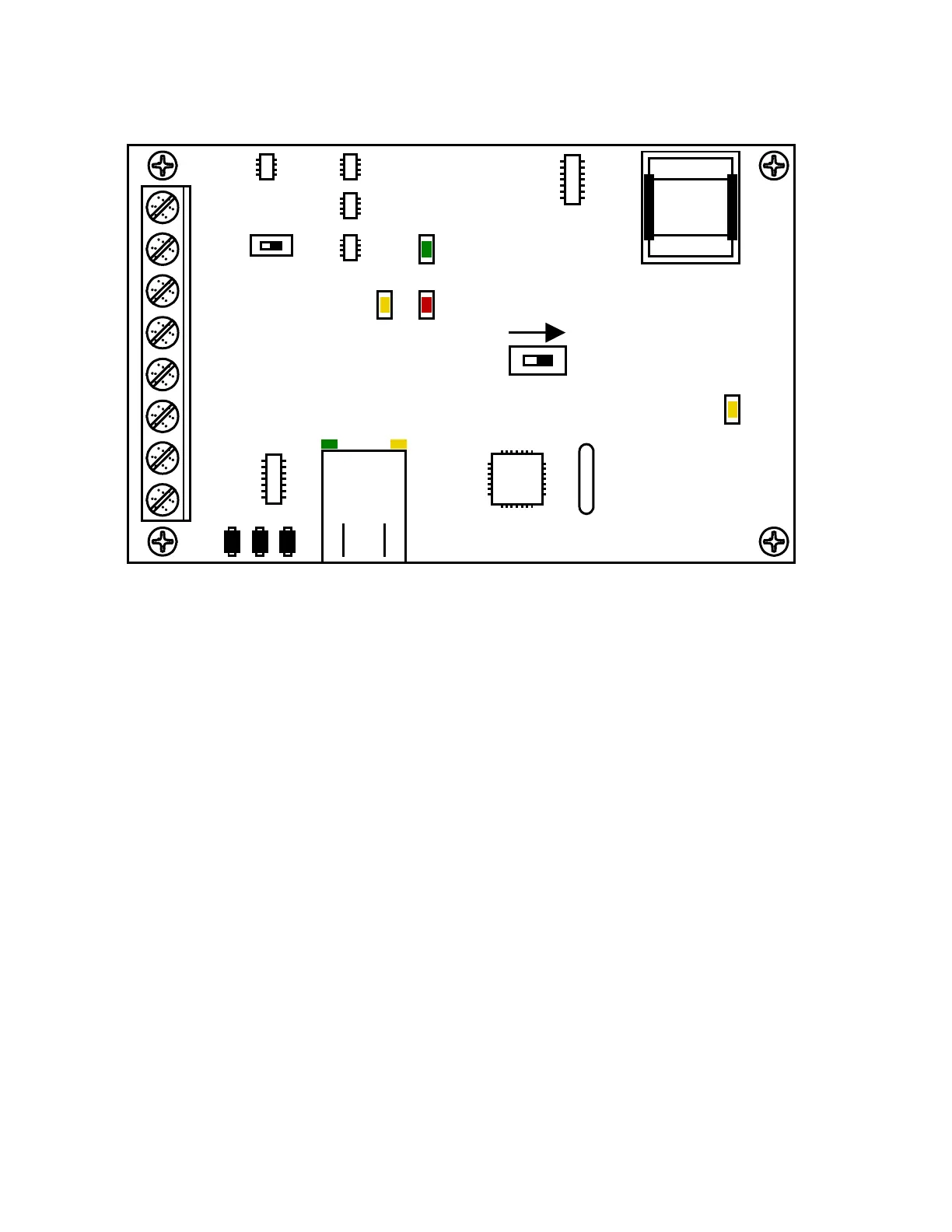
Interface Board LED Status
RS-485 RX
• Green LED indicates that the system is on-line and scanning the RS-485 devices.
BAD DNS
• Yellow LED indicates an email server problem, rejecting the mail server.
LAN DOWN
• Red LED indicates a problem with the LAN. IP or Gateway (router) down or wrong gateway
IP address.
Phone Line In Use
• Yellow LED indicates that the phone line is in use.
LAN Connection
• Green LED indicates that the wire connection from the 1812 to the computer or router is
good.
DATA Transmit
• Yellow LED indicates that the TCP / IP connection is transmitting data or sending an email.
SW1 - Modem TCP Enable
• Turning SW1 Off disables the modem and TCP / IP, but will speed up programming from the
keypad.
SW2 - Termination
• If the 1810 Access Plus Controller is an END unit, then SW 2 is ON. If the 1810 Access Plus
Controller is a middle unit, then SW 2 is OFF.
ON
SW1 MODEM / TCP ENB
1
2
3
4
5
6
7
8
BAD DNS
RS-485 RX
LAN DOWN
Phone Line
In Use
LAN
Connection
Data
Transmit
SW2
ON
TERMINATION
OFF
Page 52 1810-162-L-5-15



 To Next Page