Booting
If you use standard items, you should install DART-Platform SW for robot control. Please install
DART-Platform in advance. The installer download can be found in Robot LAB > Resources >
Software (https://robotlab.doosanrobotics.com/en/MyRobot/Dashboard). To download the installer, you
need to log in the Robot LAB.
※ When the installation of DART-Platform is completed, proceed in the order shown below;
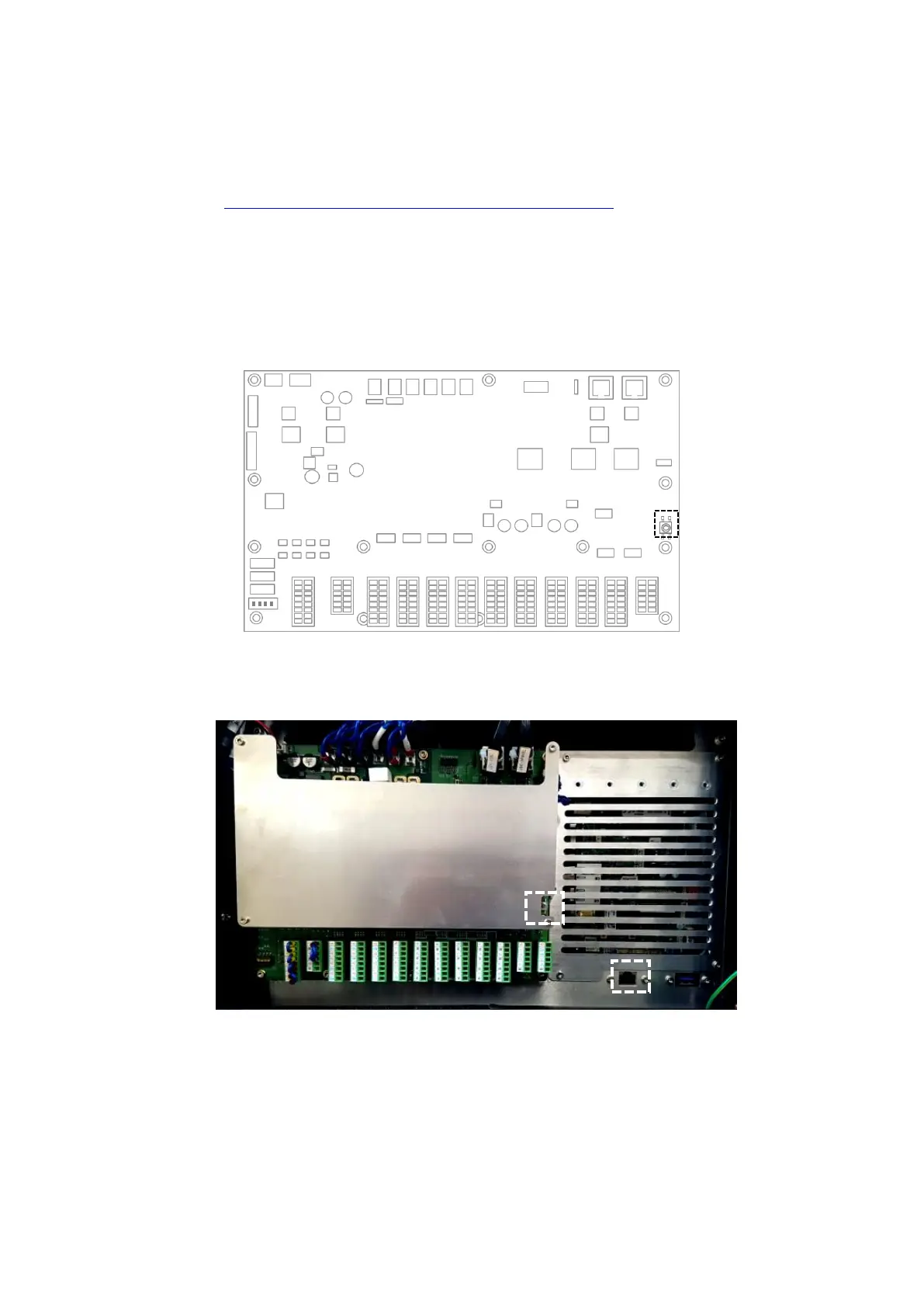
1. Turn on the power switch at the bottom of the control box.
2. Open the door of the control box and press and hold the power button located at the
bottom right of the safety board.
3. Connect your desktop or Laptop to the control box. (Refer to the image below)
4. After about 1 minute after booting starts, run the DART-Platform and check the serial
number of the robot connected to the network.
5. Select and connect the robot you want to connect to



 To Next Page