OP000754
2-7
Operating Controls
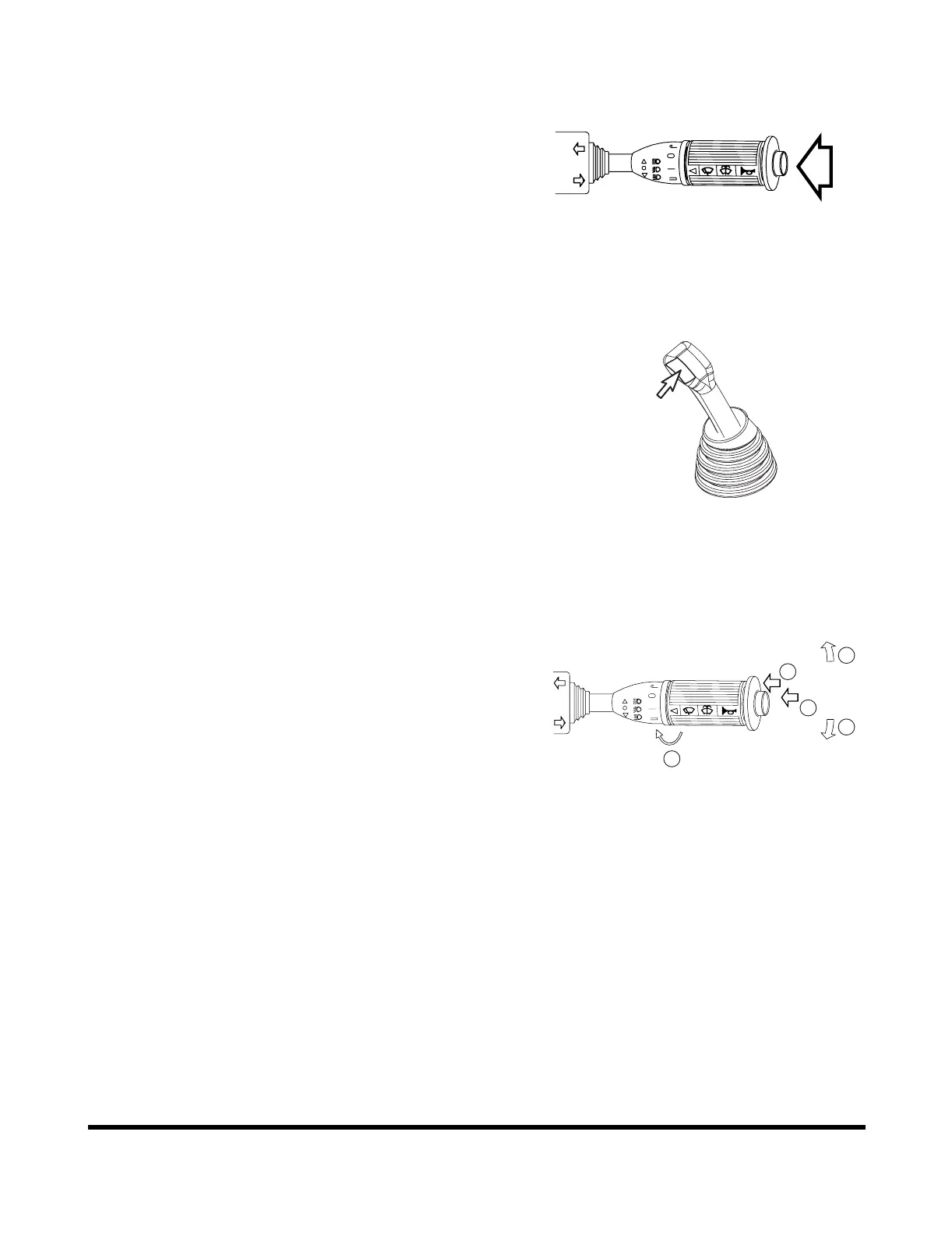
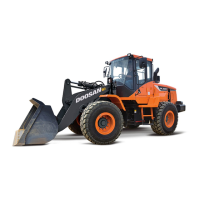
2. Horn Button (Two Places)
Pressing the button at the end of the combination switch
(Figure 5) or the left button at the tip of the pilot control
valve lever (joystick) (Figure 6), the horn will sound.
NOTE: Starter switch must be "ON."
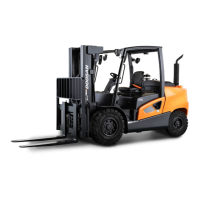
3. Combination Switch
A. Left Side Directional Switch - Pushing lever forward,
activates left outside directional lights and directional
indicator light on instrument panel.
B. Right Side Directional Switch - Pulling lever back,
activates right outside directional lights and
directional indicator light on instrument panel.
NOTE: When turn is completed the lever
automatically returns to the "NEUTRAL"
position. Should it not, it can be manually
returned by hand.
NOTE: Turn signals will function with starter
switch in "OFF" position.
C. Window Washer Switch - When the outside area of
the lever is pressed, it activates the washer pump
and sprays fluid on the windshield. (Only while being
pressed.)
NOTE: Do not operate the windshield washer
without any fluid. If operate without any
fluid, the washer motor may be damaged.
Check level in washer tank, and add fluid
as required.
Figure 5
AHO0890L
FG013047
Figure 6
Figure 7
E
A
B
C
D
AHO0920L


 To Next Page