G424F(FE) Service Manual 284 Appendix
Ground Speed Screen Tab
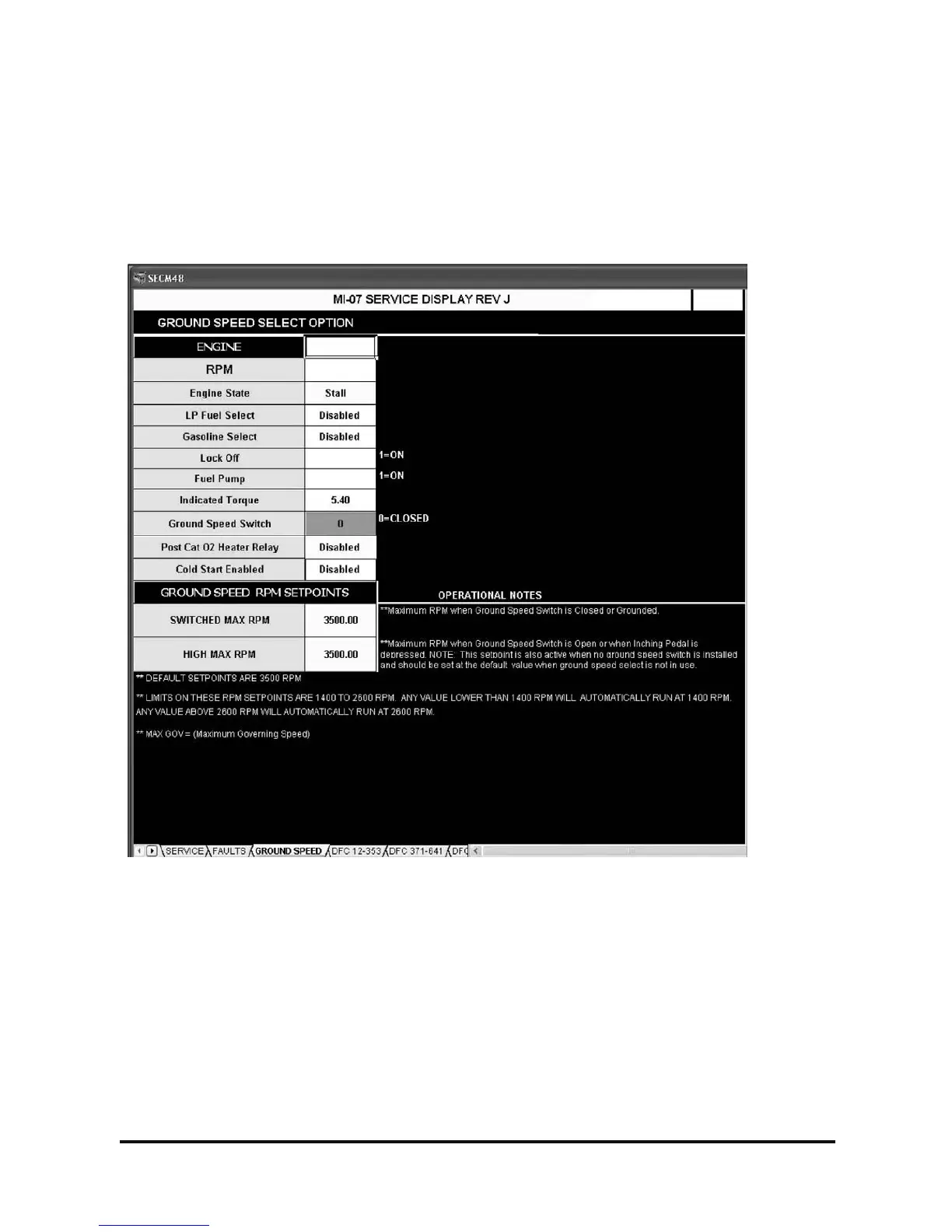
The Ground Speed screen displays parameters for the ground speed option. The Engine category of this
screen gives the technician a quick reference of the engine state when making setpoint changes without
having to switch screens. See the Service Screen display definitions for parameter explanations. If not used
the Ground Speed Switch indicator will be open and the High Max RPM setpoint will still be active. See below
for description.
Figure 9. Ground Speed Screen
Ground Speed RPM Setpoints
The ground speed RPM setpoints are active values used by the SECM. Simply highlight these values and
enter a new value from your laptop computer. These values will be saved and used by the SECM even after
disconnecting from the SECM and closing the display screen. If the ground switch input is closed (grounded),
the Switched MAX RPM value will be used by the SECM as the maximum RPM. If the ground switch is open
or not used, the High MAX RPM value will be used by the SECM as the maximum RPM. There is a limit
placed on these values, the range is (1400 RPM – 2600 RPM). Any number lower than 1400 will cause the
SECM to control at a maximum of 1400 RPM, any number entered above 2600 RPM will cause the SECM to
control at 2600 RPM. Normal maximum governing RPM is approximately 2600RPM so the default value of
3500 RPM will not limit engine RPM in any way. The setpoint box will turn red if any value below 3500 is
entered; this is simply a visual indication for the technician that a number other than the default value is being
used.



 To Next Page