4.2 Connections Procedure
This section presents the procedure to follow, step by step, to connect the AUD-D2A between a
DCP-2000 and an external Cinema Analog Audio Processor.
4.2.1 Step 1: Connecting the AUD-D2A Analog Audio
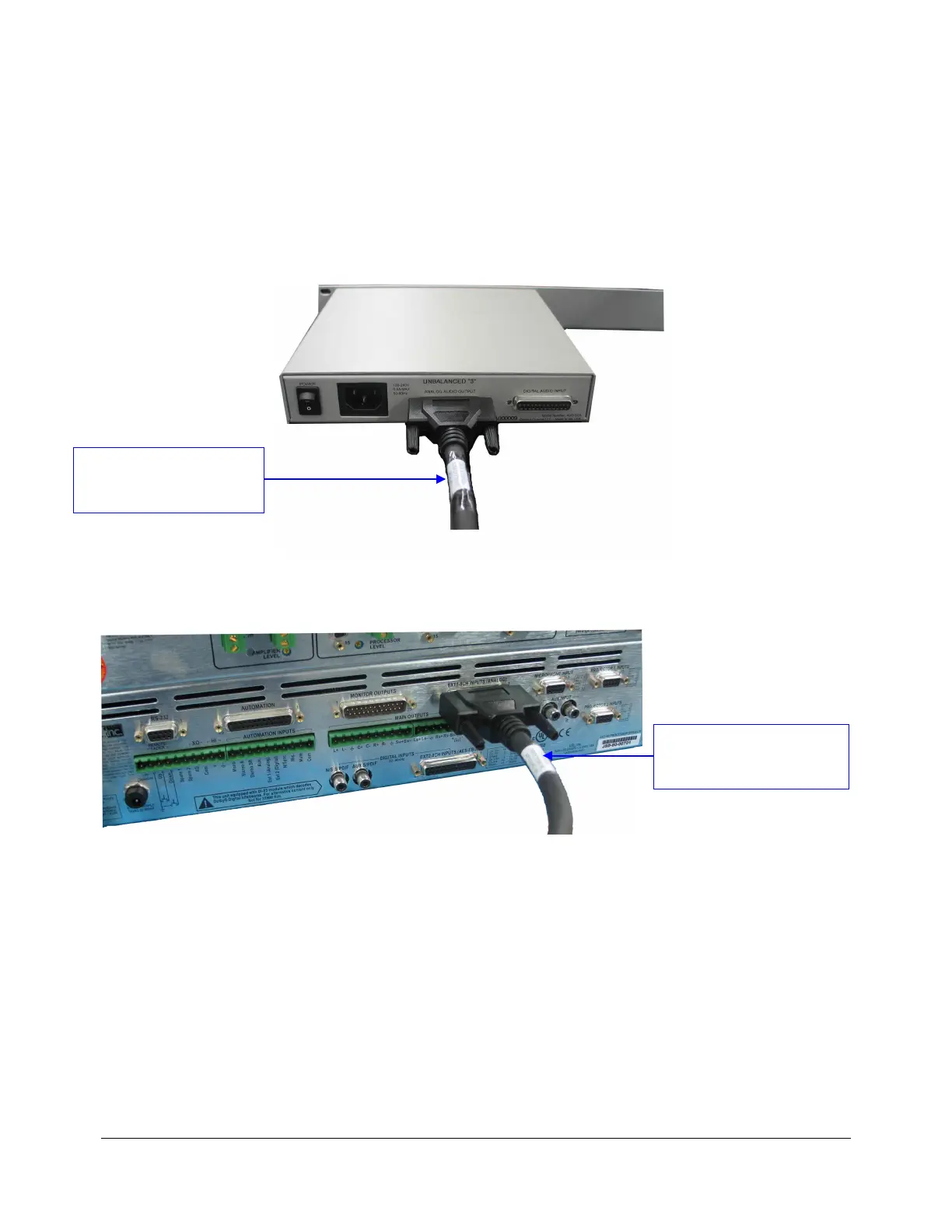
Connect the AUD-D2A to the Cinema processor using the DCP-2000 Analog Out cable as
illustrated below:
Figure 6: AUD-D2A Rear Panel – DCP-2000 Analog Cable Connection
Figure 7: Cinema Processor – DCP-2000 Analog Cable Connection
D2K.OM.000181.DRM Page 11 Version 1.4
Doremi Cinema LLC
“DCP-2000 Analog Out to
Cinema Processor Analog In
Single LEG” Cable
“DCP-2000 Analog Out to
Cinema Processor Analog In
Single LEG” Cable



 To Next Page