4.2.2 Step 2: Connecting the AUD-D2A Digital Audio
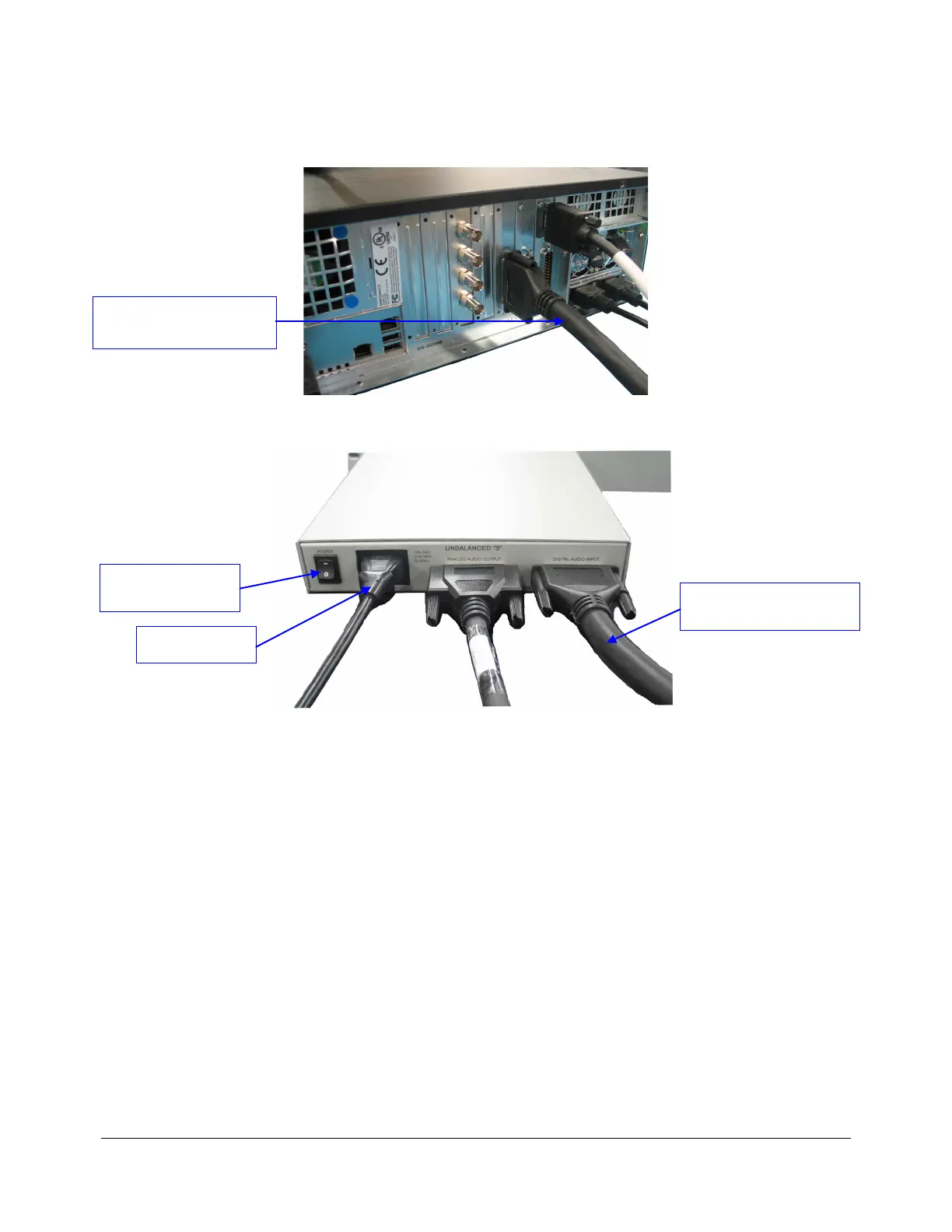
Connect the DCP-2000 to the AUD-D2A using the DCP-2000 AES Out Cable as illustrated below:
Figure 8: DCP-2000 Rear Panel – AES Cable Connection
Figure 9: AUD-D2A Rear Panel – AES Cable Connection
4.2.3 Step 3: Connecting the AUD-D2A Power Cable
Plug the power cable into the AUD-D2A and power it ON by putting the power switch in the ON
position as illustrated in Figure 9 above. The power LED of the front panel should light ON (green
LED). If any activity is detected, the “active LED” (yellow LED) should be lighted – see Figure 1.
D2K.OM.000181.DRM Page 12 Version 1.4
Doremi Cinema LLC
“DCP-2000 AES out to AUD-
D2A AES In” Cable
“DCP-2000 AES out to
AUD-D2A AES In” Cable
Power Cable
Power button in ON
position



 To Next Page