USB connection status: After the USB device is connected, it will display "D", and
after the USB HOST is connected, it will display "H".
Switch pedal parameters: display the MIDI message type (PC/CC/NOTE) of the
switch pedal, and display the value after the pedal is pressed.
Expression pedal parameters: display the MIDI message type
(CC/NOTE/PBend/CPress) of the expression pedal, and display the value after the
pedal is pressed.
MIDI message serial number: FC-3 can be configured with 1~16 independent MIDI
message groups. Hold down "Shift" and click "-"/"+" to switch to select different
MIDI message sequence numbers.
(Note: CC: Continue Control, PC: Program Change, PBend: Pitch Bend, CPress: MIDI Channel
Pressure)
5. Configure pedal MIDI messages
1) Connect the Expression Pedal: If you need to configure the Expression Pedal, please
connect the Expression Pedal first, and then perform the following operations.
2) Connect to the computer: connect to the computer through the USB DEVICE interface,
after the connection is successful, the indicator light is always on, and the display
shows "D".
(Note: Generally speaking, the computer has its own MIDI driver. If you find that the
computer does not have a MIDI driver, you need to install the MIDI driver. Installation method:
https://windowsreport.com/install-midi-drivers-pc/)
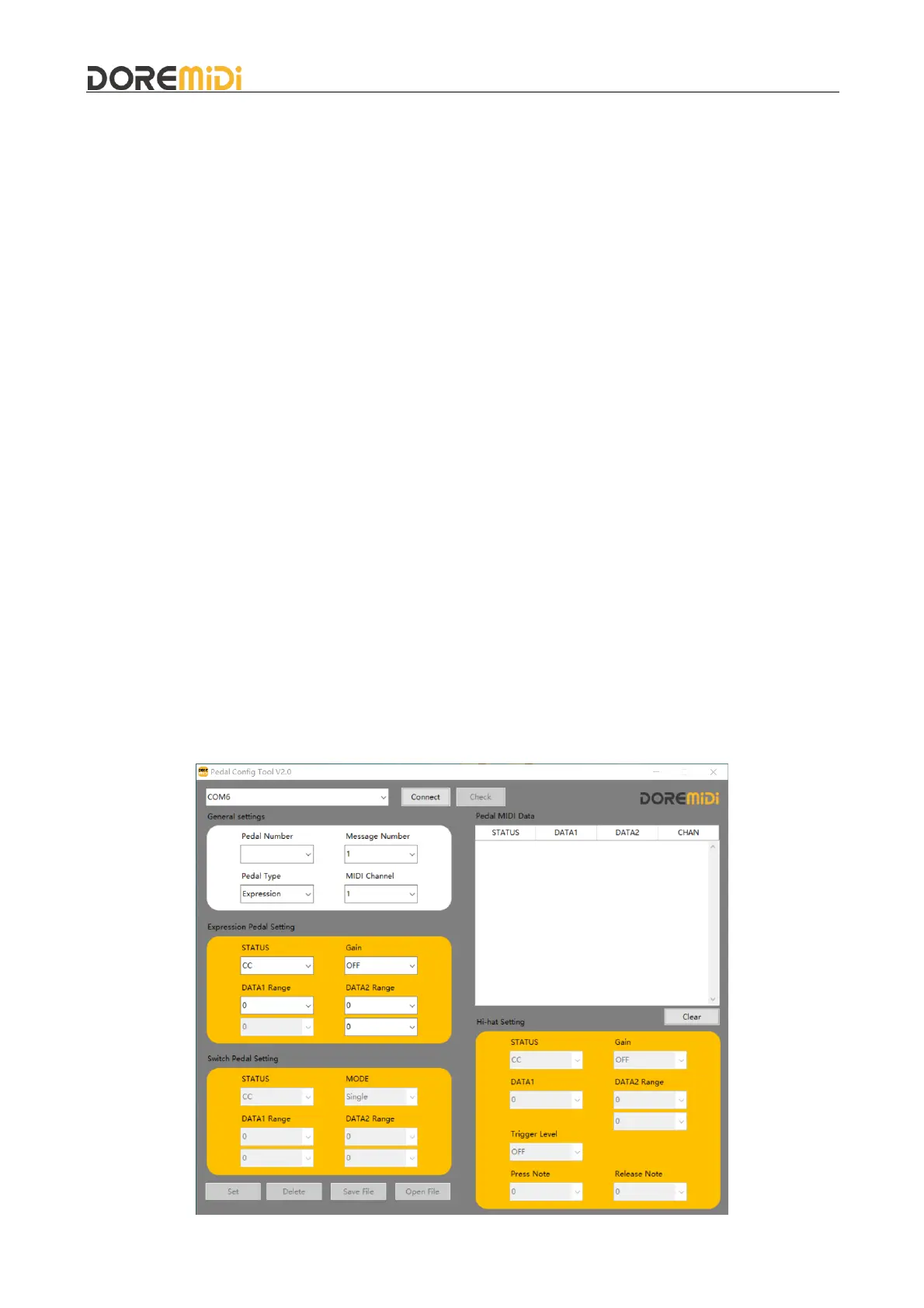
3) Open the configuration software (Pedal Config Tool V2.0), the interface is as follows:


 To Next Page