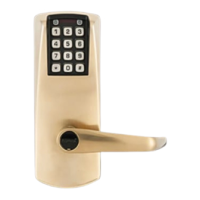
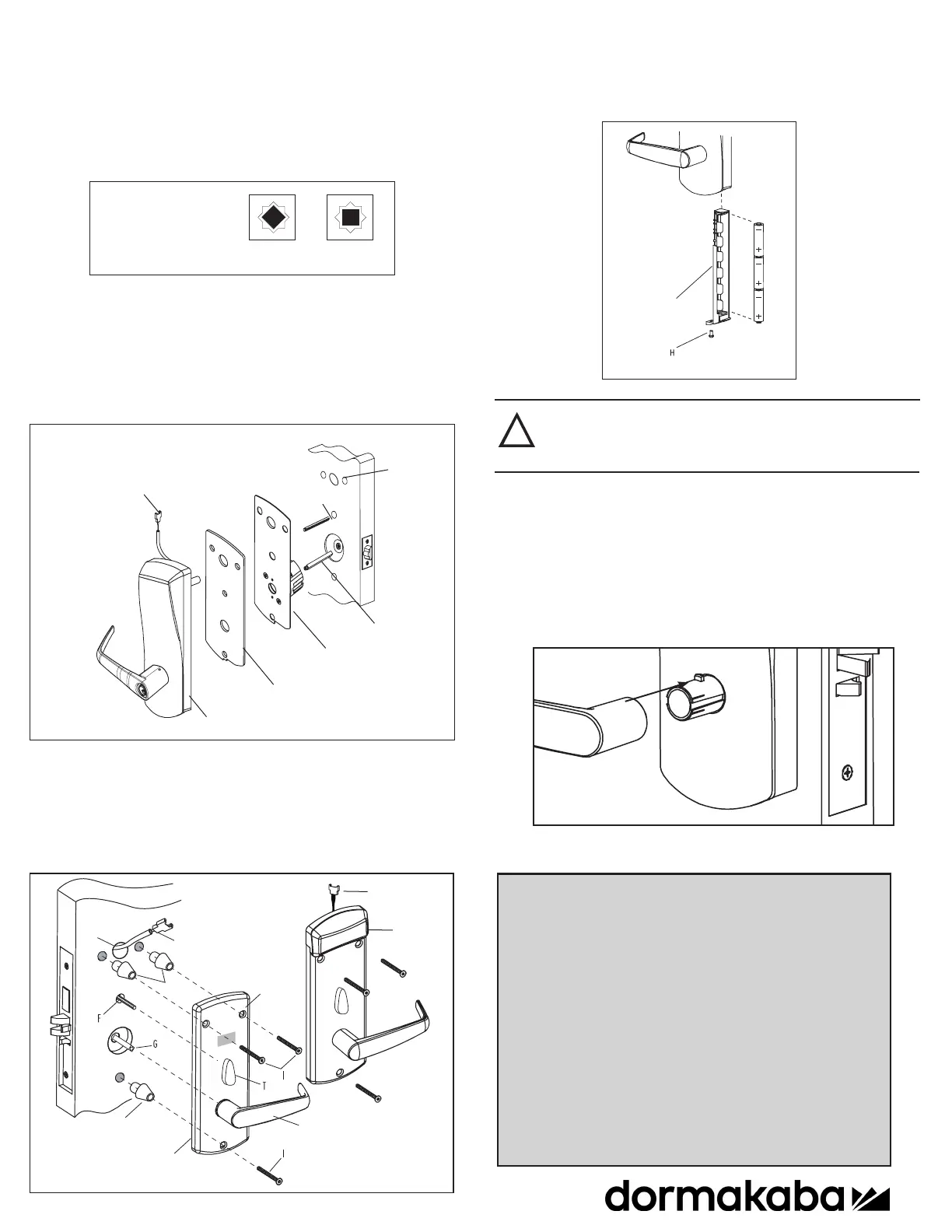
7. Assemble the lever on the outside housing, in the horizontal rest
position appropriate to the handing of the door. Simply push the lever onto the tube
until it clicks in place. If more force is required, use a rubber mallet. Test the
attachment of the handle by pulling smartly on it.
6. Three AA batteries should already be installed in the battery holder (C).
Insert the battery holder into the outside housing and secure it using the
6-32 screw (H) for the 660 Series.
5. Put the thumbturn (T) in a vertical position, place 3 spacers (V) on the door (for
recent models only) and place the inside trim assembly (E) on the door so that the
upper and lower spindles (F) and (G) engage the thumbturn (T) and the inside lever
(Y). Fasten to the outside housing using the three
1
/8” hex drive mounting screws
(I) #10-24 (or #12-24 for recent models only). For 660i connect W1 with W2 and
put the excess cable in hole H1, when installing the inside trim assembly E1
!
If the lock makes a continuous buzzing noise or the red LED lights
continuously, reset the electronics by removing the battery holder
for ten seconds, then reinsert it.
8. With the door open, verify the operation of the lock.
For models with key override refer to PK3021, included in this box.
6- Install Outside Housing and Trim
Assembly for Cylindrical
1.
Insert the slotted end of the square spindle (G) into the outside lever hub at the out-
side housing (K) until it locks, at an angle of 45º. (The spindle can be removed by pulling
on it, if oriented incorrectly.)
2.
Insert the thumbturn spindle (F) in the upper hub of the outside housing (K). (It
will clip in place.)
3.
Assemble gasket (M) onto the outside housing (K).
4. Place the outside housing (K) on the cylindrical plate (S) already on the door.
For 660i, insert cable W1 thru hole of M & S & H1 on the door
Square Spindle Position
correct incorrect
Lock Housing
Gasket
Cylindrical Plate
Assembly
F
G
S
E1
W2
M
W1
H1
K
PK3192_07_23 Printed in Canada
dormakaba Canada Inc.
You are now ready to use your Oracode 660 Lock!
A user Name & Password should have been provided for you.
Please log in @ www.kaba-ecode.com and See the “HELP” and FAQ
sections to familiarize yourself with the functionality of your lock and
how to generate codes.
See M-Unit user manual for lock programming instrutions (optional for
660I unless no internet connection).
dormakaba Customer Services & Support
Phone: 888.217.5654
General Information: www.dormakaba.com


 To Previous Page
 Loading...