9SafeRoute® System 2019-03WN 059722 45532
dormakaba System manual Troubleshooting
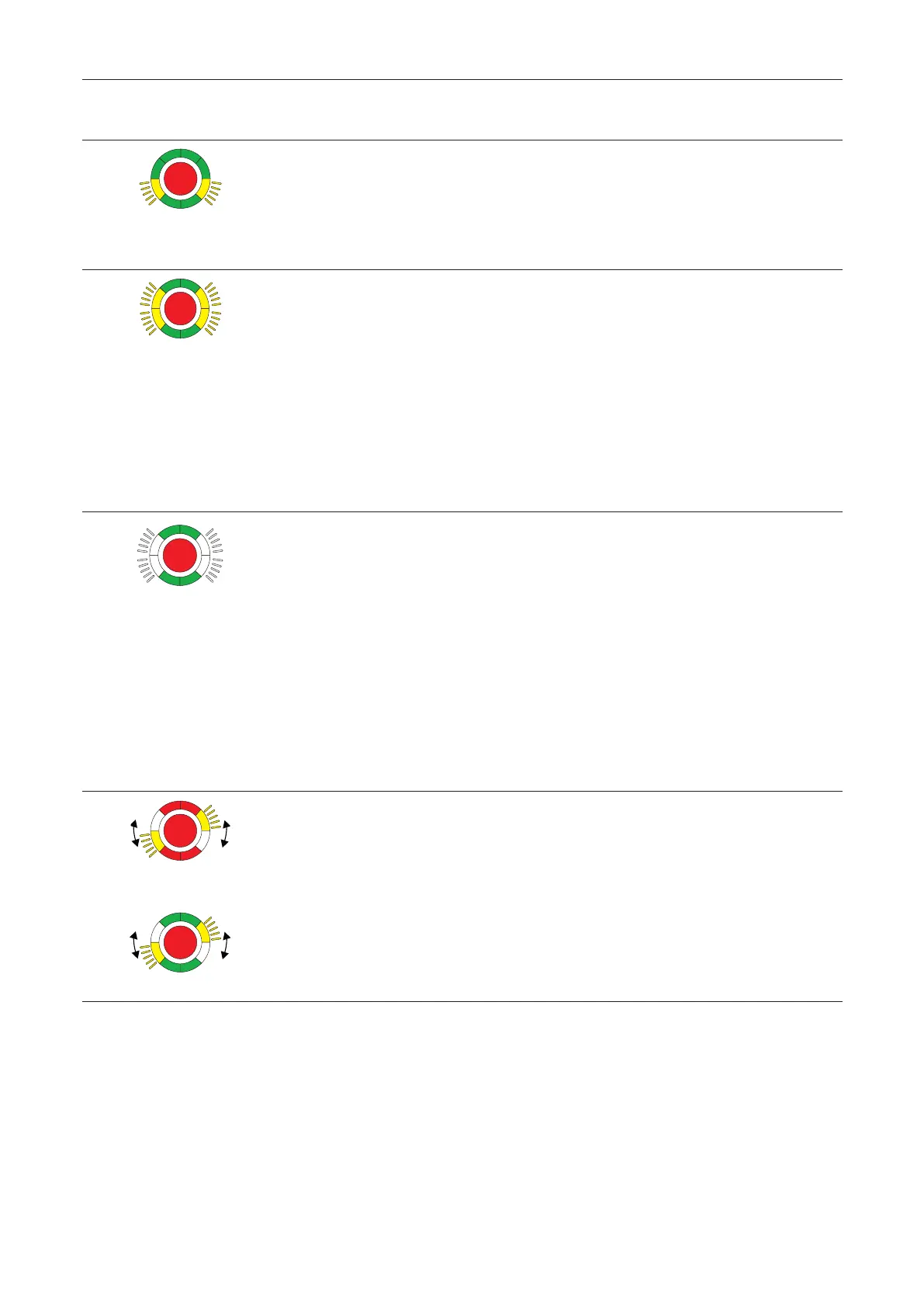
Signal
Cause Procedure
The alarm system reports an alarm
Alarm system has triggered via fire
detector or smoke switch or there is
an open circuit/short circuit to fire
detector or smoke switch.
1. Reset to fire detector or smoke
switch.
‣ The alarm is automatically*
acknowledged.
→ The door lock locks.
The emergency button is pressed
The locking device does not lock.
1. Push and hold the key to the right
on the key switch.
2. Press the emergency button for 1s
and then release.
3. Push the key over the middle to the
left and bring it back to the middle
position.
4. Remove the key.
→ The electric locking device is
active.
The emergency button is faulty
Internal emergency button error.
1. Push and hold the key to the right
on the key switch.
2. Press the emergency button for 1s
and then release.
3. Push the key over the middle to the
left and bring it back to the middle
position.
4. Remove the key.
→ The electric locking device is
active.
If the error occurs again, replace the
device.
When locked
When permanent open
The connection via DCW® bus to a
standard DCW® node is interrupted
A standard DCW® component** is
missing/defective or SCU emergency
buttons signal that the SCU control
center is missing or defective.
1. Check the DCW® connection to the
DCW® component.
2. Reset the components table with
the TMS Soft or perform new
configuration.
Attention: Parameter settings
changed by TMS Soft® are lost!
If the error persists: Replacement of the
non-safety-related DCW® component.
*Depending on the parameterization, manual acknowledgment may also be required.
**I/O module DCW®, key switch STxx DCW®, SVP lock SVP 2xxx DCW®, smoke switch RS DCW®


 To Next Page