English
Android
™
is also associated with a suite of software developed by Google
™
,
called Google Mobile Services (GMS), that are pre-installed on this device.
This includes apps such as Gmail, the application store Google Play, the
Google Chrome web browser and Google Search app.
You can find more help regarding the apps in Google Mobile Services
(GMS) on support.google.com. Select the app you need help with.
Assistive functions
Use the symbols to guide you through supporting sections in the manual.
Seeing
Handling
Hearing
Safety
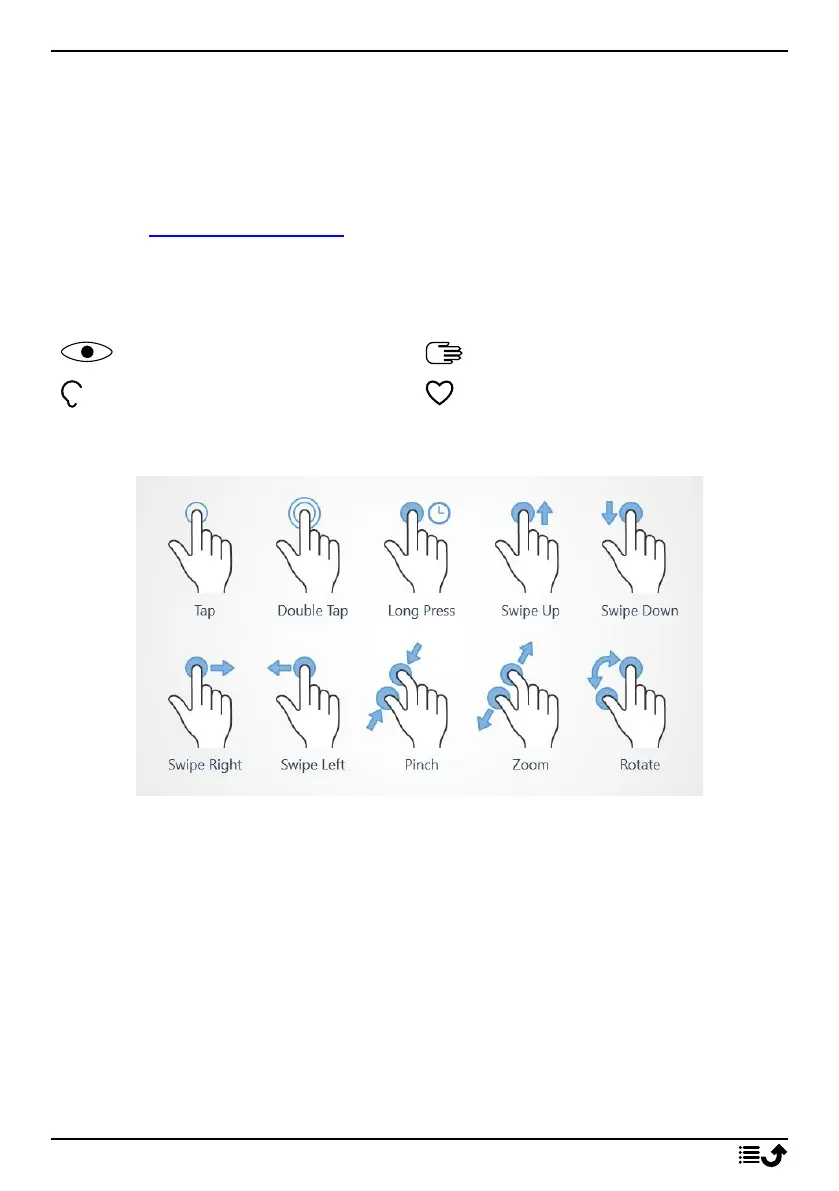
Touchscreen motion and gestures
Tap
• Tap an item, such as a button or a program icon, to select it or to open
it. Tap can be used to select or deselect a relevant tick box in a list of
options.
Double tap
• Touch the same item twice to zoom in on a map or an image.
Long press
• Touch and hold an item on the screen. Some actions, such as to move
an icon on the Home screen, begins with a long press.
10



 To Next Page