EasyManua.ls Logo

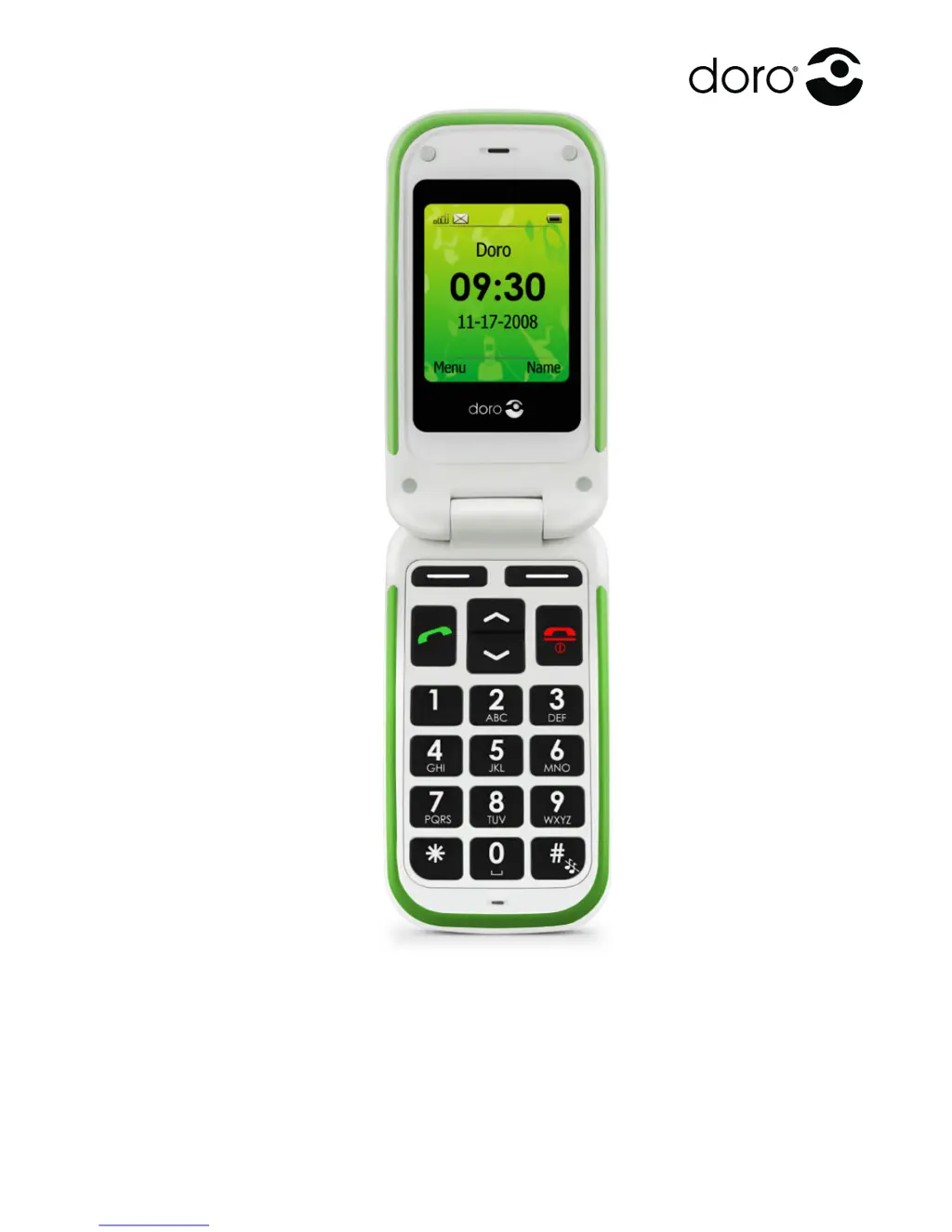
Doro PHONEEASY 410GSM - User Manual

Doro PHONEEASY 410GSM
56 pages
Print Icon
To Next Page IconTo Next Page
Loading...
PhoneEasy
410gsm

Other manuals for Doro PHONEEASY 410GSM

Questions and Answers

Summary

Installation

Installing the SIM Card and Battery

Instructions for SIM card and battery installation.

Operation

Activating the Phone

Steps to turn on the phone and handle SIM card messages.

Making a Call

Instructions on how to make phone calls.

Receiving a Call

How to answer or reject incoming calls.

Additional Functions

Call Options

Describes additional options available during a call.

Phonebook

Creating a Phonebook Entry

Guide to adding new contacts to the phonebook.

SOS Calls

Emergency Call Key

How to use the dedicated emergency call key.

Alarm

Text Input

SMS Messaging

Creating and Sending SMS

Step-by-step guide to composing and sending text messages.

Incoming SMS (Inbox)

How to read and manage received text messages.

MMS Messaging

Creating and Sending MMS

Guide to creating and sending multimedia messages.

Send MMS

Options for sending an MMS message.

Incoming MMS (Inbox)

How to view and manage received MMS messages.

Managing Files and Folders

Settings

Bluetooth Settings

Settings for connecting to Bluetooth devices.

Emergency

Settings related to the emergency call function.

Activation

How to enable the emergency call key.

Numbers List

How to set up emergency contact numbers.

Message

How to set the emergency SMS message content.

Call Setup

Settings for caller ID and call waiting.

Safety Instructions

Operating Environment

Guidelines for using the phone in different environments.

Medical Units

Precautions regarding medical equipment interference.

Pacemakers

Recommendations for users with pacemakers to avoid interference.

Areas with Explosion Risk

Safety guidelines for areas with explosion hazards.

Emergency Calls

Important information about emergency call functionality.

Vehicles

Precautions regarding the use of the phone in vehicles.

Driving Safely

RF Exposure Information (SAR)

Troubleshooting

Power and Charging Issues

Solutions for the phone not powering on or charging.

Standby Time Issues

Reasons and solutions for reduced standby battery life.

Failure to Place or Receive Calls

Solutions for problems with making or receiving calls.

PIN Code Not Accepted

What to do if the PIN code is rejected.

SIM Card Error

Solutions for SIM card related errors.

Failure to Connect to Network

Solutions for issues connecting to the mobile network.

Weak Signal

What to do if the signal strength is low.

Care and Maintenance

Warranty and Technical Data

Doro PHONEEASY 410GSM Specifications

General IconGeneral
Display type-
Display diagonal2 \
Display resolution176 x 220 pixels
Internal memory- MB
Rear camera resolution (numeric)- MP
Data networkGSM
SIM card capabilitySingle SIM
Operating frequency900/1800/1900 MHz
Multimedia Messaging Service (MMS)Yes
Ringer typePolyphonic
Polyphonic rings quantity20
Form factorClamshell
Phonebook capacity300 entries
Personal info management (PIM)Stopwatch
Product colorRed
Talk time (2G)3.2 h
Battery capacity800 mAh
Standby time (2G)533 h
Bluetooth version1.2
Specific absorption rate (SAR) value (EU)0.263 W/kg
Weight and Dimensions IconWeight and Dimensions
Depth50 mm
Width98 mm
Height19 mm
Weight119 g

Related product manuals